1
Cylinder<Number><NumberOfSurfaces><Radius><RevAngle><Height><T/B/N><optional name>
<Number>
A unique number from 1 to 2.147.483647 for identification of the first point and surface in the
Cylinder. Using the same number, but with negative sign defines the cylinder and its mirrored
counterpart in the XZ-pane (Y = 0). A Cylinder will take up several point- and surface numbers,
which must all, be unique.
<NumberOfSurfaces>
For a full cylindrical room (with a revolution angle of 360°), around 16 to 24 surfaces are
recommended. For columns a number between 6 to 8 is recommended.
<Radisus>
Radius of the cylinder must always be greater than zero.
<Revangle>
Revangle must be within the range +/-360° and different from zero. If RevAngle is 180°, a half
cylinder is generated, if its 360° a full cylinder is generated. Positive revolution angles are defined
counter clockwise.
<Height>
If the height is less than zero, the orientation of the cylinder is inverted. If height equals is zero,
one circular surface is generated.
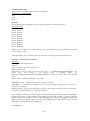
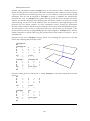
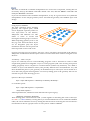
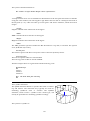
Insertion point:
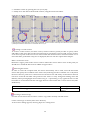
The insertion point of the cylinder is always the centre of the floor (bottom) surface.
Connection points:
The foot-points in Cylinder are stored in PlistA
The top-points in Cylinder are stored in PListB
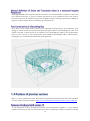
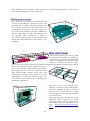
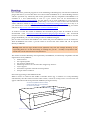
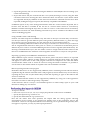
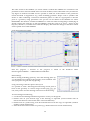
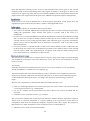
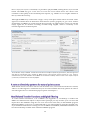
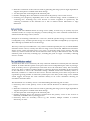
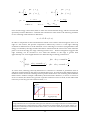
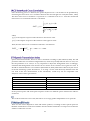
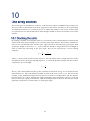
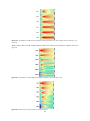
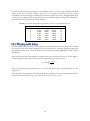
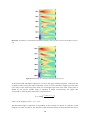
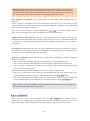
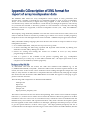
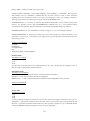
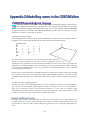
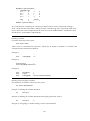
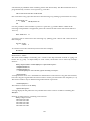
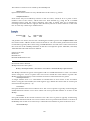
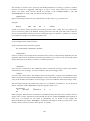
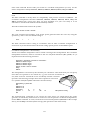
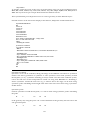
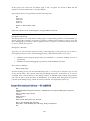
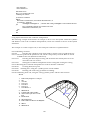
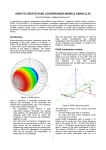
The example shown was generated with the following code:
CylinderStatement.Par
###
const N 16
const R 15
const H 10
Cylinder 1000 N R 270 H TB Cylindrical room
###
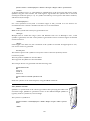
Hint! The cylinder can be made elliptical, using the MScale statement.
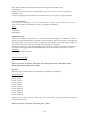
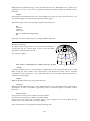
The Cylinder2 statement
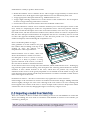
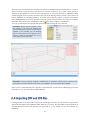
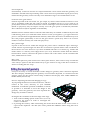
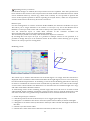
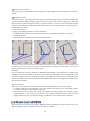
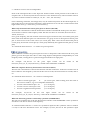
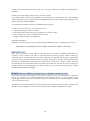
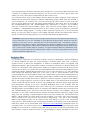
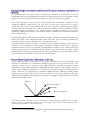
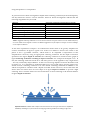
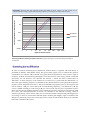
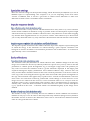
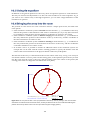
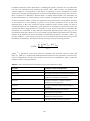
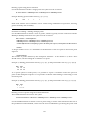
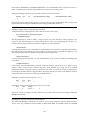
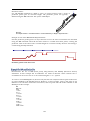
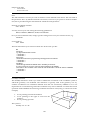
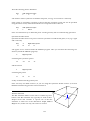
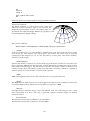
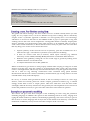
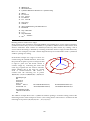
Cylinder2 is a cylinder shell of the calotte type. Rather than specifying the radius and
revolution angle, Cylinder2 is specified in terms of the width and height. Cylinder2 is
typically used for cylindrical /curved ceilings.
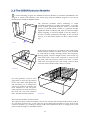
The syntax for Cylinder2 is:
Cylinder2<Number><NumberOfSurfaces><Width><Height><Length><T/B/N><optional
name>
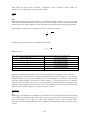
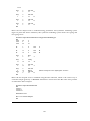
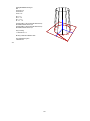
Z
O
<Width>
X
176
Y