1
DIRECTORY
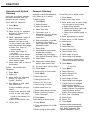
Extension and System
Directory
Verify with your system manager
that these directories were programmed by your company.
On an MLX-20L Telephone:
1. Press Menu.
2. Select Directory.
3. Select Ext Dir for extension
directory or System Dir for
system directory.
4. Select appropriate range of
letters. (If no entries are
available, you hear a beep.)
To view or select other entries
within the selected letter range:
● Select Prev Page for
previous page.
● Select Next Page for
next page.
You can select Show Number
to verify name. Select name
to verify number. Then select
Show Number again.
5. Press button next to name to
dial number.
On MLX - 10D and MLX-28D
Telephones:
1. Press Menu.
2. Select Dir.
3. Select ExtDir for extension
directory or SysDir for
system directory.
4. Use dialpad to spell name,
then select Enter.
If entry is available, you may
select:
● Prev to see previous page.
● Next to see next page.
If entry is not available, you
may select:
● New to start search over.
5. Select Dial.
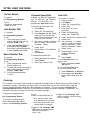
Personal Directory’
Available on MLX-20L telephones
only. Stores up to 50 entries.
To dial listing not on Home screen;
1. Press Home.
2. Select Next Page twice.
3. Press button next to letter range.
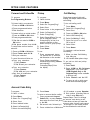
To enter a listing:
1. Press Menu.
2. Select Directory.
You may want to verify listing:
a. Select Show Number.
b. Select listing (both name and
number are displayed).
c. Select Show Number again to
exit.
3. Select Personal Dir.
4. Select Enter New.
5. Type name, up to 11
characters (A-F are in display;
G-Z are on underneath
faceplate).
4. Press appropriate line button.
5. Press button to dial number.
6. Enter punctuation, if needed,
To delete listings:
by selecting Punctuation,
select characters, then select
Punctuation again.
1.
2.
3.
4.
5.
6.
7.
7. Select Enter.
8. Use dialpad to type number,
include dial-out code if
necessary (up to 28 digits).
(See Special Character Table).
9. Select Enter.
10. Respond to number display
11. For more entries, return to Step 5.
To assign listings to home screen:
1. Press Menu.
2. Select Directory.
3. Select Personal Dir.
4. Select Put On Home.
5. Select range of letters.
6. Select name from list.
7. Select Home screen location.
8. Select Continue to repeat
Steps 5 through 7.
9. Press Home.
To dial listing on Home screen:
1. Press Home.
2. Press appropriate line or SA
button.
3. Select listing to dial number.
Select Directory.
Select Personal Dir.
Select Delete Entry.
Select range of letters.
Select listing to be deleted.
Select Delete to delete listing,
(Cancel exits without change.)
8. Press Home.
prompt, then select Enter.
12. Press Home.
Press Menu.
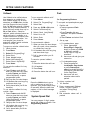
To change listings:
1. Press Menu.
2.
3.
4.
5.
6.
7.
Select Directory.
Select Personal Dir.
Select Edit Dir.
Select range of letters.
Select listing to be changed.
Choose item to be changed:
Replace Name changes
name, Replace Num changes
number, Rep/ace Tag displays/
conceals number on/from
display, Exit cancels changes.
8. Enter new information.
9. Select Enter.
10. Select Exit.
11. Press Home.
* Numbers dialed automatically
may need special characters in
their dialing sequence. (See
Special Characters Table.)