1
MESSAGING
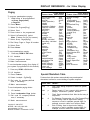
Accessing Features
●
●
●
Leave Messages
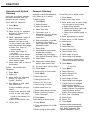
Select feature from Menu display:
1. Press Menu button.
2. If necessary to find feature, press More.
3. Select feature.
Menu Display
Alarm Clock
Extension Directory
Messaging
Delete Message
Select feature from Feature display:
Next Message
1. Press Feature.
Posted Message
2. If necessary to find feature, press More. Return Call
Personal Directory
3. Select feature from display or dial the
System Directory
feature code.
Select feature from a programmed button. Timer
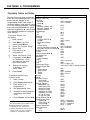
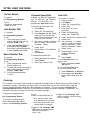
Feature Codes
Account Code Entry
Callback Selective
Call Waiting
pick up a call waiting call†
Camp-On
Follow Me
Forward
inside
outside
Forward and Follow Me
cancel from all extensions+
cancel from one extension+
cancel from your phone
Language††
English
French
Spanish
Last Number Dial
Messaging
cancel message†
leave message
leave message without calling†
Personal Speed Dial†
Pickup
group pickup
inside
outside
Privacy
off
Recall
Reminder Service
set reminder
cancel reminder
System Speed Dial
82 + code
55
87
57
34 + extension
33 + extension
33 + dial-out code +
number + #
✼ 34 ✼
✼ 34 + extension
33 + your extension
790
791
792
84
✼ 53 + extension
25
53 + extension
code (01 -24)
88
9 + extension
9 + line number
✼ 31
31
775
81 + time + A or P
✼ 81
code (600-739)
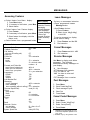
On busy or unanswered extension:
●
●
Press programmed Leave
Message button.
Use Feature button:
1. Press Feature.
2. Select Leave Msg[LvMsg]
or dial 25.
To send a message to a display
phone without calling:
1.
2.
Press Feature and dial 53.
Dial extension.
Cancel Messages
1.
2.
Press Feature and dial ✼ 53.
Dial extension.
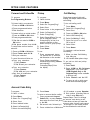
Receive Messages
Use Menu to display and delete
messages. The following
abbreviations identify messages on
your display:
✼
New Message
ATT Message from operator
FAX You have a fax
VMS You have a voice-mail
message
EXT Message from co-worker.
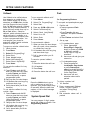
Post Messages
1.
2.
3.
4.
5.
Press Menu.
Select Posted Msg[Post].
Select message to post.
Select Post.
Press Home.
Cancel Posted Messages
1.
2.
3.
4.
Press Menu.
Select Posted Msg[Post].
Select Cancel[Canel].
Press Home.
†† For time functions, English
operates on 12-hour clock (A or P),
French and Spanish operate on 24hour clock.
† Available only by using feature code.