1
Central Information
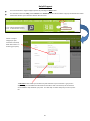
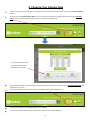
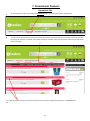
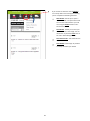
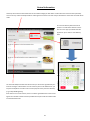
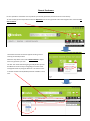
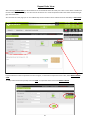
At the top of the central information box at the checkout stage you will able to confirm who the order has been placed by.
This can be very useful if multiple staff are ordering from the same accounts and you would like to track who has made which
order.
Your chosen delivery date will also be
present. To amend this select the calendar icon and a pop up calendar box will
appear for you to select a new delivery
date.
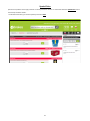
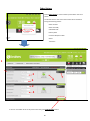
The Customer Ref/PO number box will be set up to be used as agreed with your
account manager. If PO numbers are not necessary this can be left blank or you
may find it helpful to include a note as to the purpose of this particular delivery
(e.g. Friday Wedding Party)
If the section has a small red star, then it has been agreed with the account manager that a valid PO number must be provided at this point and the checkout will
not submit without this.
33