1
Project Deliverer User Guide
Logging in and out of MCIS
Logging in and out of MCIS
Login
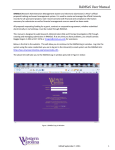
To log in to MCIS, go to the home page of the ERDF for England website www.erdf.communities.gov.uk - and click on ‘login’.
1. Enter your Government Gateway Username and password. Click on Login.
2. The first time you log-in as a new user, for security purposes you will be
asked to change your password. You are also required to add two security
questions and answers. These will be used to validate your identity should
forget your password in the future.
Security at first log-in
3. On subsequent log-ins, your Personal Page will display.
Project Deliverer User Guide: Version 1.0
Document Owner: Hannah Swan, MCIS Project Team
Created: 06-08-08
Page 5 of 77