1
TS800
User Programming
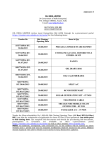
Menu No
1
2
3
4
5
6
7
8
9
10
11
12
Menu
Start Set Sequence
View Event Log
View Circuits
Start Walk Test
Start Bell Test
Change Codes
Enable Chime
Use Printer
Change the Clock
Alter Chime Circuits
Change Text
Reset by Code
Passcode Level
0 to 9
0 to 7 & 9
0 to 7 & 9
0 to 7 & 9
0 to 7 & 9
1 to 7 & 9
0&1
0&1
0&1
0&1
0&1
1 to 7
Notes:
User 0 is the Engineer
User 1 is the Master
User 2 cannot unset Wards 3 and 4
User 3 cannot unset Wards 2 and 4
User 4 cannot unset Wards 2 and 3
User 8 can Set only and is for a cleaner
User 9 is a temporary (holiday) user
Menu 8 user Printer only shown if the printer is connected
Menu 12 only shown if Engineer reset is required
Menus 1 to 6 may be selected directly, after entering a passcode, by pressing the ‘hot’ keys 1 to 6 as required.
TS800
10 of 10
496528 Issue A