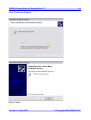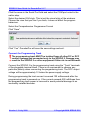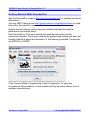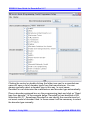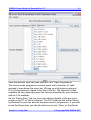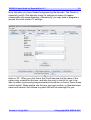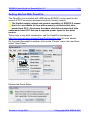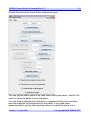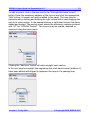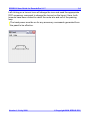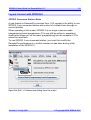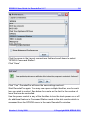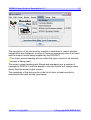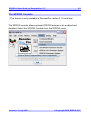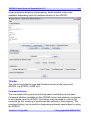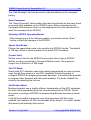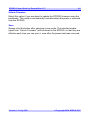
1
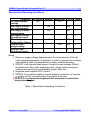
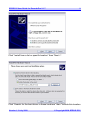
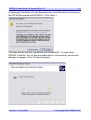
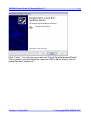
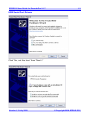
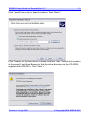
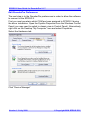
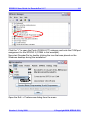
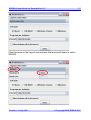
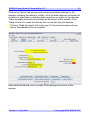
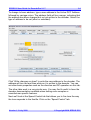
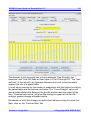
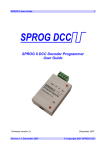
SPROG II User Guide for DecoderPro 2.1.7 1 SPROG II DCC Decoder Programmer User Guide For use with DecoderPro Version 2.1.7 Version 1.3 July 2008 © Copyright 2008 SPROG DCC SPROG II User Guide for DecoderPro 2.1.7 2 Table of Contents Introduction.................................................................................. 4 Requirements............................................................................................. 4 Features...................................................................................................... 4 Specification/Operating Conditions......................................................... 5 Installation.................................................................................... 6 Install the Java Runtime Environment (JRE).......................................... 6 Install DecoderPro..................................................................................... 7 Connect the Power Supply....................................................................... 7 Install SPROG II USB drivers.................................................................... 8 Edit DecoderPro Preferences................................................................. 15 Connect the Programming Track........................................................... 18 Getting Started With DecoderPro............................................. 19 Using the DecoderPro Throttle................................................. 28 Speed Matching of Locos....................................................................... 30 Measuring Loco Current......................................................................... 30 Getting Started With PanelPro.................................................. 31 Layout Control with SPROG II...................................................35 SPROG Command Station Mode............................................................ 35 Short (one byte) Versus Extended (two byte) Addressing.................. 39 How Many Locos Can Be Controlled?................................................... 39 Using an External Booster with SPROG II............................... 40 Connecting and Using Multiple SPROG IIs..............................41 Determining the SPROG II Firmware Version..........................42 The SPROG Console.................................................................. 43 Title Bar.................................................................................................... 44 Command History.................................................................................... 44 Send Command....................................................................................... 45 Version 1.3 July 2008 © Copyright 2008 SPROG DCC SPROG II User Guide for DecoderPro 2.1.7 3 Selecting SPROG Operating Modes...................................................... 45 Speed Step Modes................................................................................... 45 Current Limit............................................................................................ 45 Set ZTC Mode........................................................................................... 45 Set Blueline Mode.................................................................................... 45 Unlock Firmware...................................................................................... 46 Save.......................................................................................................... 46 Updates to the SPROG II Firmware.......................................... 47 Returning Your SPROG for Update........................................................ 47 Firmware Update Using the Bootloader................................................ 47 SPROG Commands.................................................................... 51 General Commands ................................................................................ 51 Programmer Commands ........................................................................ 51 Rolling Road Tester Commands ........................................................... 51 Bootloader Command............................................................................. 51 Input Format ............................................................................................ 52 Acknowledgement Messages ................................................................ 52 The Mode Word........................................................................................ 52 Commands in Detail................................................................................ 53 Troubleshooting......................................................................... 56 Useful Links ............................................................................... 57 Version 1.3 July 2008 © Copyright 2008 SPROG DCC SPROG II User Guide for DecoderPro 2.1.7 4 Introduction SPROG II is a DCC decoder programmer for connection to the USB port of a personal computer or similar device. SPROG II is supported by DecoderPro and PanelPro, both part of the JMRI project (http://jmri.sourceforge.net/) which, by use of the java programming language, allows platform independent support of a wide range of DCC hardware. JMRI is shareware available as a free download. SPROG II is also capable of operating a small layout using the features of DecoderPro and PanelPro. A larger layout can be driven by using an external booster. Requirements Java programming language JRE from Sun Microsystems http://java. sun.com • DecoderPro from http://jmri.sourceforge.net/ • Regulated DC Power Supply (see Table 1) • Short length or small oval of track for programming and/or test running • Features • Programs virtually all NMRA compliant DCC decoders • No extra hardware required for programming sound decoders (e.g. QSI, Soundtraxx) • Easy to use graphical interface with DecoderPro • USB interface for easy connection to PC • USB activity LED shows communication with the PC • Power LED flashes when programming track power is live Version 1.3 July 2008 © Copyright 2008 SPROG DCC SPROG II User Guide for DecoderPro 2.1.7 5 Specification/Operating Conditions Parameter Minimum DC Input supply 10V voltage Vin supply current – not programming Vin supply current – programming Vin supply current – Operating Layout Operating Temperature Range Output Load programming Output Load – Operating Layout Nominal Maximum Units Note 15V V 1 50 mA 300 mA 2 A 3 1 25 °C 250 1 mA 2 A 3 Notes: 1. Minimum supply voltage depends upon the requirements of the de coder being programmed. In general it is safer to use as low a voltage as possible in case of problems with a newly installed decoder. 2. SPROG II will remove track power if output current exceeds 250mA as measured 100ms after applying power. Surge current during de coder power-up may be considerably greater than this. 3. Depends upon required DCC current. 4. SPROG II is protected against reverse polarity connection of the pow er supply but will not work unless the polarity is correct. SPROG II is not protected against track and power connections being interchanged. ! Table 1 Specification/Operating Conditions Version 1.3 July 2008 © Copyright 2008 SPROG DCC SPROG II User Guide for DecoderPro 2.1.7 6 Installation The following steps are required to install SPROG II before you can use it for the first time: • Install the Java Runtime Environment (JRE) • Install DecoderPro 2.1.7 or later • Connect the Power Supply • Install SPROG II USB drivers • Edit DecoderPro preferences ! • Connect the Programming Track For a successful installation, the JRE must be installed before DecoderPro is installed. This document gives brief installation instructions for the Windows Operating System. For full instructions and for instructions to install the JRE and DecoderPro on Linux or MACOS, please refer to the Install Guides on the JMRI website at http://jmri.sourceforge.net/download Install the Java Runtime Environment (JRE) The Java Runtime Environment is not required for MACOS, which has Java support as standard. For Windows and Linux it must be installed first, either from the CD-ROM supplied or from a downloaded copy. To install from the CD-ROM, use “My Computer” or “Windows Explorer” to browse to the directory on the CD-ROM specific to your operating system. Version 1.3 July 2008 © Copyright 2008 SPROG DCC SPROG II User Guide for DecoderPro 2.1.7 7 Double click the j2re executable file and follow the on-screen instructions to install. Install DecoderPro DecoderPro should then be installed from the CD-ROM or a downloaded copy. A newer version of DecoderPro than that supplied on the CD-ROM may be available from the JMRI download page http://jmri.sourceforge.net/download This user guide assumes you are using version 2.1.7, or later.. To install from the CD-ROM, browse to the directory specific to your operating system (as per the previous step). Double click on the JMRI.2.x.exe file and follow the on-screen instructions to install. Connect the Power Supply Power supplies sold by SPROG DCC are supplied with a circular DC jack plug. This should be removed to allow connection to the pluggable terminal block: • Cut off the DC plug • Separate the two conductors for about 3cm • Strip 6-8mm of insulation from each conductor and twist the copper cores of each conductor together • Insert the conductor marked with a white stripe in the +V terminal and Version 1.3 July 2008 © Copyright 2008 SPROG DCC SPROG II User Guide for DecoderPro 2.1.7 8 tighten the screw • Insert the other conductor in the 0V terminal and tighten the screw SPROG II is protected against reverse polarity connection of the power supply but will not work unless the polarity is correct. The power LED will illuminate steadily when the SPROG II is powered up and the USB connected to the host computer (next step). The power LED will flash when the programming track is powered up. Install SPROG II USB drivers Use the supplied USB cable to connect SPROG II to the host computer. The power LED should be lit. The first time you do this you will see the “Found new Hardware Wizard”. Follow the steps below to install the SPROG II drivers and then the USB Serial port drivers. USB Drivers Click “No, not this time” then “Next >”. Version 1.3 July 2008 © Copyright 2008 SPROG DCC SPROG II User Guide for DecoderPro 2.1.7 9 Click “Install from a list or specific location” then “Next >”. Click “Search for the best driver in these locations” then “Include this location Version 1.3 July 2008 © Copyright 2008 SPROG DCC SPROG II User Guide for DecoderPro 2.1.7 10 in the search” and then click the Browse button to find the driver directory on the CD-ROM supplied with SPROG II. Click “Next >”. The base drivers are fully compatible with WindowsXP. To make them SPROG II specific, the .inf files are edited which, unfortunately, causes this dialogue to appear. Click “Continue Anyway”. Version 1.3 July 2008 © Copyright 2008 SPROG DCC SPROG II User Guide for DecoderPro 2.1.7 11 Click “Finish”. You will now see a second "Found New Hardware Wizard". This is correct, and will install the required USB to Serial drivers. Do not cancel this next sequence!" Version 1.3 July 2008 © Copyright 2008 SPROG DCC SPROG II User Guide for DecoderPro 2.1.7 12 USB Serial Port Drivers Click “No, not this time” then “Next >” Version 1.3 July 2008 © Copyright 2008 SPROG DCC SPROG II User Guide for DecoderPro 2.1.7 13 Click “Install from a list or specific location” then “Next >” Click “Search for the best driver in these locations” then “Include this location in the search” and then Browse to find the driver directory on the CD-ROM supplied with SPROG II. Click “Next >” Version 1.3 July 2008 © Copyright 2008 SPROG DCC SPROG II User Guide for DecoderPro 2.1.7 14 Click “Continue Anyway” Click “Finish” Version 1.3 July 2008 © Copyright 2008 SPROG DCC SPROG II User Guide for DecoderPro 2.1.7 15 Edit DecoderPro Preferences The next step is to the DecoderPro preferences in order to allow the software to connect to the SPROG II. First you must ascertain which COM port was assigned to SPROG II during the driver installation. Open the System Properties from the Windows Control Panel (you may need to switch to classic view in Control Panel). Alternatively, right click on the Desktop “My Computer” Icon and select Properties. Select the Hardware tab: Click “Device Manager” Version 1.3 July 2008 © Copyright 2008 SPROG DCC SPROG II User Guide for DecoderPro 2.1.7 16 Click the “+” to open the Ports (COM & LPT) category and note the COM port assignment for the SPROG II (COM4 in this example). Now start DecoderPro by double clicking the icon that was placed on the Windows desktop during the installation. Open the Edit -> Preferences dialog from the menu Version 1.3 July 2008 © Copyright 2008 SPROG DCC SPROG II User Guide for DecoderPro 2.1.7 17 Click the arrow in the Layout connections field and scroll down to select SPROG Version 1.3 July 2008 © Copyright 2008 SPROG DCC SPROG II User Guide for DecoderPro 2.1.7 18 Click the arrow in the Serial Port field and select the COM port noted in the earlier step. Select the desired GUI style. This is just the visual style of the windows. Choose the view that you like if you wish; it does not affect the program behaviour. Select the Comprehensive Programmer Format Click “Save” Click “Yes”. DecoderPro will save the new settings and exit. Connect the Programming Track ! The programming track MUST be isolated from all other DC or DCC control systems and connected only to the SPROG II. Damage may result to the SPROG II or other equipment if this rule is not followed. Connect the SPROG II to the programming track using the “Track” terminals of the pluggable terminal block. There is no requirement to observe any particular polarity when connecting the programming track. The DCC output voltage will be approximately 1V below the power supply voltage. During programming the track current is sensed 100 milliseconds after the programming track is powered up. If the current exceeds 250 milliAmps then the programming track power is removed to avoid potential damage to an incorrectly installed decoder. Version 1.3 July 2008 © Copyright 2008 SPROG DCC SPROG II User Guide for DecoderPro 2.1.7 19 Getting Started With DecoderPro See the DecoderPro website http://jmri.sourceforge.net for updates and latest information. Join the JMRI Yahoo group http://groups.yahoo.com/group/jmriusers for help from other DecoderPro users and the team who develop it. Ensure that all software and drivers are installed and that DecoderPro preferences have been setup. Start DecoderPro. The main window will open and show the current connection method. This merely reflects the preferences setting and does not actually indicate a physical connection. In the following example “Connected via SPROG on COM4”: Click “Service Mode (Programming Track) Programmer” to open the Programmer Setup window. A new window will pop up which shows a list of decoder manufacturers. Version 1.3 July 2008 © Copyright 2008 SPROG DCC SPROG II User Guide for DecoderPro 2.1.7 20 Clicking the control or double clicking the folder icon next to a manufacturer name will open a list of decoder types from that manufacturer. You can always manually select a decoder type in this way. In most cases, DecoderPro can determine the manufacturer and decoder type automatically. Place a decoder equipped loco on the programming track and click on “Read type from decoder”. In the example below, DecoderPro has identified a QSI Industries BLI F7. Sometimes DecoderPro can identify the manufacturer but not exact model of decoder fitted. In these cases it will be necessary to select the decoder type manually. Version 1.3 July 2008 © Copyright 2008 SPROG DCC SPROG II User Guide for DecoderPro 2.1.7 21 Once the decoder type has been selected, click “Open Programmer”. The service mode programmer window opens with a selection of “tabs”, grouped in rows below the menu bar, Clicking on a tab selects a group of CVs to be programed, related to the title of the tab. The selection of tabs available will vary depending upon the features supported by your decoder and the CVs available. On the “Roster Entry” tab you may enter arbitrary details of the loco to be saved on the PC for future reference. The DCC address field will be filled in by DecoderPro once the decoder has been read or programmed. If you wish to use the Roster then you should make sure to click “Save” on the Roster Version 1.3 July 2008 © Copyright 2008 SPROG DCC SPROG II User Guide for DecoderPro 2.1.7 22 Entry tab when you have finished programming the decoder. The Roster is especially useful if the decoder loses it’s settings as seems to happen occasionally with some decoders. Alternatively, you may wish to program a second loco with similar CV settings. Note on 'ID:' When you click Save, the ID will become the file name of the roster entry created for this loco, and also the entry in the list for you to be able to select a previously-programmed and saved loco in future. Name these entries wisely!. Many people use the loco type and number, or Operator/road name and number, but choose a system that will be meaningful to you. Version 1.3 July 2008 © Copyright 2008 SPROG DCC SPROG II User Guide for DecoderPro 2.1.7 23 Click on the “Basic” tab and you will see the most basic settings for the decoder including the address. Initially, all of the data fields are coloured red or yellow to show that no data has been read from or written to the decoder. There are eight read and write buttons at the bottom of the window. Click “Read full sheet” to read the data for the current tab from the decoder. ! Clicking “Read all sheets” will read every CV from the decoder and may take a considerable time to complete. Each data field should return to white or the background colour of the window. Version 1.3 July 2008 © Copyright 2008 SPROG DCC SPROG II User Guide for DecoderPro 2.1.7 24 To change to locos address, type a new address in the Active DCC Address followed by carriage return. The address field will turn orange, indicating that the address has been changed but not yet written to the decoder. Select the type of address to be set (short or extended). Click “Write changes on sheet” to write the new address to the decoder. The address will turn red and then white as it is written to the decoder. You can set other basic properties such as the direction and DC operation on this tab. The other tabs work in a very similar way. You may find it useful to have the decoder documentation available when setting more complex or manufacturer specific features. Next we’ll look at the Speed Control tab that allows you to fine tune the way the loco responds to the throttle. Click on the “Speed Control” tab. Version 1.3 July 2008 © Copyright 2008 SPROG DCC SPROG II User Guide for DecoderPro 2.1.7 25 The decoder in this example has a choice between “Use Straight-Line response” and “Use QSI table or User table in CVs 67 through 94”. The “look and feel” of this tab will vary between decoders but most recent decoders support the use of a speed table. It is left as an exercise for the reader to experiment with the sliders for setting the speed table and the buttons just below. The “Force Straight” option will give a linear relationship between the throttle position and the speed of the loco. “Constant ratio curve” will give little change in speed at low throttle settings, greater change at higher throttle. Remember to write the changes on each sheet before moving to a new one. Next, click on the “Function Map” tab. Version 1.3 July 2008 © Copyright 2008 SPROG DCC SPROG II User Guide for DecoderPro 2.1.7 26 The Function Map allows you (in those decoders that support it) to control which throttle function key is mapped to each output wire or operation (e.g. sound effect) of the decoder. Version 1.3 July 2008 © Copyright 2008 SPROG DCC SPROG II User Guide for DecoderPro 2.1.7 27 DecoderPro comes into its own for programming the many and varied options in a sound decoder. Here is an example Sound tab from the BLI F7 where the volume of individual effects may be set. Again, remember to write your changes. Hovering over an item with the cursor will often show a short description for that item, but It is highly recommended that you read the documentation for your decoder to get the best from it with DecoderPro. Version 1.3 July 2008 © Copyright 2008 SPROG DCC SPROG II User Guide for DecoderPro 2.1.7 28 Using the DecoderPro Throttle Using a DecoderPro throttle, it is possible to test run a loco after programming CVs, e.g., to test the effect of changing the speed table of function mapping. Using a rolling road or a continuous loop of track for programming is recommended for test running. Using PanelPro and the throttle, it is possible to control a small “one engine in steam” layout, including control of accessories (e.g. point motors) with SPROG II. More than one loco may be present on the layout but only one may be selected on the throttle and driven at one time. ! Care should be taken when using the service mode programmer that only one loco is on the layout during programming, or that the layout is isolated except for a short section of track for programming. If a programming operation is performed whilst the whole layout is connected, then incorrect data will be read from CVs and all locos on the layout will be re-programmed. On the main DecoderPro window, click on the “Tools” menu item and then select “Throttles” and “New Throttle…” Version 1.3 July 2008 © Copyright 2008 SPROG DCC SPROG II User Guide for DecoderPro 2.1.7 29 SPROG II, when used as a programmer, supports the use of one DecoderPro throttle. See “Layout Control with SPROG II” for details of how to use SPROG II as a command station with multiple throttles. When the throttle window opens, enter the loco address and click “Set”. With SPROG II, loco addresses less than 128 are assumed to be short (2 digit) addresses. Addresses greater than 127 are assumed to be extended (4 digit) addresses. Setting the loco address will enable the function buttons and speed slider. The LED icon in the centre of the menu bar is the track power control and must be clicked until it is green to turn on the track power. The SPROG II power LED will flash when the track power is live. ! Note: After programming using the service mode programmer, the track power is always left in the off state and must be turned on again from the throttle power control before the loco can be run. Version 1.3 July 2008 © Copyright 2008 SPROG DCC SPROG II User Guide for DecoderPro 2.1.7 30 The function keys have a latching operation. Click once to turn a function on, click again to turn the function off. To control the loco speed, click and drag the slider caret (the pointy bit!). For fine control of speed, click on the slider just above or below the caret. The “STOP!” button will stop the loco but does not turn off the track power. To set a different loco address, click the “Dispatch” or “Release” button. These two buttons have the same effect with SPROG II. Speed Matching of Locos To come in a future release of this document… Measuring Loco Current Loco current may be measured by using SPROG II in command station mode and using the slot monitor, see “Layout Control with SPROG II”. Version 1.3 July 2008 © Copyright 2008 SPROG DCC SPROG II User Guide for DecoderPro 2.1.7 31 Getting Started With PanelPro The PanelPro tool included with JMRI allows SPROG II to be used for the control of DCC accessory decoders for point (turnout) control. ! The limited output voltage and current capability of SPROG II means that it is not suitable for use with accessory decoders that take power from DCC. Accessory decoders should be chosen that take commands from DCC but use a separate power input for the point motors. This is only a very brief introduction, see the PanelPro homepage at http://jmri.sourceforge.net/apps/PanelPro/PanelPro.html for more details. On the main DecoderPro window, click on the “Panels” menu item and then select “New Panel…” Choose the Panel Editor Version 1.3 July 2008 © Copyright 2008 SPROG DCC SPROG II User Guide for DecoderPro 2.1.7 32 A blank Panel and the Panel Editor window will open You can set the panel name to be used when saving the panel. Use the File menu in the panel editor to save the panel. You can draw a background track plan in a graphical editing tool and then load the image as the background for the panel. It may take some experimenting to get the track spacing correct to match the panel icons. Version 1.3 July 2008 © Copyright 2008 SPROG DCC SPROG II User Guide for DecoderPro 2.1.7 33 To add a turnout, click in the box next to the “Add right/left-hand turnout” button. Enter the accessory address of the turnout and click the appropriate “Add” button. A turnout icon will be added to the panel. The icon may be repositioned by clicking and holding the right mouse button and dragging the icon to its new position. In the example below, a right-hand turnout has been added and moved. The pop-up menu shows the accessory address prefixed with “ST” for “SPROG Turnout”. The turnout may be rotated, disabled or removed using the same menu. Clicking the “Add icon” button will add a straight track section In the next step two straight line segments and a left hand turnout (address 2) have been added and aligned to represent the layout of a passing loop. Version 1.3 July 2008 © Copyright 2008 SPROG DCC SPROG II User Guide for DecoderPro 2.1.7 34 Left clicking on a turnout icon will change the icon and send the appropriate DCC accessory command to change the turnout on the layout. Here, both turnouts have been clicked to select the route into and out of the passing loop. ! The track power must be on for any accessory commands generated from the panel to be effective. Version 1.3 July 2008 © Copyright 2008 SPROG DCC SPROG II User Guide for DecoderPro 2.1.7 35 Layout Control with SPROG II SPROG Command Station Mode A new feature in DecoderPro versions from 1.9.2 onward is the ability to use SPROG II as a command station with control of multiple locos through on screen throttles. When operating in this mode, SPROG II is no longer a service mode (programming track) programmer. CVs may still be written in operations mode (also known as “on the main” programming) but the contents of CVs cannot be read back. To use SPROG II as a command station, you must first modify the DecoderPro preferences in a similar manner as was done during initial installation of the SPROG II. Open the Edit -> Preferences dialog from the menu Version 1.3 July 2008 © Copyright 2008 SPROG DCC SPROG II User Guide for DecoderPro 2.1.7 36 Click the arrow in the Layout connections field and scroll down to select “SPROG Command Station”. Click “Save” Click “Yes”. DecoderPro will save the new settings and exit. Start DecoderPro again. You may now open multiple throttles, one for each loco you wish to control. See below for a note on the limit to the number of locos that can be controlled. Use the power control in any of the throttles to turn the track power on or off. An additional feature in Command Station mode is the slot monitor which is accessed from the SPROG menu in the main DecoderPro window Version 1.3 July 2008 © Copyright 2008 SPROG DCC SPROG II User Guide for DecoderPro 2.1.7 37 The top portion of the slot monitor contains a checkbox to control whether unused slots are displayed, a button to force an emergency stop of all locos and the output current being supplied by the SPROG II. ! The output current reading will not reflect the layout current if an external booster is being used. The output current readings are filtered and averaged over a number of readings by SPROG II and the display in the slot monitor will change more slowly than the actual output current. The remainder of the slot monitor is the list of slots, at least one slot is associated with each throttle (see below). Version 1.3 July 2008 © Copyright 2008 SPROG DCC SPROG II User Guide for DecoderPro 2.1.7 38 In this example, SPROG II is supplying 163mA to the layout. A loco with address 997 is running in reverse at speed step 35 and a loco with address 1 is running forwards at speed step 43 When you use a function button on a throttle, you will see an extra slot occupied momentarily with the address of the loco on that throttle and speed 0. This indicates that the function command is being sent to the loco. To allow for errors in reception, function commands are repeated three times. After the third copy is sent, the slot will be cleared. Version 1.3 July 2008 © Copyright 2008 SPROG DCC SPROG II User Guide for DecoderPro 2.1.7 39 Short (one byte) Versus Extended (two byte) Addressing The DCC specification allows two forms of loco address: • Short addresses in the range 1 – 127 • Extended addresses in the range 1 – 10239 Most DCC system impose their own arbitrary limits on these address ranges. In SPROG Command Station mode the allowable address ranges are: • Short addresses TBD… • Long addresses TBD… How Many Locos Can Be Controlled? Sixteen slots are available, but SPROG II is not capable of operating sixteen locos without an external booster. Run each loco individually with a representative load and note the current reading. The total required for your layout will depend upon the “diversity” or how many, and which, locos are to be operated at the same time. It should be possible to run at least 3 or 4 modern HO, 00 or N lightly loaded locos. Some slots should always be left free for sending function control commands. These free will be shared between throttles as required, it is not necessary to have a free slot for every throttle. Version 1.3 July 2008 © Copyright 2008 SPROG DCC SPROG II User Guide for DecoderPro 2.1.7 40 Using an External Booster with SPROG II Yes, it is possible. To come in a future release of this document… Version 1.3 July 2008 © Copyright 2008 SPROG DCC SPROG II User Guide for DecoderPro 2.1.7 41 Connecting and Using Multiple SPROG IIs At the present time it is not possible to use the alternate connection method in DecoderPro to connect a second SPROG II. It is, however, possible to run two (or more) separate instances of DecoderPro connected to two (or more) SPROG IIs, e.g. One SPROG II in command station mode running the layout One SPROG II in normal or command station mode running PanelPro to control accessories One SPROG II in normal mode connected to a programming track If used this way, the programming track should be wired via a DPDT switch so that it can be connected to the main layout (to allow locos to be driven on to it) or connected to the SPROG II programmer, not both at the same time. ! Never connect more than one SPROG II or a SPROG II and any other DCC booster or DC controller to the same section of track. Version 1.3 July 2008 © Copyright 2008 SPROG DCC SPROG II User Guide for DecoderPro 2.1.7 42 Determining the SPROG II Firmware Version ! This feature is only available in DecoderPro version 2.1.5 and later. Select “Get SPROG Firmware Version” from the SPROG menu The SPROG firmware version will be displayed in a new window. Click “OK” to close the window. Version 1.3 July 2008 © Copyright 2008 SPROG DCC SPROG II User Guide for DecoderPro 2.1.7 43 The SPROG Console ! This feature is only available in DecoderPro version 2.1.5 and later. The SPROG console allows optional SPROG features to be enabled and disabled. Select the SPROG Console from the SPROG menu Version 1.3 July 2008 © Copyright 2008 SPROG DCC SPROG II User Guide for DecoderPro 2.1.7 44 A typical console display is shown below. Some features may not be available, depending upon the firmware version of the SPROG. Title Bar The title bar includes the type and firmware version of the connected SPROG, e.g SPROG II USB v2.5. Command History The command history pane provides the same functionality as the basic Command Monitor (available on the SPROG menu) and captures commands to and replies from the SPROG. The history may be saved to a file on the computer by first choosing a log file and then selecting “Start logging”. The command history can be useful in diagnosing problems encountered in using the SPROG. Version 1.3 July 2008 © Copyright 2008 SPROG DCC SPROG II User Guide for DecoderPro 2.1.7 45 The “Add Message” field can be used to add annotations to the command history. Send Command The “Send Command” field provides the same functionality as the basic Send command utility available on the SPROG menu. Enter a command in the Command field and press return on the keyboard or click the send button to send the command to the SPROG. Selecting SPROG Operating Modes ! After changing any of the following modes, you should use the “Save” button to store the changes in the SPROG. Speed Step Modes Choose the speed step mode to be used by the SPROG throttle. The default is 128 step, which is recommended for all recent DCC decoders. Current Limit Set the current limit for the SPROG track output when using a SPROG throttle, or when connected in Command Station mode. The maximum current limit is 996mA or 0.996 Amps. Set ZTC Mode Some older ZTC decoders cannot be reliably programmed on some systems, even though they conform to the DCC standards. Select this option to configure SPROG for programming these decoders. It should still be possible to program other decoders with this mode enabled. If in doubt, disable this mode by de-selecting the tick box. Set Blueline Mode Blueline decoders use a slightly different interpretation of the DCC standards for direct mode programming to that normally assumed by SPROG. Select this option to configure SPROG for programming Blueline decoders in direct mode. It will still be possible to program most other decoders with this mode enabled, but reading CVs from the decoder will be slower. If in doubt, disable this mode by de-selecting the tick box. Version 1.3 July 2008 © Copyright 2008 SPROG DCC SPROG II User Guide for DecoderPro 2.1.7 46 Unlock Firmware Select this option if you are about to update the SPROG firmware using the bootloader. This mode is automatically canceled when the power is removed from the SPROG. Save Always click this button after selecting a new mode. The selected modes (apart from “Unlock Firmware”) will be stored in the SPROG, so that they are effective each time you use your it, even after the power has been removed. Version 1.3 July 2008 © Copyright 2008 SPROG DCC SPROG II User Guide for DecoderPro 2.1.7 47 Updates to the SPROG II Firmware The “firmware” is the small computer program that runs on the microprocessor at the heart of the SPROG. Occasionally it becomes necessary to update the SPROG firmware to add new features or fix bugs. The SPROG DCC philosophy is that all versions of SPROG, whether SPROG or SPROG II, USB or serial are totally forwards and backwards compatible and that any new features and bug fixes are made available to all existing users. The firmware can be updated by returning your SPROG to SPROG-DCC (or appointed representative) or, for some SPROG versions, by using the “bootloader” (see below). Returning Your SPROG for Update If your version of SPROG does not support the bootloader then please contact us to discuss returning it for update. This is usually free of charge but return postage is always appreciated. To avoid a large workload, please only request an upgrade if you are sure you require it, e.g. for programming QSI sound decoders. Firmware Update Using the Bootloader ! Currently, the bootloader is only supported on USB SPROG IIs with firmware version 2.4 and above. The “bootloader” is a feature of SPROG that allows new firmware to downloaded to the SPROG via the normal USB connection. Before proceeding, please download and install DecoderPro version 2.1.7, or later and ensure that your SPROG is firmware version 2.4 or later (see “Determining the SPROG II Firmware Version”). Download the new firmware (if available) as a .hex file from the SPROG-DCC website and save it in a convenient place on your computer. ! If the bootloader download is interrupted for some reason (e.g. if power or USB connection are removed), the SPROG may be left in an unusable state. In this case it will need to be returned for repair. Follow the step-by-step instructions to download the new firmware: 1. Open the SPROG console in DecoderPro (see “The SPROG Console”). 2. Tick the “Unlock firmware” selection by clicking with the mouse. Version 1.3 July 2008 © Copyright 2008 SPROG DCC SPROG II User Guide for DecoderPro 2.1.7 48 3. Click “Save” and close the Console. 4. Select the “SPROG II Firmware Update” utility from the SPROG menu. Click “Update” if you have the new firmware file available and are ready to proceed. Click “Connect" Version 1.3 July 2008 © Copyright 2008 SPROG DCC SPROG II User Guide for DecoderPro 2.1.7 49 Click “Choose hex file” and navigate to the directory where you saved the downloaded .hex file. Open the firmware file. Click “Program” Version 1.3 July 2008 © Copyright 2008 SPROG DCC SPROG II User Guide for DecoderPro 2.1.7 50 First the old firmware will be erased, and then the new firmware will be written. Progress is reported in the status line of the window. If the Console is still open, you will also see the messages flowing between the computer and the SPROG. When “Write Complete” is displayed, click “Set SPROG Mode”. Close the window and the firmware update is complete. Version 1.3 July 2008 © Copyright 2008 SPROG DCC SPROG II User Guide for DecoderPro 2.1.7 51 SPROG Commands This section gives information for advanced users who may wish to write their own software for controlling a SPROG. Commands may be sent directly to SPROG II by using a terminal emulator program such as windows HyperTerminal, by using the SPROG console or even from programs that you write yourself. The virtual COM port should be set for 8 bits, no parity, one stop bit at a speed of 9600 baud. SPROG does not echo characters that are sent to it. All commands must be entered on a single line terminated by carriage return. Maximum input line length is 64 characters, including carriage return. Format of parameters is dependent upon the command. The maximum number of parameters on any line is 6. General Commands M [n] – Display [Set] operating mode R – Read mode from EEPROM S – Display Status W – Write mode to EEPROM Z [n] – ZTC Compatibility Mode ? - Display Help ESC - immediately shutdown power to track Programmer Commands C CV [Val] - Read [program] CV using direct bit mode V CV [Val] - Read [program] CV using paged mode Rolling Road Tester Commands A [n] – Display [Set] Address O byte [byte] [byte] [byte] - Output bytes as DCC packet. + - Track power on - - Track power off <[step | <] - Reverse speed step[s] >[step | >] - Forward speed step[s] Bootloader Command B a b c – Start Bootloader Version 1.3 July 2008 © Copyright 2008 SPROG DCC SPROG II User Guide for DecoderPro 2.1.7 52 Input Format Input values are always parsed as decimal, unless overridden with 'b' or 'h' prefix for binary or hexadecimal, respectively. E.g. h15 is equivalent to 21 decimal. The O command is an exception to this rule. Acknowledgement Messages CV values are given in hexadecimal. Message !O !E No-ack OK Meaning Overload Error No acknowledge pulse received during programming Programming operation completed The Mode Word The “Mode Word” determines the operational mode of SPROG. If the mode is changed, the new mode may be stored permanently in EEPROM memory. The Mode Word is read from the EEPROM each time the SPROG powers up. The Mode Word is a 16 bit binary value, with each bit corresponding to a particular feature, as shown in the table. Bit 0 Name UNLOCK 1 Reserved Feature Unlock the firmware ready to receive an update via the bootloader. This bit is not stored in EEPROM and is cleared each time SPROG is reset SPROG II echoes all received characters if this bit is set 2 Reserved Do not use, always set to 0 for future compatibility 3 CALC_ERROR Set to calculate error byte for O command. If clear then error byte must be supplied on the command line 4 RR_MODE Set for rolling road/test mode 5 ZTC_MODE 6 BLUELINE 7 Reserved SPROG II uses modified DCC timing for older ZTC decoders Modify direct mode programming algorithm to suit Blueline decoders Do not use, always set to 0 for future compatibility 8 DIR Version 1.3 July 2008 Direction for rolling road/test mode and booster mode. Set for reverse © Copyright 2008 SPROG DCC SPROG II User Guide for DecoderPro 2.1.7 9 SP14 10 SP28 11 SP128 12 LONG 13-15 Reserved 53 Select 14 speed step mode for rolling road/test mode and booster mode. Select 28 speed step mode for rolling road/test mode and booster mode. Select 128 speed step mode for rolling road/test mode and booster mode. Use long addresses in rolling road/test mode and booster mode Do not use, always set to 0 for future compatibility Commands in Detail M - Display Mode Word Display the current mode word value. M n - Set Mode Word Set the Mode Word with the value n. R – Read Mode from EEPROM Read a previously saved mode word from EEPROM. S – Display Status Display SPROG II status - TBD W – Write Mode to EEPROM Write the current mode word to EEPROM. Z [n] – ZTC Compatibility Mode Some older ZTC decoders (e.g. ZTC401) require modified DCC timing. Z 0 – return to normal DCC timing Z 1 – Enable ZTC compatibility mode. This command manipulates the ZTC_MODE bit of the mode word. ? - Display Help Displays the SPROG II firmware version, e.g.: SPROG II USB Ver 2.4 > Version 1.3 July 2008 © Copyright 2008 SPROG DCC SPROG II User Guide for DecoderPro 2.1.7 54 ESC - Shutdown DCC output is turned off immediately. Programmer Commands C cv - Read a CV using direct bit mode C cv val - Program a CV using direct bit mode V cv - Read a CV using paged mode V cv val - Program a CV using paged mode If no val value is given, then these command read the specified CV and display the value in hexadecimal. If val is given then it is written to the CV. Rolling Road Tester Commands A – Display Address A n – Set Address Display or set the decoder address (decimal) to be used in speed/direction packets. If a new address is set then current speed step will be reset to zero. This command does not perform any programming of decoder CVs. O byte [byte] [byte] [byte] - Output bytes as DCC packet. Any arbitrary DCC packet may be generated using this command. SPROG II will add the correct pre-amble bits, start bits, and error byte. Note that all address and data bytes and, optionally, the error byte must be given on the command line, this command does not use the address set by the 'A' command. If the mode word CALC_ERROR bit is set then SPROG II will calculate the correct error byte which must not be given on the command line. If CALC_ERROR is not set then the error byte must be given on the command line, allowing erroneous packets to be generated for decoder testing. ! Unlike other commands, bytes must be given as two hex digits without a h prefix. + - Track power on Turn on track power and check for overload condition after 100ms. When there is no DCC data being transmitted, DCC pre-amble will be transmitted. - - Track power off Turn off track power. Version 1.3 July 2008 © Copyright 2008 SPROG DCC SPROG II User Guide for DecoderPro 2.1.7 55 <<[<] - Reduce/Reverse speed step[s] >>[>] - Increase/Forward speed step[s] Adjust speed step relative to current speed. If decoder is running in reverse then Reduce/Reverse will increase the reverse speed and Increase/Forward will decrease the reverse speed. If decoder is running forward then Reduce/Reverse will decrease the forward speed and Increase/Forward will increase the forward speed. Increment or decrement is determined by the number of '<' or '>' characters in the command. Speed will not increment/decrement past maximum forward or reverse speed step nor through zero. The current speed step will be reported after performing this command: < – display Reverse speed step < step – Set Reverse speed step > - display Forward speed step > step – Set Forward speed step Set forward or reverse speed step directly. Bootloader Command B a b c – Start Bootloader Exactly three arguments, a, b, c, must be given with the B command but their values are not checked. This helps prevent inadvertent issuing of the b command. The B commands starts the bootloader ready to receive updated SPROG II firmware. In addition, the firmware must be unlocked by setting the unlock bit of the Mode Word. Version 1.3 July 2008 © Copyright 2008 SPROG DCC SPROG II User Guide for DecoderPro 2.1.7 56 Troubleshooting Before reporting any problems please check the SPROG II homepage for any bug reports or updates. There is a SPROG II FAQ page which will be updated to reflect the most common questions people have about SPROG. One common problem is the configuration of the “Virtual COM Port” for USB SPROGs. Please review the information in the section “Edit DecoderPro Preferences” If you are experiencing intermittent faults with your SPROG, please ensure that you are using a DC, regulated power supply. If you have problems with programming a decoder, or operating DecoderPro throttles, for instance, please use the SPROG console (found under the SPROG menu in DecoderPro), recreate the problem and send the output of the command monitor to [email protected] or (for North American customers) [email protected] with a description of the problem. Version 1.3 July 2008 © Copyright 2008 SPROG DCC SPROG II User Guide for DecoderPro 2.1.7 57 Useful Links SPROG homepage http://www.sprog-dcc.co.uk for the latest information, updates, downloads, etc., for SPROG II. North American distributor for SPROG II http://www.bbmgroup.com/sprog SPROG DCC Yahoo group http://groups.yahoo.com/group/sprog-dcc for latest news and discussion of DecoderPro. Java Model railroad Interface http://jmri.sourceforge.net for DecoderPro. JMRI Yahoo group http://groups.yahoo.com/group/jmriusers for latest news and discussion of DecoderPro. Sun Microsystems http://java.sun.com to download the Java programming language JRE required by DecoderPro. Version 1.3 July 2008 © Copyright 2008 SPROG DCC