1
SYSTEM OVERVIEW
TORUS is a powerful software tool to be used with a computer to access and manipulate
Employees’ Times Data on Timelink 4000 Recorders directly or remotely.
TORUS allows the collection of the information from Timelink units then apply your working
rules to the clockings collected, this enables you to edit employees’ data conveniently from the
PC. This information can then be kept for as long as required, thus allowing you to take reports
on this data over a period that may span a week or many months or even years. Adjustments
are made by the means of definable codes, allowing all changes to be reported on, and
categorised.
TORUS Reports can be displayed on the window for previewing or printed on your printer. Also,
TORUS can save your reports as computer text files enabling them to be electronically
transferred to another computer or to be imported by your other computer applications (Payrolls
or Spreadsheets etc.).
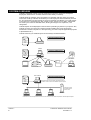
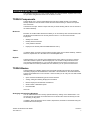
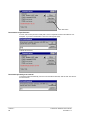
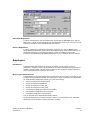
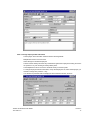
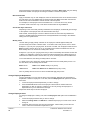
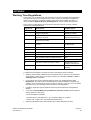
TORUS enhances your Timelink system in several ways as illustrated below:
Standard Timelink System
Timelink
4000
TORUS
Standalone TORUS System
Timelink
4000
PAYROLL
Main TORUS
Multi-User TORUS System
Timelink
4000
Downloads, edits Timelink's Data, updates Data Files on
File Server. Produce Online and TORUS's specific Reports.
TORUS's Program
and Data Files are
stored in here.
File Server
Other PCs from different departments connected to the network can run TORUS and produce TORUS's Specific Reports.
Version 7
2
TORUS for Windows User’s Guide
TCS-UG-T7-2