1
Debts
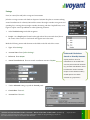
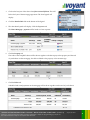
Additional options are available for the entry of mortgages and other debts including settings for the entry of
an interest only mortgage, monthly and year payment amount options, and a special optional feature for
setting a target payoff event. For now, let's leave the debt unchanged.
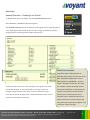
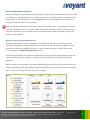
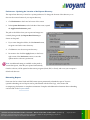
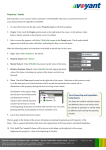
Linked Debt Payment Expenses - How to Adjust Future Mortgage Payments
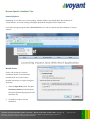
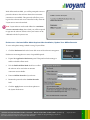
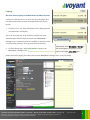
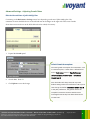
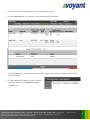
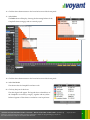
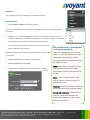
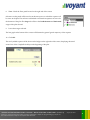
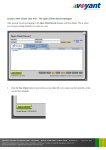
Click the link icon beside the "Home Mortgage" in the ledger.
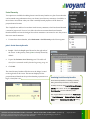
Two items will be shown as linked to the Campbell's mortgage:
their home and a "Home Mortgage – payment".
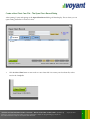
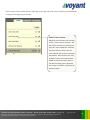
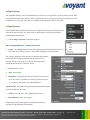
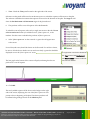
Whenever a debt is entered into a plan, a payment expense is
created for it automatically. This link can be clicked to jump directly details about the expense, which are
found on the Expenses > Basics screen.
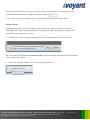
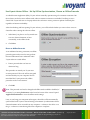
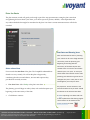
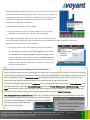
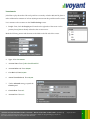
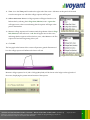
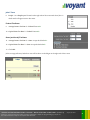
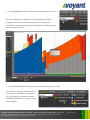
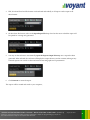
The mortgage payment can be edited on the Basics screen, if
necessary. Future payments could be stepped up, for example, to
plan for future overpayments. Payments can be stepped up or
down (increased or decreased) by event or stage using the Basics
screen's Step Up / Step Down feature (shown right).
VOYANT ADVISOR INTRODUCTORY TUTORIAL – BUILD YOUR FIRST CLIENT CASE
(Tutorial 1)
Voyant, Inc. proprietary information which is privileged, confidential, or subject to copyright belonging to Voyant, Inc.
Use of this information is solely for the recipient of this document.
Voyant, Inc. 2011
47