1
•
•
•
•
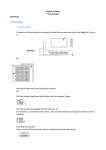
To add a new entry fill out create new entry boxes and click create.
To edit an existing number click “Edit” next to the number.
To delete an existing number click the “Delete” button.
To dial the contact click on the number.
Note: The Speed Dial entry’s should be in the range *01 to *59.
To dial a speed dial from the handset dial the speed dial number.
No speed dial required if dialling from web interface.
13. Lists- Domain Addresses
•
To dial the contact click on the number.
14. Lists- Feature Codes
This page provides a list of all the feature codes used by the system. You can view the
codes but cannot change them.
12
SIP_COM_V4PBX_version1