1
3. Settings- General
•
•
•
•
•
•
•
•
•
•
•
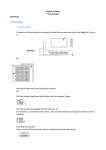
First name and Last name: Is the name that will display when you call another
user.
Web Password: Password to log onto the console.
PIN: Is the Pin you will use to access voicemail remotely.
Time Zone: Default Time Zone.
IVR Language and Web Language: You can change language to your
preference.
Upload Picture: You can upload a picture to your homepage
Wake up time: You can set the phone to ring as a reminder at a certain time.
Explicitly specify park orbit preference: Allows you to specify the where calls
are parked when using this feature.
Explicitly specify pick up preference: Allows you to specify extension that you
can answer when the pick up feature is used.
Block Caller ID: prevents CLI being sent.
Enable Call Waiting: Turns call waiting on or off on the account.
Note: Explicitly specify park orbit preference and pickup preference should only be changed if
instructed by the system administrator.
Permission to monitor this account: This setting it not relevant on the Hosted Solution.
5
SIP_COM_V4PBX_version1