1
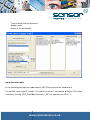
o Return to normal mode
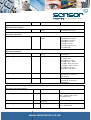
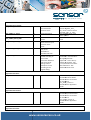
Execute GuardPoint Pro Processes
Execute GuardPoint Pro Actions
Open GuardPoint Pro Screens
How does it work?
OPC is workings with “tags”. On each tag, an alarm can be defined in OPC Clients to show a
popup alarm
message, to play a sound, to send SMS…
SMS
GuardPoint Pro creates OPC tags and publishes them. The tags values are available for all
OPC Clients. OPC
Clients can modify some of the tags’ values.
values
When the GuardPoint Pro application starts running, OPC
OPC tags are created. When creating
a new active
controller, all the associated tags are also created. The tags are not updated when
renaming an object or
adding a description.
It is possible to create global and local reflexes by defining actions and processes
p
in
GuardPoint Pro and
execute them using OPC tags.
It is also possible to create local reflexes in the OPC client and activate relays by OPC tags.
tags
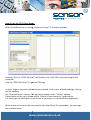
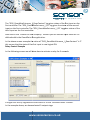
To enable the OPC Integration you need the following:
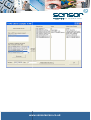
1) In the ‘Options’ screen select the “OPC
“O Server activation”
Dhb dhea heh ea h
www
www.sensoraccess.co.uk