1
Setting up and paying Statutory Payments
As an employer, you must pay statutory pay to employees as long as they qualify.
QuickBooks calculates Statutory Sick Pay, Statutory Maternity Pay and Statutory
Paternity Pay automatically.
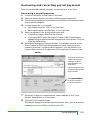
If employees are entitled to statutory pay, simply enter the details of their
payments in their employee record. QuickBooks then automatically begins paying
the employee his or her statutory pay and calculates the recovery portion in the
Pay Liabilities window. SSP, SMP and SPP payments and the amounts you can
recover are also tracked on the P35 and P14/P60 tax forms.
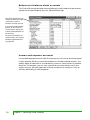
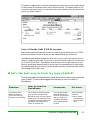
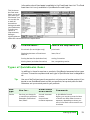
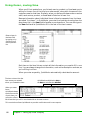
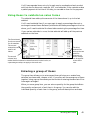
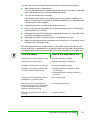
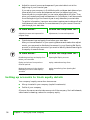
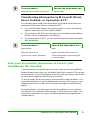
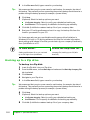
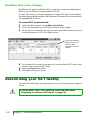
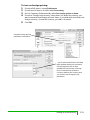
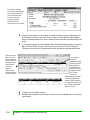
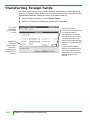
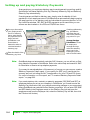
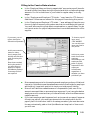
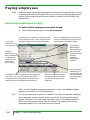
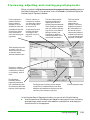
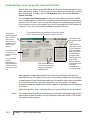
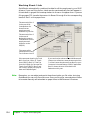
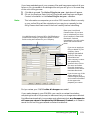
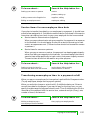
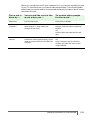
2 Once you know when
your employee will
be off on statutory
leave, enter the day
the payments are to
begin and end.
QuickBooks uses
these dates to
determine when to
calculate based on
statutory pay.
1 Enter the details of the
statutory pay here.
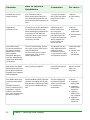
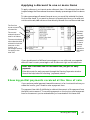
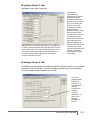
Note:
If setting up Maternity
Pay, QuickBooks
calculates the end
date of the statutory
pay period for you.
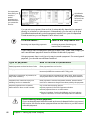
Average Earnings
Calculations: To see
an employee’s
average earnings,
select the statutory
entry type in the
Employee Journal,
then click this button.
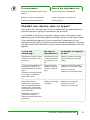
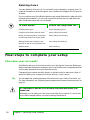
QuickBooks does not automatically calculate SAP. However, you can still set up Statutory Adoption Payments in QuickBooks. Refer to the online Help and search for ‘SAP’
for information on how to set up adoption payments.
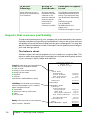
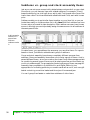
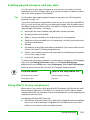
If you want to see a breakdown of the amount of money you can recover, create a
Statutory Payments Detail report. If you qualify for SER, you’ll need know the
recovery amount including the NIC compensation for your P32 and P35 forms.
For more information on this report, see “To create a Statutory Payments Detail
report:” on page 206.
Note:
184
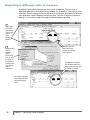
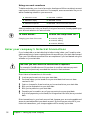
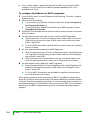
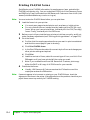
If you made statutory sick, maternity or paternity payments (SSP, SMP and SPP) to
employees before you set up your company in QuickBooks, you’ll need to enter the
Statutory Pay information from your previous accounting package or your accountant
before QuickBooks can calculate further Statutory payments. You can enter SSP, SMP
and SPP details in the Employee record on the Statutory Pay Info tab (open the
employee record from the Employee List, select the Statutory Pay Info tab, then click
the ‘Previous Info’ button).
Chapter 7 Payroll and employees