1
Relate 700
Caller Display Telephone
User guide
Please open this page for an ‘At a glance’
guide to your Relate 700 Caller Display.
At a glance
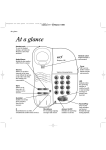
Start button A
Lets you store numbers
under the one-touch
memory buttons.
See page 9,11,12
Handset clip
Rotate for wall
mounting to secure
handset firmly in
position.
See page 20
SET UP
© TO START
PRESS 'A'
AND FOLLOW
THE ARROWS
RECALL
© KEY-IN THE
NUMBER
YOU WANT
TO STORE
CLR.
2
3
B
G
P
6
W
TU
9
Discount
PRESS ‘C'
Telephone No.
label
✱
SECRECY
1
0
▲ ▼ Up and Down
scroll buttons
Provides access to
and lets you scroll
through the caller
display list.
See page 14
C
ACCOUNT NO.
Secrecy button
(& light)
Allows you to talk to
someone in the
same room, without
your caller hearing.
See page 10
X YZ
8
V
RS
7
M
JK
5
NO
4
Q
© WHEN YOU
WANT TO
INFORM ‘B'
OF THE
NUMBERS
THAT
QUALIFY
FOR YOUR
L
HI
NO............................................
D
AB
1
EF
© TO CONFIRM
THE NUMBER
PRESS ‘B'
Display
Shows Caller
Display information,
stored/dialled
phone numbers.
Clear button
Lets you delete
entries from the
caller display list.
See page 15
© SELECT ONE
OF THE TEN
MEMORY
KEYS
DIAL
Dial button
Press to dial
displayed numbers.
See page 15
Relate 700 CD
A
C
Recall button
Lets you use BT
Select Services and
services with
switchboards/PBXs.
See page 12
One-touch memory
buttons 1-10
Allows one-touch dialling
of stored numbers (each
up to 24 digits).
See page 9
....................
REDIAL
Call My Bill
....................
C button
Lets you register a
number for a Friends &
Family discount. Can be
used as an extra direct
memory button.
See page 9,11,12
Redial button
Redials the last
number called.
See page 8
Confirm button B
Confirms that you
have stored a number.
See page 9,11,12
Call My Bill
button
Press for billing
information. Can be
overwritten and used
as an extra direct
memory button.
See page 11
Battery
compartment
See page 6
RINGER
VOLUME
HI
LOW
OFF
Ringer volume switch
Lets you adjust the ringer
between High, Low and Off.
See page 7
SET UP
© TO START
PRESS 'A'
AND FOLLOW
THE ARROWS
Relate 700 CD
A
1
© SELECT ONE
OF THE TEN
MEMORY
KEYS
RECALL
© KEY-IN THE
NUMBER
YOU WANT
TO STORE
2
0
7
ACCOUNT NO.
....................
X YZ
RS
C
W
9
6
✱
SECRECY
6
TU
8
V
Q
5
P
7
M
JK
5
L
4
NO
G4
© WHEN YOU
WANT TO
INFORM ‘B'
OF THE
NUMBERS
THAT
QUALIFY
FOR YOUR
Discount
PRESS ‘C' REDIAL
8
....................
9
10
2
3
B
HI
NO............................................
EF
DIAL
D
AB
3
1
C
© TO CONFIRM
THE NUMBER
PRESS ‘B'
2
CLR.
Call My Bill
Memory label
Lets you keep a
reference of numbers
stored in the memory.
See page 10
In this guide
At a glance
1
Introduction
4
Setting up
5
Using your Relate 700
8
Using the Caller Display
13
Help
18
Technical information
19
Wall mounting
20
Index
21
Hints and tips boxes
In this user guide, we’ve included helpful tips
and useful notes. They are shown in a grey box.
3
Introduction
In order for your
Relate 700 Caller Display to receive and display messages,
you must subscribe to the BT Caller Display Service.
For more information call BT on Freefone 0800 800150
Your Relate 700 Caller Display has
been designed for ease of use and
made to the very high standards
set by BT.
We thank you for making the right
choice and expect that you will have
many years of quality service.
Please read the instructions carefully
before use and keep this user guide
for future reference.
For your records
Date of purchase:
Place of purchase:
Serial number:
(on the underside of the machine)
Purchase price:
For warranty purposes, proof of
purchase is required, so please keep
your receipt.
4
Emergency calls
The emergency services can be
contacted in the UK by dialling 999.
You may also dial 112, which is valid
in any country that is a member of the
European Community.
If your Relate 700 Caller Display is
connected to a PBX (switchboard), you
may have to dial an access number
before 999 to contact the emergency
services.
Some switchboards cannot dial out
during a power failure.
Customer Helpline
Should you have problems with
your machine, call the Relate 700
Caller Display Helpline on
LoCall
Setting up
Follow these steps to get your
Relate 700 Caller Display ready for use
Check that your Relate 700 Caller
Display is complete. When you
unpack, you should have:
• Relate 700 Caller Display
telephone with telephone line
cord attached.
• Bracket for wall mounting
• 2 screws and wallplugs
1 Plan where to situate
your Relate 700 Caller
Display
Situate your Relate 700 Caller Display
close enough to a telephone socket
so that telephone line cord will reach.
Do not stand it on carpets or other
similar surfaces that generate fibres.
Your Relate 700 Caller Display can be
wall-mounted. For more details on
how to wall-mount your Relate 700,
see ‘Wall- mounting’ on page 20.
5
Setting up
2 Check your telephone
wall socket
4 Insert batteries
If you do not have a modern phone
socket, call BT on Freefone 0800
800 150 and ask for an engineer to
come and fit the correct socket.
This is a chargeable service.
To fit batteries
3 Plug your Relate 700
Caller Display into the
BT socket
It is important to maintain the
batteries in your Relate 700 Caller
Display. Without battery power, display
features will only work when you lift
the handset. You can use the telephone
to make and receive calls at all times.
Your Relate 700 Caller Display
takes 4 x AA batteries (not supplied).
2
1
1 Turn the phone over and remove
the battery cover.
2 Slide each battery into the
compartment, as shown above.
Take care to insert each battery
the right way round.
3 Replace the battery cover.
6
Setting up
Battery low indication
When the batteries need replacing,
the display shows the battery low
icon
00:00
6 Time and date
This is set when you receive your
first call, after you have registered
as a Caller Display customer.
NEW
CALL
00:00
NEW
CALL
If you do not install batteries, the
display will show the battery low
icon while the handset is off-hook.
5 Set the ringer volume
Your Relate 700 Caller Display is
now ready for use.
RINGER
VOLUME
HI
LOW
OFF
The ringer volume switch is located
on the underside of your Relate 700
Caller Display. there are three
settings:
HIGH
A loud ring; your Relate 700 Caller
Display is preset to this position.
LOW
A quiet ring.
OFF
No ring - if you don’t want to be
disturbed.
7
Using your Relate 700
Making and receiving
calls
Using the memory to
store and dial numbers
To make a call
To store names and numbers
00:00
ON LINE
NEW
CALL
1 Lift the handset. Display shows
ON LINE.
2 Dial the number you require.
To end the call, replace the handset.
To receive a call
• When the phone rings lift the
handset to answer the call.
To redial the last number
1 Lift the handset. Display shows
You can store up to ten names and
numbers (each up to 24 digits long)
under the one-touch memory
buttons. At the same time you can
register them as Friends & Family
numbers for extra savings.
Instructions are also shown
underneath the memory label.
1 Remove the memory label.
2 Lift the handset. Display shows
ON LINE. The first arrow light
comes on.
ON LINE.
SET UP
© TO START
PRESS 'A'
AND FOLLOW
THE ARROWS
Relate 700 CD
A
1
REDIAL
© SELECT ONE
OF THE TEN
MEMORY
KEYS
RECALL
© KEY-IN THE
NUMBER
YOU WANT
TO STORE
5
P
C
W
9
0
7
ACCOUNT NO.
....................
8
6
✱
SECRECY
M
6
TU
REDIAL
8
....................
9
X YZ
RS
7
5
V
Discount
PRESS ‘C' 4
Q
© WHEN YOU
WANT TO
INFORM ‘B'
OF THE
NUMBERS
THAT
QUALIFY
FOR YOUR
10
8
3
JK
NO
G4
L
The last number dialled is shown
on the display and is redialled
automatically.
NO............................................
EF
2
B
HI
2 Press the REDIAL button.
D
AB
3
1
C
© TO CONFIRM
THE NUMBER
PRESS ‘B'
DIAL
2
CLR.
Call My Bill
Using your Relate 700
A
3 Press the A button. You hear one
beep. Display shows MEMORY
KEY?. The second arrow light
comes on.
4 Press the ONE-TOUCH MEMORY
button under which you want to
store the number. You hear one
beep. Display shows either
ENTER NUMBER or the previously
stored number. The third arrow
light comes on.
5 Enter the number you want to
store. Display shows the number.
The fourth arrow light comes on.
Press the button until the letter is
shown. For example, to show ‘JOHN’.
• Press the 5 button until the
display shows J
• Press the 6 button until O is shown.
• Press the 4 button until H is shown.
• Press the 6 button until N is shown.
If the letter you need is displayed on the
same button as the previous letter use the
# button to move to the next character
space and enter the letter as normal.
To enter a + sign, press the 1 button.
If you wish to move backward press the
✱ button.
B
8 Press the B button. You hear two
B
6 Press the B button. You hear a
beep. Display shows either
ENTER NAME or the previously
stored name.
7 Enter the name associated with
the stored number (up to 12
characters).
beeps. Display shows STORED for
3 seconds, then shows press A or
C. The first and fifth arrow lights
alternate.
9 Within 10 seconds: Press the A
button to store another number,
Or
C
Use the keypad to type in letters by
pressing the number button which
contains the letter you want.
Press the C button to dial
Freefone 0800 673422 and
register the number for a Friends
and Family discount.
9
Using your Relate 700
Have your account number ready
for reference. This is shown on the
top right hand corner of your
phone bill.
If you do not press either button
within 10 seconds, the display
returns to ON LINE.
Use the memory label to keep a record
of the names/numbers you have stored
on the memory.
Relate 700 CD
A
1
© SELECT ONE
OF THE TEN
MEMORY
KEYS
RECALL
© KEY-IN THE
NUMBER
YOU WANT
TO STORE
C
2
3
C
0
REDIAL
Using the secrecy button
W
9
7
ACCOUNT NO.
....................
8
6
✱
SECRECY
M
6
TU
V
RS
7
5
X YZ
Q
5
P
L
4
JK
NO
G4
Discount
PRESS ‘C' To change numbers stored in
the memory
D
AB
3
1
HI
NO............................................
want. The number is dialled
automatically. Display shows
name, if stored.
2
CLR.
B
© WHEN YOU
WANT TO
INFORM ‘B'
OF THE
NUMBERS
THAT
QUALIFY
FOR YOUR
2 Press the MEMORY button you
EF
© TO CONFIRM
THE NUMBER
PRESS ‘B'
DIAL
ON LINE.
Repeat the sequence for storing
numbers. A new number will
overwrite the existing number.
SET UP
© TO START
PRESS 'A'
AND FOLLOW
THE ARROWS
To dial using the one-touch
memory buttons
1 Lift the handset. Display shows
Call My Bill
8
....................
9
You can talk to someone else in the
room, without your caller hearing
your conversation.
10
If you press a wrong button at any
time during a sequence of instructions,
you hear three beeps.
To use the secrecy button
SECRECY
1 During a call, press the
SECRECY button. The SECRECY
light comes on. Your caller
cannot hear you.
2 Press the SECRECY button again to
resume your phone conversation.
The SECRECY light goes off.
10
Using your Relate 700
Call My Bill
Call My Bill gives you the cost of
calls recorded on your telephone
number since your last bill. You can
get an instant bill total including all
charges up to the last working day.
Before phoning the Call My Bill
service, you need your BT customer
number. This is in the top right hand
corner of your bill.
To use the Call My Bill feature
1 Lift the handset.
Call My Bill
2 Press the CALL MY BILL button.
0800 854 608 is dialled. Follow
the announcement instructions.
To use the Call My Bill and C
buttons as extra one-touch
memory buttons
This will give you a total of 12 onetouch memory locations. You can
restore the buttons to their original
functions at any time.
1 Lift the handset and remove the
memory label.
A
2 Press the A button. You hear a
single beep.
Call My Bill
or
C
3 Press the CALL MY BILL button or the C button.
4 Enter the phone number you
want to store (up to 16 digits).
Display shows the number.
B
5 Press the B button to confirm.
You hear two beeps. The display
shows STORED for 3 seconds.
6 Replace the memory label and
handset.
11
Using your Relate 700
To restore the Call My Bill and C
buttons to their original functions
1 Lift the handset and remove the
memory label.
RECALL
A
2 Press the A button. You hear a
single beep.
Call My Bill
or
C
3 Press the CALL MY BILL button or the C button - twice.
B
4 Press the B button to confirm the
change back to the original
settings. You hear two beeps.
5 Replace the memory label and
handset.
12
Recall button
This button signals a time break
recall. If you are connected to a
PBX (Private Branch Exchange),
contact your PBX supplier for
further information. The recall
button is also used for BT Select
Services.
Connecting to a
switchboard/PBX
Your Relate 700 Caller Display is
compatible with switchboard/PBX’s
using Timed Break Recall. For further
help and advice with this, contact
BT on Freefone 0800 800 154.
Using Caller Display
In order for your Relate 700 Caller
Display to receive and display messages,
you must subscribe to the BT Caller
Display Service. For more information,
call BT on Freefone 0800 800 150.
Your Relate 700 Caller Display
telephone receives and displays
caller information transmitted over
the BT network. In most cases, this
information includes the caller’s
phone number, date and the time
the call was received.
As your Relate 700 Caller Display
receives calls, it automatically
stores the caller’s phone numbers
in a ‘calls list’, and numbers them in
the order they were received.
Incoming calls
When a call is received, incoming
information will be displayed on
screen for 20 seconds. If the call
also contains a text message, the
display will show the caller’s
number with the message
alternately every 5 seconds.
If an incoming call is from one of
the numbers stored in the onetouch memories, your Relate 700
Caller Display will also give a
distinctive ring.
A caller’s name is displayed if that
person’s name and number is
stored in your Relate 700 Caller
Display’s one-touch memories.
Once the calls list is full (after 30
calls), new calls replace the oldest
ones.
13
Using Caller Display
Calls indicator
00:00
NEW
CALL
The display shows the number of
new calls at the right hand end of
the display. These are all the calls
received since the calls list was last
viewed.
00:00 01-Jun-00
0800673422
As your Relate 700 Caller Display
receives calls, it automatically
stores the caller’s phone numbers
in a ‘calls list’, and numbers them in
the order they were received.
To read the calls list
NEW
CALL
Old calls are indicated by the time
and date of the call.
Some callers may request that their
number should be withheld. If this is
the case the display will show
WITHHELD. The display will also show
WITHHELD if the incoming call is made
through a private switchboard. If the
caller’s exchange or network does not
offer a Caller Display service, then the
display will show UNAVAILABLE.
If no calls have been received
NO CALLS
The display shows NO CALLS if no
new calls have been received since
the last time you viewed the calls
list.
14
The Calls List
1 Press the DOWN button. The
most recent call is displayed.
You can now scroll through the
calls list.
2 Each time you press the DOWN
button, the next received call is
displayed.
3 After the last received call has
been displayed, the display
shows END OF LIST.
4 Press the DOWN button again
and the display returns to the
start of the list. If you wish, you
can repeat the steps above.
Using Caller Display
To dial a number on the calls list
1 Lift the handset.
To empty the calls list
You can erase all the information
stored in the calls list.
1 Lift the handset.
2 Press the UP or DOWN button
until the name or number you
want to call is displayed.
2 Press the UP or DOWN button to
DIAL
3 Press the DIAL button. The
enter the calls list.
CLR.
number is dialled automatically.
3 Press the CLEAR button for
To delete an entry in the calls list
1 Lift the handset.
2 Press the UP or DOWN button
until the number you want to call
is displayed.
CLR.
3 Press the CLEAR button twice.
The current entry is deleted.
about 6 seconds until the display
shows LIST EMPTIED.
All information in the calls list
has been deleted.
Information stored in the calls list
cannot be erased during a call.
To store a number on the calls
list as a one-touch memory
You can store a number directly
under any of your phone’s memory
buttons.
1 Lift the handset. Display shows
ON LINE. The first arrow light
comes on.
15
Using Caller Display
2 Press the UP or DOWN button
until the number you want to call
is displayed.
3 Press the ONE-TOUCH MEMORY
button under which you want to
store the number. Any previously
stored number is displayed. The
third arrow light comes on.
B
4 Press the B button. You hear a
beep. Display shows the copied
number. The fourth arrow light
comes on.
5 The display shows STORED.
6 To add a name, replace the
handset and follow the sequence
described in ‘To store names and
numbers’ on page 8.
16
Using Caller Display
Message display
Your phone’s display can show text messages received from the Caller
Display service. These messages are as follows:
Display
Definition
INT’L
International - the call received was from outside the UK
UNAVAILABLE
The caller’s exchange/network does not offer a Caller
Display Service.
WITHHELD
The caller has stopped their number from being sent.
OPERATOR
The call has come via the operator.
PAYPHONE
The caller is ringing from a payphone.
RINGBACK
The caller is ringing in response to your ringback request
NO NUMBER
If your Relate 700 Caller Display does not recognise the
information contained within the caller display message, it
will show NO NUMBER rather than a message which may
contain errors. It does not mean that there is a fault with
your Relate 700 Caller Display.
17
Help
If you have any problems using your Relate 700
Caller Display, look here first for the most likely solutions
Telephone problems
Possible cause
Solution
Your Relate 700 Caller Display
does not receive caller
display messages.
In order to receive and display
messages, you must subscribe
to the BT Caller Display Service.
Call BT on Freefone 0800 800
150 to subscribe or for more
information about BT Select
Services.
No dialling tone.
Telephone may not be
connected to the telephone line.
Check your Relate 700 is
correctly plugged into the
telephone socket.
An extension phone may be off
the hook.
Check that handsets of any
other extension phones are
replaced on the receiver.
The ringer volume may be
switched to OFF.
Set the ringer volume
accordingly.
You may have overloaded
your system by connecting too
many phones or devices to the
same line.
See ‘How many phones can you
have?’ on page 19.
The phone does not ring.
Need more help?
If you still experience problems with
your Relate 700 Caller Display call BT
on LoCall
18
Technical information
Choosing a position
Your Relate 700 Caller Display should be kept
free of dust, moisture, high temperature,
vibration and should not be exposed to direct
sunlight. Do not stand it on carpets or other
surfaces which generate fibres, or place it in
locations which prevent the free flow of air over
its surfaces.
If the REN is more than 4, the phone may not
ring. With different phone types a phone may
still not ring, even when the REN is less than 4.
You must not connect more than 4 Caller Display
products to one line.
Warning
The apparatus is designed to be operated only in
a normal office or domestic environment where
the relative humidity does not exceed 60%. It
should not be used in bathrooms or near water.
Connecting to the UK network
Relate 700 Caller Display is tested and approved
for connection to the UK network, provided it is
used in accordance with the guidelines in this
booklet.
How many phones can you have?
Although you may have any number of sockets,
it is important to limit the number of phones and
other items of apparatus connected to the line by
those sockets, to make sure that each phone will
ring.
Every phone or item of apparatus has a Ringer
Equivalence Number (REN). In most cases a
standard line should provide enough current for
two or more telephones or items of apparatus, if
there are no more than 4 RENs.
Your Relate 700 has an REN of 1. Any phone
provided by BT has an REN of 1 unless it says
otherwise on the base. Even where the number
of telephones has been limited, there is no
guarantee that the different types of phone on
the same line will ring.
19
Wall-mounting
Your Relate 700 Caller Display
can be wall-mounted by using the
bracket provided.
You can use the bracket as a
template to mark where the
screws should go into the wall.
Before you wall-mount your Relate 700
Caller Display, check that:
• the wall can support the weight of
the phone:
• the position you choose leaves
sufficient space so that the phone
(which is larger than the bracket) is
clear of any obstruction on the wall,
such as a shelf or cupboard.
• Drill two holes for the screws and
insert the wallplugs provided
(if required).
• Drive the screws into the wall,
leaving about 4mm free on which
to mount the bracket.
• Hook the bracket over the screw
heads.
• Make sure that the power supply
and the telephone cables are
connected to the phone, then fit
20
the cables into the channels on
the underisde of the phone.
• Rotate the handset clip 180° so
that the handset will remain in
position once wall-mounted.
• Clip the phone onto the bracket.
Index
At a glance
Introduction
Emergency calls
Helpline
Setting up
Battery low indication
Insert batteries
Plan where to situate your phone
Ringer volume
Telephone wall socket
Time and date
Using your Relate 700
Call My Bill
Last number redial
Making a call
Memory
Change a stored number
Dialling a stored number
Memory label
Storing a name and number
Recall button
Receiving a call
Secrecy button
1
4
4
4
5
7
6
5
7
6
7
8
11
8
8
Using Caller Display
Calls indicator
Calls list
Delete an entry in the calls list
Dialling a number in the calls list
Emptying the calls list
Reading the calls list
Storing a number in the calls list
in the one-touch memory
Message display
13
14
14
15
15
15
14
15
17
Help
18
Technical information
19
Connection information
How many phones can you have?
Wall mounting
19
19
20
10
10
10
8
12
8
10
21
Offices in Europe, North America,
Japan and Asia Pacific.
The telecommunications services described in this publication
are subject to availability and may be modified from time to time.
Services and equipment are provided subject to British
Telecommunications plc’s respective standard conditions of contract.
Nothing in this publication forms any part of any contract.
TouchTone™ is a registered trade mark of
British Telecommunications plc in the UK.
© British Telecommunications plc 1998.
Registered Office: 81 Newgate Street, London EC1A 7AJ.
Registered in England No. 1800000.
Printed in Malaysia. Relate 700 Caller Display Issue 1 (06/98).
Designed by The Art & Design Partnership Limited.
CE compliant to 89/336/EEC
(EMC Directive) & 73/23/EEC
(Low Voltage Directive)
APPROVED for connection to
telecommunication systems specified
in the instructions for use subject to
the conditions set out in them


![Converse 220 user guide [ROLL]](http://vs1.manualzilla.com/store/data/006893753_1-a5f5b41a1871906539e8cdcfce1420ae-150x150.png)