1
Remote control operation: In Workstation mode
Guide to AMP Recorder: Local/Protocol mode
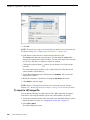
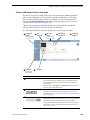
The Local and Protocol control mode allows you to control the record channel locally
as well as remotely. You can select this mode by choosing Local and Protocol control
in the Options dialog box. (See “Select the control port and control mode” on
page 255.)
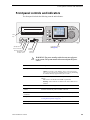
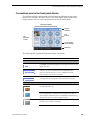
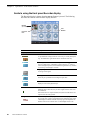
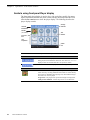
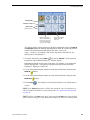
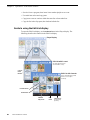
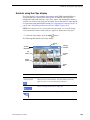
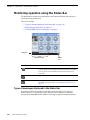
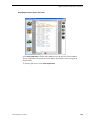
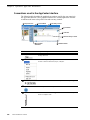
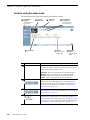
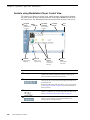
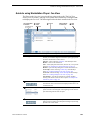
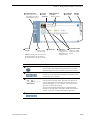
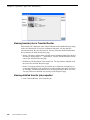
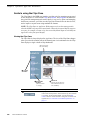
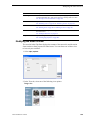
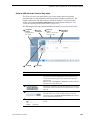
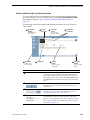
The following describes the controls and indicators used in the Local and Protocol
control mode.
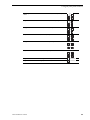
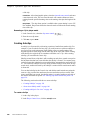
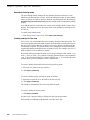
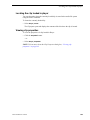
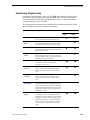
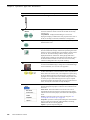
1 Assignable
Buttons
(Default buttons
are shown)
5 Thumbnail
(Current and
Preview clips)
2 Current
Timecode
6 Time Dome
3 Timecode
Source
(Use Context
menu to modify)
7 Length
Button
(Click to specify
clip length)
4 Clip Name &
Current Bin
8 Meter Bar
Button
(Click to adjust
audio)
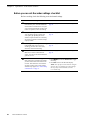
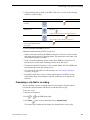
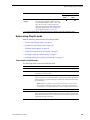
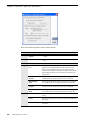
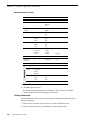
Control
Description and User Operation
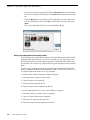
"
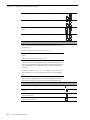
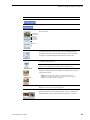
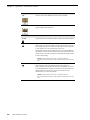
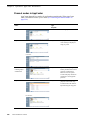
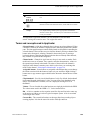
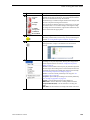
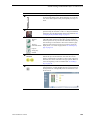
Assignable Buttons
Assignable buttons allow you to modify the button assignment to
best suit your workflow. Holding down a button longer than one
second opens the button pop-up menu which lists the alternative
button choices. Button choices include New Clip, Options, Locate
and Properties. The buttons function the same as the context menu
items.
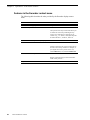
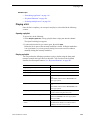
#
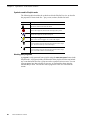
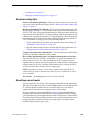
Current Timecode
Indicates the current timecode of the timecode source for recording.
The timecode value of XX:XX:XX:XX is displayed if there is no
input timecode.
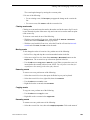
$
Timecode Source
The text displayed to the right of current timecode indicates the
timecode source: VITC, LTC, or INT (internal generator). See
“Changing the timecode source” on page 138.
%
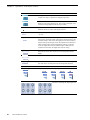
Clip Name Edit Control
Displays the clip’s name and location in the media storage system.
To rename the clip, touch or click the Clip Name, then use the
onscreen or external keyboard to enter text. To change the current
bin, i.e. the target location for recording clips, refer to “Changing
the current bin” on page 139.
Turbo iDDR User Guide
261