1
Microsoft Windows XP Service Pack 2:
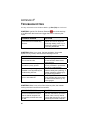
Refer to the documentation for your Bluetooth hardware/software for
instructions on discovering and connecting to the CRS.
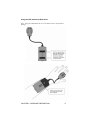
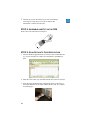
1. Turn on the Cordless Ring Scanner. Press the small power button on the
side of the wrist unit for at least 2 seconds, until you hear a beep. The
Bluetooth status LED on the wrist unit will start blinking blue.
2. Turn on the Bluetooth radio of your computer.
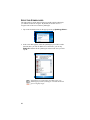
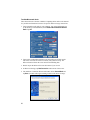
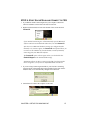
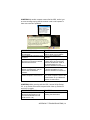
3. Use the Add Bluetooth Device Wizard to discover and connect to the
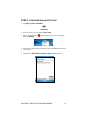
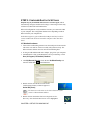
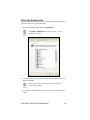
Cordless Ring Scanner. Click on the Bluetooth icon in the task tray. In
the pop-up menu, click Add a Bluetooth Device.
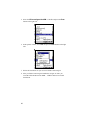
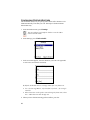
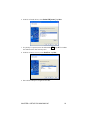
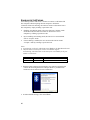
4. During the device discovery, the Cordless Ring Scanner will appear as
Socket CRS [xxxxxx]
The characters in brackets are the last 6 characters of the scanner’s
Bluetooth MAC address.
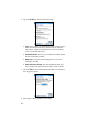
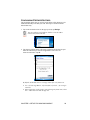
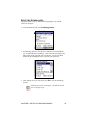
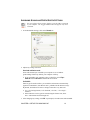
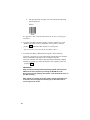
5. In the passkey options screen, select the option Use the passkey found in
the documentation and enter the default PIN 1234 .
6. The CRS will connect to your computer indicated by a single beep.
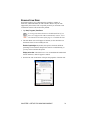
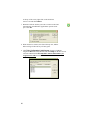
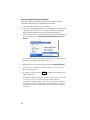
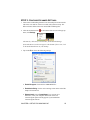
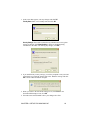
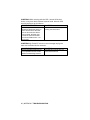
7. In the last screen of the Add Bluetooth Device Wizard, note the COM
number of the Outgoing COM port. If you plan to enable ActivePairing,
also note the Ingoing COM port.
CHAPTER 4: SETUP FOR WINDOWS XP
51