1
9/2007
Document # 6410-00273 I
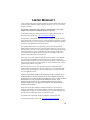
COPYRIGHT NOTICE
Copyright © 2007 Socket Communications, Inc. dba Socket Mobile, Inc.
All rights reserved.
Socket Mobile, the Socket Mobile logo and Battery Friendly are registered
trademarks of Socket Communications, Inc. dba Socket Mobile, Inc.
Cordless Ring Scanner with Bluetooth Wireless Technology, SocketScan,
Connect!Agent, Error Proof Protocol, ActivePairing and Mobility Friendly
are trademarks of Socket Communications, Inc. dba Socket Mobile, Inc.
Bluetooth and the Bluetooth logos are trademarks owned by Bluetooth SIG,
Inc., U.S.A. and licensed to Socket Mobile, Inc. All other brand and
product names are trademarks of their respective holders.
The Socket Mobile Cordless Ring Scanner includes technology licensed
under United States Patent No. 5,902,991 and D510,087S and European
Community Registered Designs 000522289-0001 and 000522289-0002.
Reproduction of the contents of this manual without the permission of
Socket Mobile is expressly prohibited. Please be aware that the products
described in this manual may change without notice.
Feel free to contact Socket Mobile at:
Socket Mobile, Inc.
39700 Eureka Drive
Newark, CA 94560-4808
USA
Other than the above, Socket Mobile can assume no responsibility for
anything resulting from the application of information contained in this
manual.
Please refrain from any applications of the Socket Mobile Cordless Ring
Scanner that are not described in this manual. Please refrain from
disassembling the Cordless Ring Scanner. Disassembly of this device will
void the product warranty.
You can track new product releases, software updates and technical
bulletins by visiting the Socket Mobile website at: www.socketmobile.com.