1
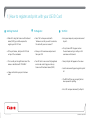
1 | How to register and print with your LSE ID Card
l1
Getting Started:
• When first using the Canon multi-functional
device (MFD), you will be required to
register your LSE ID Card.
l2
To Register:
• Select ‘Yes’ when presented with:
‘Unknown card. Do you wish to associate
this card with your user account?’
• At the print device, hold your LSE ID Card
on top of the card reader.
• Enter your LSE username and password
then press OK.
• This is usually on the right hand side of the
device or identified with ‘TAP HERE’.
• Your ID Card is now successfully registered
and can be used to log you onto any
Canon multi-functional device (MFD).
• A beep will confirm your pass has been
read.
l3
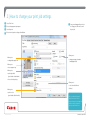
To Print:
• From your computer, send your document
to print.
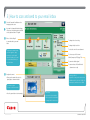
• At any Canon MFD tap your card on
the card reader or log in with your LSE
username and Password.
• Your print jobs will appear on the screen.
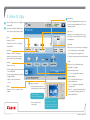
• Select a document by pressing print or print
all.
• The MFD will then say your print job has
been queued for printing.
MST 01/2011
• Press OK and your document(s) will print.
©COPYRIGHT OF CANON UK LTD