1
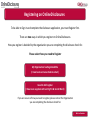
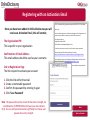
Registering with an Activation Email
This is an automatically generated message. DO NOT REPLY TO THIS EMAIL.
Once you have been added to OnlineDisclosures you will
receive an Activation Email, this will contain;
Dear John,
You have been registered as a Disclosure Manager for Test Organisation. An
account has now been created for you with Online Disclosures.
The Organisation PIN
This is specific to your organisation
Your login details are:
Organisation PIN: 123456
Email address: [email protected]
Confirmation of Email Address
This email address should be used as your username
Please follow the link below to activate your account:
http://.onlinedisclosures.co.uk/ActivateAccount.aspx?OrgKey=QrHItrq
Link to Registration Page
The link required to activate your account
If you require any assistance, please contact our helpdesk using the details
below.
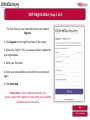
In order to activate your account, you will need to create a password.
For full guidance on the role of Disclosure Manager please visit the Online
Disclosures website at: https://gbg.onlinedisclosures.co.uk
Thank you for using our online service.
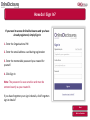
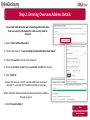
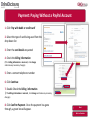
1. Click the link within the email
2. Create a memorable password
3. Confirm the password by entering it again
4. Click ‘Save Password’
Note: The password must be at least 8 characters in length, be
a combination of UPPER CASE and lower case and numbers
(0-9). You can add special characters (@!%$£) to increase your
password security strength.
Next
Back to Contents