1
Managing your routes, tracks and marks
You can quickly and easily delete routes, tracks and marks by tapping and holding on them and then selecting
Delete from the menu. You may find the included Stylus helpful in doing this.
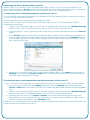
You can also manage your overlay by tapping the Menu button then the Settings button and then Overlay >
List… from the menu. From here you can find and edit details about your marks, routes and tracks, view them
or delete them.
Further details about the Properties of marks, routes and tracks can be found in the Memory-Map help file
on your PC.
Setting up a new SD card to use in the Adventurer 2800
If you wish you can use a larger SD card, up to 16GB, in the 2800. To setup the new SD card with the
Adventurer you will need to do the following:
1) Copy all the files from the original SD card to the new SD card. The best way to do this is to copy the
files from the original SD card to a folder on your computer and then copy the contents of this folder
to the new SD card.
2) Licence the new SD card to work with the GPS. To licence the SD card please do the following:
• Insert the new SD card in to the Adventurer 2800 and start Memory-Map on the device. A
message will appear saying “The license for resource GPS Features has not been activated”. Tap
OK and then exit the program by tapping the Menu button and then the Exit button.
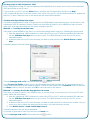
• Connect the 2800 to your PC and then tap the USB Mass Storage button. Open Memory-Map
on your PC and then click Help > Licence Management and then the SD Card… button.
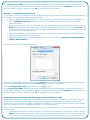
• In the window that appears click GPS Features in the list so that is highlighted and then click
Activate. If you are asked to log in enter your user name and password. You may be asked to
give the SD card a name so that you can recognise it later, so fill in a unique name for the card if
prompted.
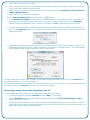
If you are asked to Register A Serial Number enter the one from the Installation Guide in the Adventurer
2800. Once activated, the status of GPS Features should change to Full, No Expiration.
Your card is now ready to use with your Adventurer 2800!
Please be aware that the serial number included with the Adventurer 2800 will allow you to activate the GPS
functionality on up to two SD cards. If you wish to move the licence from one SD card to another you can do
so by logging into the website below and clicking the Migrate Licence button
http://www.memory-map.co.uk/activate
Additional ready-to-use SD cards, which are pre-licensed are available to buy direct from Memory-Map from
http://www.memory-map.co.uk/adventurer
For support, FAQs and tips and tricks on getting the most out of your Adventurer 2800 and
Memory-Map visit
www.memory-map.co.uk/support