1
www.axxessid.com
Installation & User Guide
Contents
Introduction ......................................................................................................................................... 1
AX Series Benefits and Features ...................................................................................................... 3
Computer Requirements ................................................................................................................... 3
AX100 System Hardware .................................................................................................................... 4
Other Hardware Required ................................................................................................................. 4
Reader .......................................................................................................................................... 4
Power Supply................................................................................................................................ 5
Lock .............................................................................................................................................. 5
Cards or Key Fobs........................................................................................................................ 5
REX Switch................................................................................................................................... 5
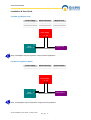
Hardware Installation ........................................................................................................................ 5
Fail-Safe (eg. Magnet Lock).......................................................................................................... 6
Fail-Secure (eg Electric Strike) ..................................................................................................... 6
Controller Wiring Connections .......................................................................................................... 7
Hardware Quick Test ........................................................................................................................ 7
Hardware Quick Test ........................................................................................................................ 8
Program Card Operation................................................................................................................... 8
AX100 Software ................................................................................................................................... 8
Operating Systems............................................................................................................................ 9
Software Installation.......................................................................................................................... 9
Starting the AX100 Software........................................................................................................... 12
Language Selection .................................................................................................................... 12
Password Reminder ................................................................................................................... 12
Windows™ Classic or Graphic Style (XP) Screen ...................................................................... 13
Backup & Restore ........................................................................................................................... 13
Standard Query Language (SQL) ................................................................................................... 14
Database Integrity Check................................................................................................................ 14
Communication between the AX100 Software and Controller ...................................................... 15
Plug & Play Devices........................................................................................................................ 16
Controller Status & Control .............................................................................................................. 17
High Security Mode (HSM) ............................................................................................................. 17
Door Unlock Mode .......................................................................................................................... 17
Date and Time ................................................................................................................................ 17
On & Offline Operation.................................................................................................................... 17
Transaction Screen ......................................................................................................................... 18
Save on Exit.................................................................................................................................... 18
Test Wizard..................................................................................................................................... 18
Cardholder ......................................................................................................................................... 23
Main Settings .................................................................................................................................. 23
Card Number .............................................................................................................................. 23
Imprint Number ........................................................................................................................... 23
Employment................................................................................................................................ 23
Department ................................................................................................................................. 23
Access Group ............................................................................................................................. 23
Card Type ................................................................................................................................... 24
Card Status................................................................................................................................. 24
Pincode....................................................................................................................................... 24
Photo .......................................................................................................................................... 24
Add Wizard ................................................................................................................................. 25
Replace Wizard .......................................................................................................................... 25
Diagnostic ................................................................................................................................... 26
Search ........................................................................................................................................ 26
Card 0 Function .......................................................................................................................... 27
Print Current Card Details........................................................................................................... 27
Database Fields per Cardholder ................................................................................................. 27
AX100 Installation & User Guide – February 2003