1
How to install RouteGadget on your web site
Requirements
•
•
•
•
Web host that supports Perl language. You also need to determine location of the Perl program on the
server (/usr/bin/perl or c:\perl\bin\perl.exe).
Java needs to be installed in your web browser (see appendix 1).
Ftp client for transferring files to the server. You also need to know how to transfer files in binary and
ascii mode (although most FTP clients doe this automatically).
If you are using UNIX of Linux based system, you need to understand chmod'ing (setting permissions to
read, write and execute files and directories). On Windows based systems you will have to use other
ways to set these permissions.
Step1. Prepare files
Download the latest version of RG from http://www.routegadget.net/
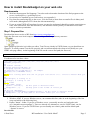
Unzip the files onto your local computer. You should get following directory structure:
Open /gadget/cgi-bin/reitti.cgi with a text editor. Text files are already in UNIX format, so you should not use
Notepad – it usually cannot view the file properly and can add unwanted code when saved (ideally use your
HTML web page editor). At the beginning of the file set the correct Perl path (the first row).
#!/usr/bin/perl
You then need to set three values:
## 1. Default language: (choices are currently
'ca','de','ee','en','es','fi','fr','lt','lv','no','ru','se')
$default_lang='en';
##
## Default charset:
$charset_default='ISO-8859-1';
# Language spesific charsets:
## $charset{'fi'}='ISO-8859-1'; ## example
$charset{'ru'}='WINDOWS-1251';
##
## 2. File locking (turn this off if you get lock errors or 500 errors no matter what you
do)
##
##$locking=1; # locking is on
$locking=0; # locking is off
##
## 3. Paths
## For UNIX, Linux:
$path='../kartat/';
## file path to "kartat" folder
$httppath='../';
## http path to the folder of reitti.jar
##
## For IIS (Windows):
# $path='C:/inetpub/wwwroot/gadget/kartat/'; ## file path to "kartat" folder
# $httppath='../'; ## http path to the folder reitti.jar is located
##
1. Default language
2. Windows mode. If you use Windows server, un-comment this line (take ## at the beginning of the line
away and add it to the following line).
3. Path to "kartat" –folder. If you use a Windows server, you usually need to use hard path (such
as"c:/inetpub/wwwroot/gadget/"). There are already two alternatives, one for UNIX/Linux, one for
Windows server. If you use UNIX/Linux you can usually use relative paths and the default path
'../kartat/' is correct.
Save the file.
Paul Frost
RG Installation / User Guide Mar07
Page 2