1
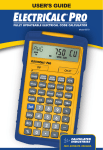
Your ElectriCalc Pro is now updateable
for future National Electrical Code®
editions that are updated every three
(3) years. To upgrade your unit, follow
the instructions below:
1) Purchase the NEC Update from CI
(see pricing / details from CI’s Web
site: www.calculated.com or call
1-800-854-8075). This Update is in the
form of a chip that contains the new
Code.
2) Once you receive the NEC Update
chip, you need to install it in your
ElectriCalc Pro:
a) Turn calculator off.
b) As a precaution, remove the battery (located back of calculator, top
of unit) by sliding battery door out
with your thumbnail. Set aside.
c) Using a screwdriver, pop out the
square tab located in the middle section on the back of your calculator.
d) Replace it with the new update tab
by inserting it into the slot.
e) Replace the battery door.
f) Turn calculator on. Your calculator
is now updated and ready to use.