1
3.6.5. Backup reset
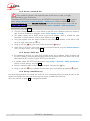
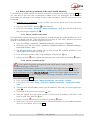
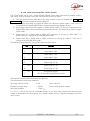
This procedure should be applied to recover control over the unit if it is in a blocked status, in which it
is impossible to access either the front panel interface or the html page.
After this reset, the SCOOP ZLOOEHEURXJKWEDFNWRLWV´IDFWRU\µFRQILJXUDWion with all parameters in
their default value, especially: blank password, Ethernet interface set for auto link mode, DHCP client
enabled.
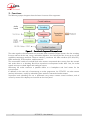
Go through the following steps:
x
Get the reset_scoop.bin file (to be downloaded from our www.aeta-audio.com web site, a
link can be found on the page dedicated to SCOOP 5).
x
x
x
x
x
Copy this file without changing its name on a USB memory stick.
Plug this stick into the USB socket on the rear panel of the unit (while it is off).
Power on the SCOOP 5.
After the initialization phase, SCOOP ZLOOJREDFNWRLWV´IDFWRU\µVHWWLQJV
Remove the USB stick (no matter with or without power on), before restarting the SCOOP 5,
otherwise all your possible new settings will be deleted again.
L Note: existing profiles are not deleted by this procedure.
SCOOP 5 - User Manual
43