1
DOWNLOADER - FIRST CONNECTION
To make a first contact from the downloader to the panel. The panel
requires the following options programmed before a connection from the
downloader can be made. The panel must be in “Day Mode” to enable a
connection.
DOWNLOADER
FIRST
CONNECTION
At the Panel
1. Enter engineer mode by entering 9090 # *, The power LED will
flash.
2. If the control panel programming has not been completed, restore
the panel defaults by entering 981 followed by 981 again.
3. Enter the # and * keys to exit programming mode.
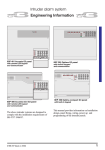
At the Downloader
1. Create a new site (menu “Site” then “New Site”) program the
required panel data.
2. Double click on the site to select.
3. Click on “Panel” then “Communications”
4. Click “Mode” then “first contact”
5. In the mode dropdown box select “Dial Site”
6. Click on the Red telephone icon to start the call.
If programmed correctly, the panel will answer the downloader after the
number of rings programmed into menu 67
When testing, remember that both the panel and downloader need to be
connected to separate telephone lines.
PANEL END - FIRST CONNECTION
To make a first contact from the panel to the downloader. The panel
requires the following options programmed before a connection with the
downloader can be made. The panel must be in “Day Mode” to enable a
connection.
At the Downloader
1. Create a new site (menu “Site” then “New Site”) program the
required panel data.
2. Double click on the site to select.
3. Click on “Panel” then “Communications”
4. Click “Mode” then “first contact”
5. In the mode dropdown box select “Waiting for call”
21
PANEL END FIRST
CONNECTION