1
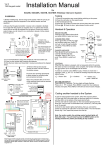
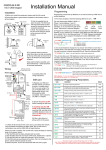
Keypad Programming (only ABK models)
Restoring defaults
LED indicators
While in programming mode, enter the following to delete all codes and settings apart from the
Master code.. (this can take up to 2.5 minutes)...
ON when incorrect codes entered and outputs are locked out.
GREEN when output 1 activated.
RED when output 2 activated.
9
1
2
3
FAST FLASHING – Wrong code entered / error.
4
5
6
SLOW FLASHING - in normal standby mode.
7
8
9
ON in programming mode.
*
0
#
ON when relay 3 activated.
Enter Programming mode
0
0
0
*
The unit is now in programming mode. Amber LED
will remain ON. 0000 is default programmers code.
Note: Pressing ** again will exit programming
mode.
*
9
9
#
When the master code is forgotten….
1) Wire a push button (or replicate with wire link) across the EG IN terminal and (-)GND.
2) Switch off power for 1 minute.
3) Switch ON power.
4) during the first 60 seconds, press the EG button once to enable the function.
5) Enter the following code..
Note: Programming can only begin 60 seconds after power on.
0
9
8
0
8
0
*
*
The keypad should now be in programming mode, ready to accept new data.
Enter new programmers code
0
1
?
Location
?
?
?
#
4-8 digit code
Additional keypad information – Note: These features are not commonly used.
Validate
EG IN (EGRESS INPUT)
Connect a push button between this terminal and (-)GND. When Egress button is pressed, output 1
will be activated for the programmed delay. Egress button is usually located inside a building and
used as a push to exit.
Record or Delete user codes
1
0
2
10= relay 1 codes
(1000 available)
20= relay 2 codes
(100 available)
30= relay 3 codes
(100 available)
0
0
0
?
?
Memory locations
000-999 for relay 1
001-100 for relay 2
001-100 for relay 3
2= add code
5= delete code
?
?
#
Pin code 4-8 digits
Validate
0
2
Group 2
0
Add code
3
1
5
Location 31
5
5
5
Pin code 5555
#
Interlock Output
NPN transistor output, open collector, max power 24v dc, 100mA sink. Used to operate a door in
conjunction with another keypad, or prevent two doors being opened at the same time.
?
10=relay1
20=relay2
30=relay3
5
?
Delete code
?
?
#
ID location to be deleted
Tamper N/C
Normally closed tamper switch. This can be used in conjunction with a tamper switch on a box or
enclosure to prevent tampering. This can be connected to an alarm system.
Validate
Delete all codes in a group
?
?
0
10=relay1 group
20=relay2 group
30=relay3 group
9
9
9
#
Super delete code
Validate
Programming Relay output times & modes
?
?
0
1
or
-
9
9
9
9
0 = start / stop toggle mode (latching)
1-99999 = seconds momentary operation
51=relay1
52=relay2
53=relay3
9
#
Validate
Programming SUPER user code
Super user code is an optional feature which allows the same code to operate outputs 1, 2 or 3.
0
O/P 1 Inhibit
Normally open. When closed, this disables all codes for relay group 1 except super user and duress
codes.
Validate
Delete a code
?
DU OUT (DURESS OUTPUT)
An NPN transistor open collector output. It switches to (-) ground after the Duress Code is entered.
Use it to trigger an alarm zone, or turn on a buzzer to notify a guard. Ic max: 100mA sink. Vc max:
24VDC
DOOR SENSE
N/C connected to (-)GND, to be connected to a normally closed door contact. It can be used to
generate a door open alarm or door forced open alarm.
Example: Add user 31 to have access code 5555 operating relay 2….
2
K or A. (KEYPAD ACTIVE OUTPUT)
An NPN transistor open collector output. It switches to (-) ground for 10 seconds on each key
touching. This can be used to turn on lights, CCTV camera, or buzzer to notify a guard. The rating
of this output is: Ic max: 100mA sink, Vc max: 24VDC
2
?
Location
?
?
?
#
4-8 digit code
Validate
Using super user code
?
?
?
?
#
1
Activate output 1
?
?
?
?
#
2
Activate output 2
?
?
?
?
#
3
Activate output 3
Using standard user code
To use standard code, simply enter the 4 digit code.
Note: Remember to exit programming mode with ** before testing user codes.