1
3. Three-position slider function switch
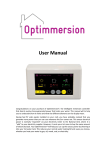
The three-position switch is located on the top right-hand side of the controller unit. It is a slide switch
and operates as follows:
Simple version.
Left position: the heater is fully on, and Optimmersion has no effect. The legend Heat: continuous
appears in red at the bottom of the display, and the blue “Control:” bar should be at full length.
Mid position: the heater is controlled automatically by Optimmersion. The legend Heat: automatic
appears in green at the bottom of the display. This is the normal position.
Right position: the heater is not controlled by Optimmersion. The legend “Heat: off” appears in yellow at
the bottom of the display.
All other versions.
Left position: the heater is fully on, and Optimmersion has no effect. The legend Heat: continuous
appears in red at the bottom of the display, and the blue “Control:” bar should be at full length.
Mid position: the heater is controlled automatically by Optimmersion. The legend Heat: automatic or
Heat: 1-hr boost (see below) appears in green (or yellow) at the bottom of the display. This is the normal
position.
Right position: the heater is controlled automatically by Optimmersion. However, the heater is turned
fully during any of the boost periods (see below for instructions on how to set these up) under the control
of the internal clock. This switch setting is intended for Economy 7 users. The legend “Heat: auto/boost”
appears in yellow at the bottom of the display. The blue “Control” bar should be at full length during any
of the three boost periods.
Mid-left-mid movement: if the switch is moved from the mid position to the left position and then back
to the mid position, the heater is turned fully on for 1 hour. This is useful for all-electric systems to boost
the heat. Repeat the process to cancel this function. During the boost period, the legend Heat: 1-hr boost
will appear in yellow at the bottom of the display, and the blue Control: bar should be at full length.
4. System parameter setting
The toggle switch on the left-hand side of the display may be used to set the clock, the on and off times of
up to three heater boost periods, and the nominal rating of the heater in Watts. It has five positions:
press up (UP), press down (DN), press left (L), press right (R), and press in (IN). These directions are
appropriate for a unit mounted on a wall in the correct orientation.
When power is first applied to the unit, a single-digit count-down timer appears. If you do nothing, the
unit will continue with normal operation at the end of the count-down period.
Optimmersion Installation Manual
Page 10 of 12