1
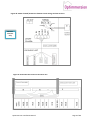
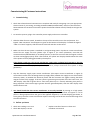
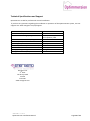
It is recommended you read these instructions before you begin the installation, but in summary: 1. Inspection Assess the existing electrical wiring to ensure that it is suitable for the installation of Optimmersion. 2. Mount controller unit Mount the power throttle in a suitable location and the controller in its chosen location. 3. Wiring controller to power throttle This is for the wired versions only 4. Wiring power throttle Install the associated cables and make connections as per Figures 1 to 5. Commissioning & Customer instructions Electrically test the circuitry and then energize the system and carry out the commissioning steps as described, remembering to show the householder how it works. General information Optimmersion measures how much power is flowing through the electricity meter using a current transformer which clips around the live wire of the feed from the Grid. When there are more than 50 watts being exported, it brings up the immersion heater (water heater), always adjusting the exact level so as to maintain the exported power below about 200 Watts. Electric appliances can be turned on and off in the house and Optimmersion makes the appropriate adjustment. Optimmersion (excluding the Simple version) also measures the amount of power being generated by the PV installation using a second clip-on current transformer, this information is displayed, but has no effect on the control of the waterheater. What’s in the box? Optimmersion version 1 x Controller unit 1 x Power throttle 1 x Wireless power throttle CT clips with phono plug terminations 1 x Control signal cable with phono plug 1 x Power supply cable with power plug 1.5m of 5-core cable PVC cable glands 4x Mounting screws for controller 1 x AC power supply 1 x Wattson display 1 x Wattson display power supply Simple Wired Wireless Optismart Hot Water 1 2 2 2 You will also need screws and the appropriate wall fixings for the power throttle. Optimmersion Installation Manual Page 2 of 12