1
IndustrialSQL
Page 16-1
Chapter 16. IndustrialSQL
16.1. Connecting to the Server......................................................................................................................................... 16-1
16.2. IndustrialSQL In Settings ....................................................................................................................................... 16-2
16.3. Tutorial: Using The IndustrialSQL In Element ..................................................................................................... 16-4
The IndustrialSQL In element makes Snap-Master a client application that allows you to query
tags from the IndustrialSQL Server database and use them as Snap-Master channels. Once you
have added tags to Snap-Master, you can analyze and plot the data using other Snap-Master
elements.
Before using this element, you must install and configure IndustrialSQL Server and the SQL
Server ODBC driver. Please refer to the documentation provided with IndustrialSQL Server for
more information on installation.
NOTE: This Snap-Master element can only be used on the Windows 95 or Windows NT
platforms.
This element only operates on Historical data; “live” data can not be imported using this
element. Use the DDE In element to access live data from other FactorySuite
applications.
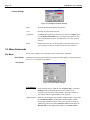
16.1. Connecting to the Server
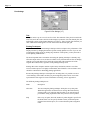
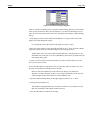
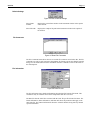
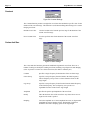
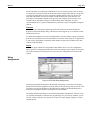
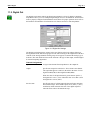
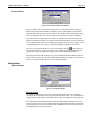
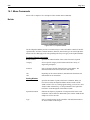
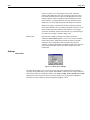
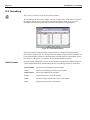
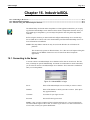
You must connect to an IndustrialSQL Server database before data can be retrieved. The first
time you attempt to open the IndustrialSQL In element in an instrument or run the instrument,
you are asked to connect to an IndustrialSQL Server database. This connection is maintained
until you exit Snap-Master.
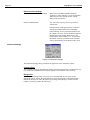
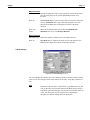
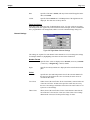
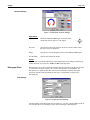
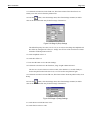
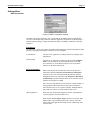
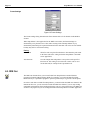
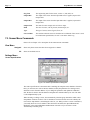
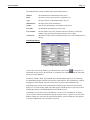
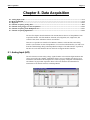
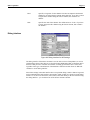
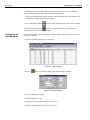
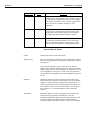
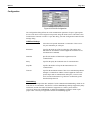
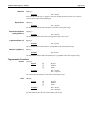
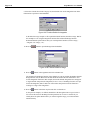
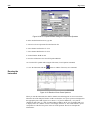
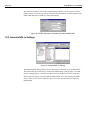
Figure 16-1 IndustrialSQL In Login
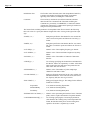
Server
Name of the IndustrialSQL Server to which you want to connect.
Database
Name of the database to which you want to connect. (This option
may appear dimmed.)
Username
User name for your logon account.
Password
Password for the logon account.
NOTE: A user account is comprised of the Login ID and password. A user account must be
associated with the right to retrieve data, or else the log on will fail. For more information on
user accounts, contact your system administrator.