1
Contents
1. Introduction ............................................ 1
1.1 Product Introduction ............................................................................... 1
1.2 Compliances ............................................................................................ 1
2. Operations Overview ..................................... 3
2.1 Unpacking and Inspection ...................................................................... 3
2.2 Printer Overview ...................................................................................... 4
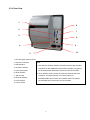
2.2.1 Front View ...................................................................................... 4
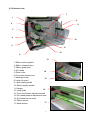
2.2.2 Interior view .................................................................................... 5
2.2.3 Rear View........................................................................................ 6
2.3 Operator Controls .................................................................................... 8
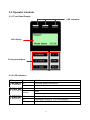
2.3.1 Front Panel Display ....................................................................... 8
2.3.2 LED Indicators ............................................................................... 8
2.3.3 Front Panel Keys ........................................................................... 9
2.4 Setting Up the Printer .............................................................................. 9
2.5 Installation of Ribbon ............................................................................ 10
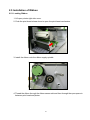
2.5.1 Loading Ribbon ........................................................................... 10
2.5.2 Remove Used Ribbon .................................................................. 13
2.6 Installation of Media .............................................................................. 14
2.6.1 Loading Roll Labels ..................................................................... 14
2.6.2 Loading Fan-fold Labels ............................................................. 17
2.6.3 Loading Media for Peel-off Mode (Option)................................. 19
2.6.4 Remove Liner (Option) ................................................................ 21
2.6.5 Loading Media in Rewind Liner with Label Mode (Option) ...... 22
2.6.6 Remove Labels from Internal Rewind (Option) ......................... 24
2.7 Adjustment Knob ................................................................................... 25
2.7.1 Print head Pressure Adjustment Knob ...................................... 25
2.7.2 Print Head Burn Line Adjustment Knob..................................... 25
3. Menu Function ......................................... 27
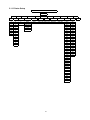
3.1 Setup Menu Overview............................................................................ 28
3.1.1 Printer Setup ................................................................................ 29
3.1.2 Sensor........................................................................................... 36
3.1.3 Serial Comm. ................................................................................ 44
3.1.4 Ethernet ........................................................................................ 47
3.2 File Manager ........................................................................................... 50
3.2.1 File List ......................................................................................... 50
i