1
S320
QUICK START GUIDE
Basic Operation and downloading golf courses
1.
Register Shotsaver FREE at www.snooperneo.co.uk
2.
Charge unit with charger provided until blue light on front button goes out.
3.
Power unit on by moving the switch on the left hand side up towards the green marker. Then
push and hold the switch on the right hand side of the unit in to the on position until the
Snooper launch screen appears.
4. Download the golf courses you require using the CD ROM provided. Put the CD in to your PC
and follow the on screen instructions. Once you have downloaded the golf courses you want
the unit is ready to use.
5.
Launch Shotsaver software by pressing the golf icon.
6. Start game.
Click here and a list of the golf courses you have downloaded will be displayed. Click on the
golf course you wish to play and then select the Tee colour. Select Play to start (Press Route if
you have sat nav software installed and want the unit to navigate you there) Next select the
hole you are starting from.
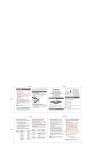
7. The hole selected will be displayed something like this. To refresh the distances displayed tap on the screen at any time.
Details of current hole
Distance to back
of the green
Distance to centre
of the green
Distance to front
of the green
Distance to
hazards
Scroll through
hazards
Main menu
Return
End hole
Battery & GPS
strength
Note: ensure that Shotsaver has GPS connectivity before you start or the distance information displayed will not be accurate.
Return to contents
UK • 4