1
ROC Keypad Display Program User Manual
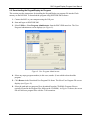
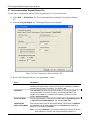
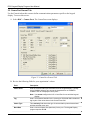
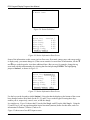
Field
Description
LCD Firmware
Version
This read-only field shows the current version of LCD firmware installed in
the ROC800.
Auto Logout Period
Sets, in minutes, how long the keypad waits before automatically logging off
the current user. The default is 30 minutes.
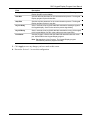
Logout Scroll Time
Sets, in seconds, how frequently the program refreshes the loaded
configuration’s default “screen saver” program. If the screen saver contains
more than 8 lines, this value indicates how frequently the program rotates
through the first 8 lines and then moves to the next 8-line display.
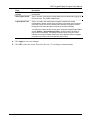
You define the content of this “screen saver” using the Keypad Display Editor
screen (Utilities > Keypad Display Editor). A screen saver can have as
many lines as necessary. The display shows 8 lines at a time; this value
indicates how long the display shows each 8-line display before the keypad
proceeds to the next 8 lines in the defined screen saver.
4. Click Apply to save your changes.
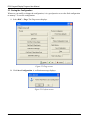
5. Click OK to close the screen. Proceed to Section 3.2 to configure communications.
Revised Jun-07
17