1
User Manual: PS020A
User Manual: PS020A
DMX-controlled 3-CHANNEL Power Supply
1) Fix the PS020A DMX-controlled 3-Channel power supply on a wall by using two
screws at the correct distance which do not protrude more than 4mm from the wall
surface. Fix the screws on the wall first, then slide the PS020A DMX-controlled 3Channel power supply on the screws using the slots on the rear side. Remove the
cover of the PS020A DMX-controlled 3-Channel power supply and fix the wall screws
through the holes provided in the units PCB. Re-fit the cover of the PS020A DMXcontrolled 3-Channel power supply. Plug the optional extended connection cable into
the PS020A DMX-controlled 3-Channel power supply on one side and the passive RGB
LED panel on the other side until the locking mechanism of the connector is secured.
Plug in the mains cable to the unit and verify the display shows “A1”. (NOTE: “A1” is
only shown if no external DMX signal is supplied to the unit). Connect external DMX
connections if any.
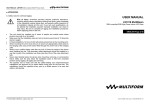
2) Fix the PS020A DMX-controlled 3-Channel power supply on the back of a Multiform
LS series passive RGB LED panel (see illustration below, showing LS1310). Fix the
screws to the LED panel into the provided mounting points first [1], leaving some
clearance to slide on the PS020A DMX-controlled 3-Channel power supply. Then slide
the PS020A DMX-controlled 3-Channel power supply on the screws using the slots on
the rear side [2]. Remove the cover of the PS020A DMX-controlled 3-Channel power
supply and fix the screws through the holes provided in the units PCB. Re-fit the cover
of the PS020A DMX-controlled 3-Channel power supply [3]. Plug the provided
connection cable into the PS020A DMX-controlled 3-Channel power supply on one side
and the RGB LED panel on the other side until the locking mechanism of the connector
is secured. Get the black plastic cap fixed at the top end to cover the cable and to fix
the power supply itself from sliding off. Use the two black screws [4]. Plug in the mains
cable to the unit and verify the display shows “A1”. (NOTE: “A1” is only shown if no
external DMX signal is supplied to the unit). Connect external DMX connections if any.
DMX-controlled 3-CHANNEL Power Supply
“SLA” DMX Slave Mode
Press the MODE button (5) until the display shows “SLA”, indicating operation in “SLA”
(SLAVE) mode. In this mode the unit is set to DMX-channel 001 in order to receive the
signals from a master-unit of the Multiform LS series being in mode "A" or "C". The unit
interprets CH1 as red intensity, CH2 as green intensity and CH3 as blue intensity. CH4
is not in use, and the potentiometer (1) is disabled.
This mode can also be used for remotely controlling the unit if no specific DMX address
is needed and channels 001-003 can serve as a default. To indicate that the unit is
controlled by an external DMX signal, the DMX LED (3) is lit.
“d” Mode (DMX Mode)
Press the MODE button (5) until the display shows “d”, indicating operation in “d”
(DMX) mode. Shortly after that, the display shows the DMX starting address. You can
choose any DMX starting address by simply using the UP/DOWN buttons (6/7). The
chosen DMX-address comes effective approximately 3 seconds later and will show up
on the display (2) in alternation to the “d”. This allows control of the unit by any external
DMX signal sending on the chosen channel.
In this mode the potentiometer (1) is disabled.
The unit receives DMX values on a packet of four channels and mirrors the received
data on the DMX output (13). If a DMX signal is present the DMX LED (3) will turn on.
The four channels control the unit as follows:
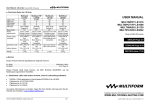
DMX channel
Value Range
Function
CH1
CH2
CH3
CH4
000-255
000-255
000-255
000-127
128-227
228-255
Red intensity
Green intensity
Blue intensity
Master dimmer
Strobe (128=slow / 227=max. speed 23 Hz)
Master dimmer full on, Strobe off
Addressing has to be done as follows:
1
2
3
001
005
009
013
4
first device
second device
third device
fourth device
(CH 1-4)
(CH 5-8)
(CH 9-12)
(CH 13-16)
*factory default*
and so on.
This setting is stored even if the device is switched off.
V1.00 (06-2007) © Multiform, Leigh-on-Sea, UK
6
V1.00 (06-2007) © Multiform, Leigh-on-Sea, UK
11