1
HDF User’s Guide
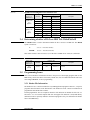
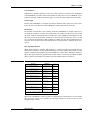
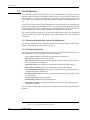
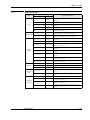
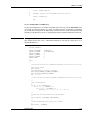
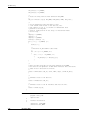
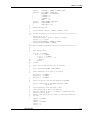
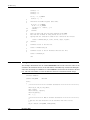
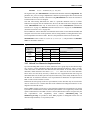
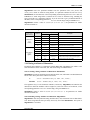
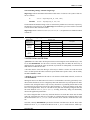
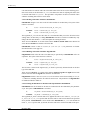
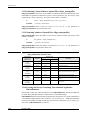
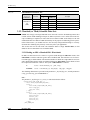
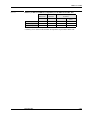
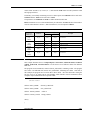
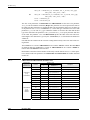
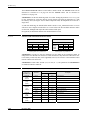
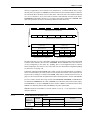
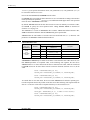
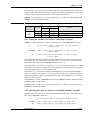
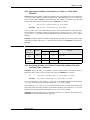
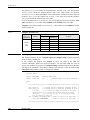
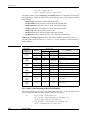
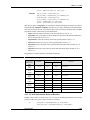
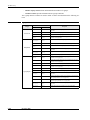
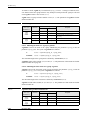
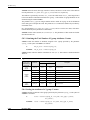
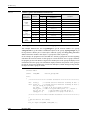
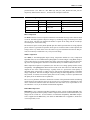
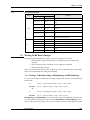
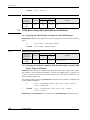
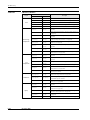
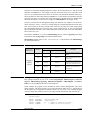
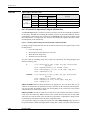
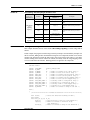
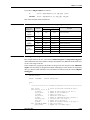
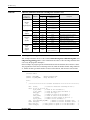
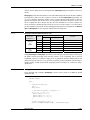
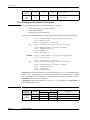
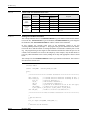
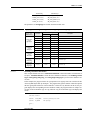
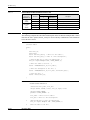
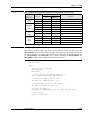
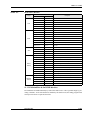
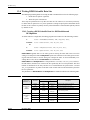
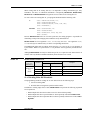
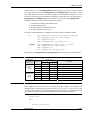
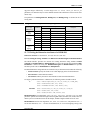
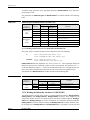
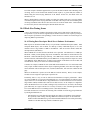
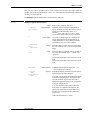
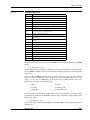
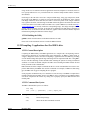
presented below. (See Table 6A.) The HDF tags COMP_RLE, COMP_IMCOMP and COMP_JPEG are
respectively defined as the values 11, 12 and 2 in the "hcomp.h" header file.
TABLE 6A
8-Bit Raster Image Compression Method List
Compression Method
Type
Compression Code
Requirements
None
N/A
COMP_NONE
Image data only (default setting).
RLE
Lossless
COMP_RLE
Image data only.
JPEG
Lossy
COMP_JPEG
Image data, quality factor and compatibility
factor.
IMCOMP
Lossy
COMP_IMCOMP
Image data and palette.
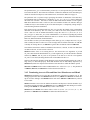
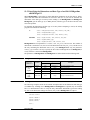
RLE Compression
The RLE method is a lossless compression method recommended for images where data retention
is critical. The RLE algorithm compresses images by condensing strings of identical pixel values
into two bytes. The first byte identifies the number of pixels in the string and the second byte
records the pixel value for the string.
The amount of space saved by RLE depends upon how much repetition there is among adjacent
pixels. If there is a great deal of repetition, more space is saved and if there is little repetition, the
savings can be very small. In the worst case when every pixel is different from the one that precedes it an extra byte is added for every 127 bytes in the image.
JPEG Compression
The JPEG, or Joint Photographic Expert Group, compression method is a lossy compression
algorithm whose use is recommended for photographic or scanned images. Using JPEG compression to reduce the size of an image changes the values of the pixels and hence may alter the meaning of the corresponding data. Version 5.0 of the JPEG library is available in HDF version 4.0.
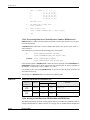
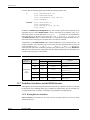
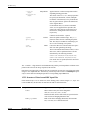
JPEG compression requires two parameters, the first the level of image quality and the second,
compatibility. The quality factor determines how much of the data will be lost and thus directly
impacts the size of the compressed image. A quality factor of 1 specifies the lowest quality or
maximum image compression. A quality factor of 100 specifies the highest quality or minimum
image compression. Note that all images compressed using the JPEG algorithm are stored in a
lossy manner, even those stored with a quality factor of 100. Usually, it is best to experiment with
the quality factor to find the most acceptable one.
The baseline parameter determines whether the contents of the quantization tables used during
compression are forced into the range of 0 to 255. The baseline parameter is normally set to the
value 1 which forces baseline results. You should set the value of the baseline parameter to values other than 1 only if you are familiar with the JPEG algorithm.
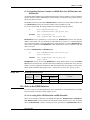
IMCOMP Compression
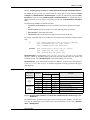
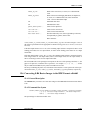
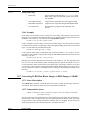
IMCOMP is a lossy compression method available in earlier versions of HDF. IMCOMP compression is generally of inferior quality to JPEG compression and is not recommended unless your
images will be viewed on a 16-color monitor. For backward compatibility, IMCOMP compression is supported in the HDF library. For details on IMCOMP refer to Appendix F, titled Backward Compatibility Issues.
December 2007
6-239