Download OPERATING INSTRUCTIONS - talknet
Transcript
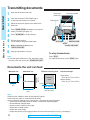
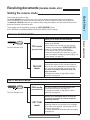
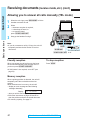
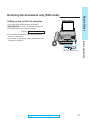
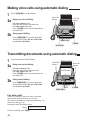
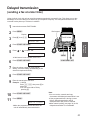
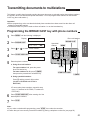
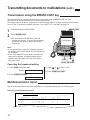
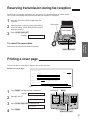
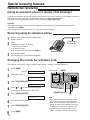
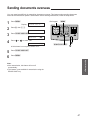
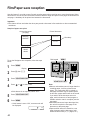
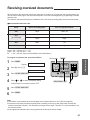
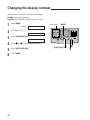
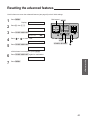
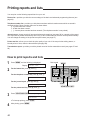
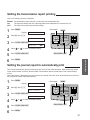
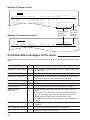
1 2 3 4 5 6 7 8 Open the document feeder tray. Document feeder tray Insert the document FACE DOWN (up to 15 sheets) until a beep tone is heard. Document guides Dial keypad Adjust the document guides to the width of the document. FACE DOWN Press (RESOLUTION) repeatedly to the desired setting, if needed (see page 17). Press (SP-PHONE) or lift the handset. Dial the phone number. ¡If you misdial, hang up and dial again. (SP-PHONE) (RESOLUTION) (STOP) (START/COPY/SET) When a fax tone is heard, press (START/COPY/SET). Hang up the handset, if using it. To stop transmission Note: ¡If the other party answers your call, ask them to start receiving a fax, then press your (START/COPY/SET). Press (STOP). ¡To eject the document, press (STOP) again. Documents the unit can feed Minimum size Maximum size Effective scanning area Scanned area 600 mm (235⁄8w) 128 mm (5w) Basic operations Quick Start Transmitting documents 128 mm (5w) Document weight Single sheet: 45 to 90 g/m2 (12 to 24 lb.) Multiple sheets: 60 to 75 g/m2 (16 to 20 lb.) 4 mm 208 mm (83⁄16w) 216 mm (81⁄2w) Paper width 216 mm (81⁄2w) Note: ¡Remove clips, staples or other similar fastening objects. ¡Check that ink, paste or correction fluid has dried. ¡Do not send the following types of documents. Use copies for fax transmission. — Chemically treated paper such as carbon or carbonless duplicating paper — Electrostatically charged paper — Heavily curled, creased or torn paper — Paper with a coated surface — Paper with a faint image — Paper with printing on the opposite side that can be seen through the front (e.g. newspaper) 18 For Assistance, Call 1-800-435-7329