1
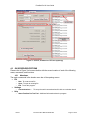
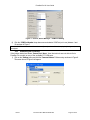
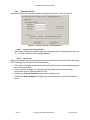
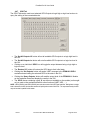
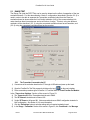
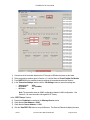
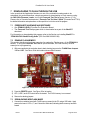
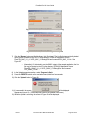
FreeStar Pro Kit User Guide 4.4.3.2 Receiver Section Data: The message being received; it should agree with the Transmit ‘Data’. Source Address: The ‘Transceiver ID’ of the evaluation board being used as the transmitter. RX’s LQI: The Link Quality Indicator as measured by the receiver (with indicator “light”) Receive: Starts the reception of packets. 4.4.4 Settings Tab The settings tab can be used to query the settings (capacitor values) of the reference oscillator, or to query the Analog to Digital Converters. See Figure 15. Figure 15 – Screen, Test Tool – Settings 4.4.4.1 The default XTAL settings are hardcoded into the program and are displayed on turn on. Clicking the ‘Query XTAL Values’ button will read the actual values in the device and display them in the drop down boxes. Packets sent and received can be seen in the Communications Log screen. 4.4.4.2 XTAL Settings ADC Results By clicking the ‘Start ADC Query’ button the ADC’s connected to the Potentiometers (See Figure 1) will be continually read (about twice a second). Their values will be updated in the respective boxes in the GUI. In addition the MC13224V has the ability to monitor its own power supply from an internal voltage reference. This value will also be updated in the ADC query. Clicking the ‘Stop ADC Query’ button will stop the query. Rev B Document No. 0006-00-08-00-000 Page 23 of 42