1
Table of Contents
Section 1 | Introduction ........................................................................................................ 9
Dako Autostainer Features................................................................................................ 10
Universal System........................................................................................................... 10
Quick Start-up................................................................................................................ 10
Flexible Programming.................................................................................................... 10
Economic Use................................................................................................................ 10
Data Management and Report Generation.................................................................... 10
Slide and Reagent Labels.............................................................................................. 10
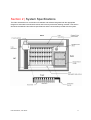
Section 2 | System Specifications..................................................................................... 11
Hardware Specifications.................................................................................................... 13
Software Specifications ..................................................................................................... 14
Accessories Included with the Dako Autostainer .............................................................. 14
Section 3 | Installation Requirements ............................................................................... 15
Requirements .................................................................................................................... 15
Recommendations ............................................................................................................ 15
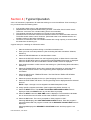
Section 4 | Typical Operation............................................................................................. 17
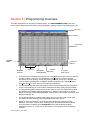
Section 5 | Programming Overview................................................................................... 19
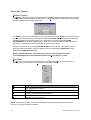
Menu Bar Options ............................................................................................................. 20
Slides Function .............................................................................................................. 20
File Menu ....................................................................................................................... 20
Edit Lists Menu .............................................................................................................. 21
Copy Function................................................................................................................ 21
Auto Function................................................................................................................. 22
Command Buttons............................................................................................................. 22
Section 6 | Accessing the Dako Autostainer Software.................................................... 23
Section 7 | Initializing the Dako Autostainer .................................................................... 25
Entering Institution Information.......................................................................................... 26
Editing Institution Information ............................................................................................ 27
Entering Staff Information.................................................................................................. 27
Adding a New User........................................................................................................ 27
Editing User Information ................................................................................................ 28
Deleting User Information .............................................................................................. 29
Adding a New Doctor..................................................................................................... 29
Deleting Doctor Information ........................................................................................... 30
Entering Tissue Information .............................................................................................. 30
Adding a New Tissue..................................................................................................... 30
Deleting a Tissue ........................................................................................................... 30
Entering Default Reagent Information ............................................................................... 31
Assigning Default Reagent Dispense Volumes ............................................................. 31
Assigning Reagent Drop Zone....................................................................................... 31
Cleaning Schedule......................................................................................................... 32
Label Printing Initialization................................................................................................. 32
Slide Labels ................................................................................................................... 32
Reagent Labels.............................................................................................................. 33
Label Adjustment ........................................................................................................... 34
Communication Port ...................................................................................................... 34
Printer Selection ............................................................................................................ 35
The Options Screen .......................................................................................................... 35
Program Grid ................................................................................................................. 35
IHC Report..................................................................................................................... 36
Custom Options ............................................................................................................. 36
Section 8 | Entering Slide Information .............................................................................. 39
Slides Function.................................................................................................................. 39
Dako Autostainer | User Guide
5