1
1.
Getting Started
1.1.
Features
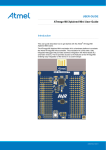
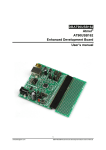
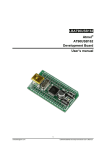
The ATmega328PB Xplained Mini evaluation board provides a development platform for the Atmel
ATmega328PB.
Key Features
•
•
•
•
•
•
•
•
•
•
•
•
•
•
1.2.
On-board debugger with full source-level debugging support in Atmel Studio
Auto-ID for board identification in Atmel Studio
Access to all signals on target MCU
One green mEDBG status LED
One yellow user LED
One mechanical user push button
QTouch® user area
Virtual COM port (CDC)
External target CLK 16MHz at 5V, 8MHz at 3.3V
USB powered
3V3 regulator
Arduino shield compatible foot prints
Target SPI bus header foot print
Xplained Pro extension headers can easily be strapped in
Design Documentation and Related Links
The most relevant documents and software for the evaluation board are available here:
Design Documentation - ZIP file containing CAD source, schematics, BOM, assembly drawings, 3D plots,
layer plots, etc.
Atmel Studio - Free Atmel IDE for development of C/C++ and assembler code for Atmel microcontrollers.
Xplained - Atmel Xplained prototyping and evaluation platform.
Atmel Spaces - Open Source projects for Xplained Mini.
1.3.
Xplained Mini Quick Start
How to connect the ATmega328PB Xplained Mini board embedded debugger to Atmel Studio and how to
connect the ATmega328PB UART to a COM port.
1.3.1.
Connect to Atmel Studio
How to connect the ATmega328PB Xplained Mini board embedded debugger to Atmel Studio to get
started with SW development.
1.
2.
3.
Download and install Atmel Studio version 6.2 or later versions.
Launch Atmel Studio.
Connect the board to the USB port and it will be visible in Atmel Studio.
Atmel ATmega328PB Xplained Mini [USER GUIDE]
Atmel-42469A-ATmega328PB-Xplained-Mini_User Guide-07/2015
3