1
Operating Instructions EROCSCAN Pro
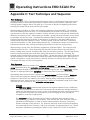
Table of Contents
Page
1. Introduction .......................................................................................... 1 1.1 1.2 1.3 Instrument Description ....................................................................................... 1 Otoacoustic Emissions ........................................................................................ 2 Tympanometry ................................................................................................... 3 2. Important Safety Precautions .............................................................. 5 2.1 2.2 Disclaimer .......................................................................................................... 5 Precautions ........................................................................................................ 6 3. Getting Started ..................................................................................... 8 3.1 2.2 2.3 Unpacking the system ........................................................................................ 8 Battery Installation .............................................................................................. 9 Environmental conditions ................................................................................... 9 4. Getting familiar with the ERO•SCAN Pro ......................................... 10 4.1
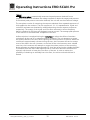
4.2
4.3 Controls and display .......................................................................................... 10 Internal Probe .................................................................................................... 10 External Probes (optional) ................................................................................. 11 5. Conducting a Measurement .............................................................. 13 5.1 5.2 5.3 5.4 5.5 5.6 5.7 Quick Start ....................................................................................................... 13 Powering on the Instrument ............................................................................. 13 Selecting a Protocol or Protocol Series .............................................................. 14 Selecting an Eartip ............................................................................................ 14 Preparing the Patient ........................................................................................ 14 Conducting a measurement ............................................................................. 15 Proceeding to the next test ............................................................................... 18 6. Interpreting Results............................................................................ 19 6.1 6.2 6.3 6.4 Understanding the OAE Results Display ............................................................ 19 Understanding the Tympanometry Results Display ............................................ 19 Interpreting the Tympanometric test result ....................................................... 20 Abnormal Values .............................................................................................. 20 7. Managing Test Results ....................................................................... 21 7.1 7.2 Reviewing Test Results ...................................................................................... 21 Deleting Test Results ........................................................................................ 22 8. Printing Test Results........................................................................... 23 8.1 8.2 8.3 8.4 8.5 Connecting the cradle to a computer ............................................................... 23 Quick-Print to PDF or to the default PC printer .................................................. 24 Thermal printer set up ...................................................................................... 28 Connecting the cradle to the Printer ................................................................. 30 Printing with the Thermal Paper Printer ............................................................. 30 9. Set Up .................................................................................................. 33 9.1 9.2 9.3 9.4 9.5 9.6 9.7 9.8 9.9 9.10 Language ......................................................................................................... 33 Time/Date ........................................................................................................ 33 Display Contrast ............................................................................................... 34 Instrument Details ............................................................................................ 34 DP Early Stop.................................................................................................... 34 OAE Minimums ................................................................................................ 35 Save Mode (Patients) ........................................................................................ 35 Sounds ............................................................................................................. 36 Graph Style ...................................................................................................... 37 Reset ................................................................................................................ 37 Geba_EROSCANPro_E_REV_a_12a.docx
i
850 041/2 01/12