Download
User Guide Notebook - Brack Electronics AG
1
2
3
4
5
6
7
8
9
10
11
12
13
14
15
16
17
18
19
20
21
22
23
24
25
26
27
28
29
30
31
32
33
34
35
36
37
38
39
40
41
42
43
44
45
46
47
48
49
50
51
52
53
54
55
56
57
58
59
60
61
62
63
64
65
66
67
68
69
70
71
72
73
74
75
76
77
78
79
80
81
82
83
84
85
86
87
88
89
90
91
92
93
94
95
96
97
98
99
100
101
102
103
104
Transcript
56
9.
4 Replacing components
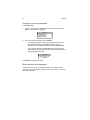
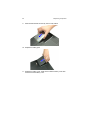
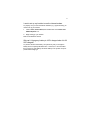
Slide the HDD module into the bay until it is fully seated.
10. Replace the battery pack.
11. Replace the battery cover. Make sure to slide the battery cover latch
forward to lock the battery cover.