1
Flight Plan Functions
Flight Plan Functions
Flight plans are specific routes between waypoints
you may store in the Apollo GX memory. This
information is used to calculate useful flight statistics.
The Flight Plan function allows you to have up to 30
stored flight plans. Each flight plan may have up to 20
legs. The Active flight plan is always used for the
current flight. Inactive flight plans may be activated in
the Flight Plan function and copied to the Active
flight plan.
Flight Plan Leg pages show the leg number and
FROM and TO waypoint identifiers on the display,
along with the bearing and distance between the
FROM and TO waypoints. One asterisk (*) next to
the leg number means that the displayed leg is in the
Active flight plan. Two asterisks (**) mean that the
displayed leg is the active leg and shows the current
FROM and TO waypoints which are being used for
navigation.
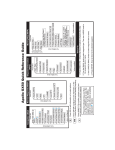
Turn LARGE Knob
Active
Flight
Plan
Flight Plan
Pages
FPL
FPL
Flight
Flight
Create New
Plan
Plan
Flight Plan
#1
#30
The first page of each flight plan is the Name Page.
The Name Page displays the flight plan name, total
distance, and the destination waypoint. Distance is
displayed as 0.0 to 99.9 nm at 0.1 nm resolution and
100 to 99999 nm at 1 nm resolution. A diamond Y at
the right side of the display indicates that more pages
can be viewed by turning the SMALL knob.
Reaching the Flight Plan Function
1. Press FPL to reach the Flight Plan function. You
may need to press NAV first if you were viewing the
moving map. Press FPL twice to reach the flight
plan home page. Turn the LARGE knob to view the
6-1