1
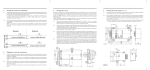
Basic functions
Opening
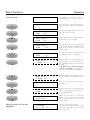
System secured
The display is switched off after an
operating pause of over 16 seconds.
Open the lock ?
Open lock 1
Code : 96......
Open lock 1
Code : 10......
Open lock 1
Code : --29....
Open lock 1
Code : --20....
Open lock 1
&-Code: 47......
Open lock 1
2.Code: 99......
Lock opening
*
Retract the bolts with the bolt
mechanism.
Press the knob to switch the display on.
The opening procedure can now be started.
Press the knob again and enter the opening code for the first lock.
Turn the knob until the random number is
changed to the correct value.
Press the knob to enter the number. A
new random number immediately appears in the next two positions of the
opening code.
Turn the knob again to change the random number to the correct value.
Press the knob to enter the number. Repeat the above procedure until the entire eight-digit opening code has been
entered.
If an AND code or the ‘Code linkage’
function is activated, the prompt for entering this code appears immediately.
Enter the additional eight-digit code in
the same way as the first opening code.
If the correct codes were entered, the
lock opens.
Open lock 2
Code : 57......
Enter the code for the second lock (if any).
When a wrong code is entered, an error message appears.
All locks open
Open bolt
When the locks are open, an acoustic
signal is given. Open the bolts within
60 seconds, otherwise the locks are
closed again.
Unlocked
03.01.98
The door can now be opened.
In systems with the Time functions or Event
time option, the date and time are displayed as well.
14:33