1
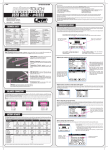
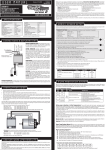
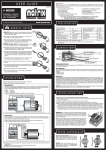
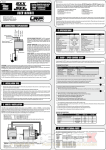
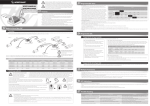
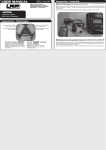
Programme Structure - Setup After powering up your Stealth Touch you are in the main menu where you can scroll through all functions (Charge / Discharge / Cycle / Balance / View Last Data / Config / Motor-ESC-Servo) and either start the required process by press „START“ button or access the particular functions setup by pressing „SETUP“. All the functions and our recommendations are explained in detail on next pages. P1 PROFILE NAME . P1 PROFILE NAME START P1 CHARGE Chg Mode : Current : DPeak : Trickle : Safety Time: SETUP [1/2] X Linear 4.0A 20mV Off 90min NEXT . P1 PROFILE NAME CYCLE SETUP START P1 DISCHARGE X Current : 20.0A Pack.Volt : 7.4V/2S Cutoff.V. : 3.2V/C Cut-Temp : 50°C . P1 PROFILE NAME P1 CYCLE X Direction : CD Cycles : 1 Chg Delay : 10min Dischg Delay: 10min SET SET . P1 PROFILE NAME VIEW LAST DATA BALANCE VIEW START START P1 BALANCE [1/2] X 1s:0.000V 3s:0.000V ▼4s:0.000V P1 PROFILE NAME CONFIG P1 DATA VIEW [1/3] X Input : 0.000V Output : 0.000V Batt.Temp : 0.0°C Max Temp : 0.0°C Resistance : 0.0mΩ ▲2s:0.000V . P1 CONFIG [1/2] X Button Sound : ON Finish Sound :15sec Finish Melody: 1 LCD Contrast : 10 Temp Scale : °C MOTOR-ESC-SERVO X Signal Min : 1100 Signal Max : 1900 NEXT NEXT . MOTOR-ESC-SERVO SETUP START SETUP START Gap 0.000V SET P1 CHARGE Cut-Temp : P1 PROFILE NAME DISCHARGE LINEAR CHARGE SETUP . SET [2/2] X 55°C NEXT SET Charge Process The Stealth Touch can charge LiPo, LiFePo, NiMH and NiCd batteriesand incorporates the designated charge algorithms for each particular cell type for best performance, reliability and safety with up to 12.0A charge current. Please always follow your battery manufacturers recommendations for maximum allowed charge current and make sure you always use the correct „Chg Mode“ setting for the battery you want to charge, as wrong setting may result in damage to the battery! P1 PROFILE NAME . P1 PROFILE NAME LINEAR CHARGE SETUP P1 PROFILE NAME .. LIFE CHARGE LIPO CHARGE START SETUP CHARGE START X Chg Mode : Linear Pack.Volt : Auto Current : 4.0A DPeak : 20mV Trickle : Off Cut-Temp : °C CHARGE START X Autostart : 0min Storage Charge XXXX : 0.0X SETUP START CHARGE START Chg Mode Pack.Volt Current Cut-Temp .. X Chg Mode Pack.Volt Current Cut-Temp .. Depending on which profile you have choosen or if you altered the settings under „SETUP“ the designated charge type „LINEAR“, „LIPO“, „LIFE“ or „STEP“ will be indicated on the screen. STEP CHARGE START CHARGE START : LiPo : 7.4V/2s : 6.0A : 40°C P1 PROFILE NAME SETUP X : LiFe : 6.6V/2s : 6.0A : 40°C START CHARGE START Current 0.0 0.0 Capacity 0.0 0.0 0.0 0.0 X After starting the operation by pressing „START“ button or cell symbol (both works!) the choosen settings will be indicated for you again to avoid incorrect settings for the battery you intend to charge. 0.0 0.0 0.0 0.0 You can cancel the operation, and return to main menu, by pressing the „X“ symbol in the upper right corner. Autostart: This handy feature lets you preselect when you want to start charging your battery with the Stealth Touch. The Autostart Timer is adjustable from 0 - 99min. If you stay in the „Autostart Display“ for longer then 30sec without setting a value, the charging process will start automatically. Storage Charge: Never store your batteries completely empty as this will harm them and lower their performance. Due to this fact, the Stealth Touch features a „Storage charge“ mode. With this function, you can set a fixed voltage (vor Lixx batteries) or fixed capacity (for Nixx batteries) value and the battery will be partially charged or discharged (in case of Lixx) exactly to this level. Thus you can always perfectly prepare your battery for storage, if you want to store them over a longer period of time. Our recommendations: NiMH/NiCd: 50% of nominal capacity *** LiPo: 3.8V/cell *** LiFe: 3.4V/cell START Chg Mode Time elapsed since start of charge AUTOSTART TIMER _ Time to Start 00m00s CHECK STATUS: BATTERY......ok Connection...ok STOP START time until charging starts, you can skip and start immediately by pressing „START“ or you can return to the main menu by pressing „STOP“. your charger checks if all connections and the battery itself are ok and if charge process can be started. _XXXX CHARGE Capacity Current Voltage Resistance Temperature NEXT 02m30s 250mAh 6.00A 7.82V 0.0mΩ 0.0°C Charge capcacity Charge current (adjustable during charging!) Actual pack voltage Internal resistance of your pack during charging STOP CHARGE - explanations: Temperature of your pack (optional with sensor) CHARGE - further screens: Charge Algorithms: the Stealth Touch contains highly accurate charge profiles for each type of battery. Make sure you always use the correct „Chg Mode“ setting for the battery you want to charge, as wrong setting may result in damage to the battery! LiPo/LiFe charging using the CC/CV-charging method. With this charging method, the battery gets charged with a constant current first. As soon as the battery voltage reaches the max. allowed charging voltage per cell (for example, LiPo 4.2V and LiFe 3.7V), the charger automatically reduces the charging current till the battery is fully charged. NiMH/NiCd charging with constant current (Linear- or Step-Mode!) + delta-peak detection. This is the most popular charging method for NiMH/NiCd-batteries in competition Charge Current: The charge current can be set from 0.1 to 12.0A, for racing cells (Sub-C size) in LiPo, LiFe and NiMH technology you can usually use 1.5C charge rate (e.g. 7.5A for a 5000mAh pack) with no problem. However, for lower grade cells and receiver-/transmitter battery packs you should use a lower charge current and should follow your battery manufacturer‘s recommmendations. during running charge process there is additional information available, by pressing „NEXT“ button you may access those. The available screens are (you jump to next by pressing „NEXT“ again): - Voltage of each cell in pack (if balancer is used!), for description see section „Balancer“. - Internal resistance of each cell in pack (if balancer is used!), for description see section „Balancer“. - Data View screens, , for description see section „View Last Data“. View Last Data The Stealth Touch allows to view the stored data of the last 11 processes (charge, discharge or cycle). You can access the same data also during any operation (charge, discharge, etc) by pressing the „NEXT“ button, this means you can view the stored data from a previous operation during actual use! The last operation is always the memory „0“. P1 PROFILE NAME .. LiPo/LiFe pack voltage: The packs rated voltage for LiPo/LiFe batteries must be set according to the packs rating. Linear Charge: the most common method for NiMH/NiCd cells, a constant current from beginning to end of charge process, the easiest method for charging. VIEW LAST DATA START Step Charge: should only be used by experienced racers and only for NiMH cells! You may select special charging methods for 1st to 3rd step (4th step is fixed to linear!): _ = Linear charge ∏ = Impulse charges with 1.5x of selected current for short periods. ∐ = Reflex charges with short discharge spikes every few seconds. P1 CHARGE [1/2] X Chg Mode : Step 1st: _ _ 1.0A/0.1Ah 2nd: _ _ 4.0A/1.0Ah 3rd: _ _ 8.0A/4.0Ah 4th: 4.0A/5.5Ah NEXT P1 CHARGE DPeak Trickle Safety Time Cut-Temp NEXT SET : : : : [2/2] X 15mV Off 120min 50°C SET Current and capacity for 1st step, should be a low value for current and capacity (1.0A and 0.1Ah is our suggestion) 2nd step current can be higher, we suggest to charge for 25% of batteries nominal capacity with 1C charge. Charger‘s input voltage Voltage at output socket Actual battery temperature Maximum temperature which battery reached Internal resistance of battery NEXT using up/down arrow keys allows you to scroll through the stored 11 cycle data‘s (number is indicated in headline, 0 - 10). CYCLE DATA 0 [2/3] X charge time peak voltage at end of charge charge capacity -Chg000m00s 0.000Vp 000.0Ah -Dischg000m00s 0.000Va 000.0Ah discharge time average voltage during discharging discharged capacity NEXT 3rd step, this current you can set fairly high (up to 2C charge rate), only charge to 75% of batteries nominal capacity with this rate. GRAPH VIEW [3/3] X 0:00:00 0.00V Gr=V here you can view the charge or discharge curve of the selected data and can even select different curves, zoom into the curve, etc as explained below (this is only useful for experienced users!) 4th step, use lower current again to end of charge for accurate peak detection and best performace. Set capacity for this step to ~110% of nominal capacity. 0.000Vc 0.000V =A 0X Same settings on the second screen of „Step Charging“ as for normal linear charge of NiMH/NiCd cells! Delta Peak: With NiMH/NiCd-batteries, you only obtain the optimum battery performance by slightly „overcharging“ the battery. In real terms, it will not be overcharged, but charged to an optimum level. The battery voltage drops at the end of the charging process (delta). The size of the drop (delta peak) is adjustable in the range between 1 - 200mV. The higher the value, the hotter the battery will be at the end of the charge. We recommend to start with the works-default settings. Note: The adjustable Delta-Peak value applies to the whole battery pack and not to one single cell! Trickle Charge: This current, which flows after delta peak cutoff, is adjustable from 0.0 - 0.5A to achieve the highest possible voltage for NiCd cells. Set this function to „Off“ for NiMH cells. Alternatively you can use the Auto Trickle Function for an automatic Trickle Charge setup. Temperature Sensor: P1 DATA VIEW [1/3] X Input : 0.000V Output : 0.000V Batt.Temp : 0.0℃ Max Temp : 0.0℃ Resistance : 0.0mΩ there is an optional temperature sensor available, so you can monitor the battery temperature during charging and discharging. As it‘s normally not required for most users, we didn‘t include it with the charger as it would have only increased cost for everyone. When no sensor is connected, display will indicate „0.0°C“ DATA VIEW [3/3] X 0:00:00 0.00V Gr=V press curve to activate measurement line, which can be moved with up/ down buttons. middle point of Y-axis you can display three different parameters as a curve and you hop through them by pressing circled area briefly (V = voltage, I = current, T = temperature increase or decrease the marked (inversed/ black background) value. 0.000Vc 0.000V =A 0X Resolution of Y-axis (voltage, current or temperature), „=A“ automatic setting Zoom Level of X-Axis (Time, horizontal): AT = Automatic Zoom 1x to 43x = Manual Zoom