1
5-4
Relative, mX+b, m/X+b (reciprocal), and log
Mode 6487 User’s Manual
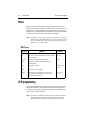
Configuring math functions
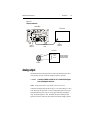
To select and configure math functions from the front panel, press CONFIG then MATH.
Select the math function to configure, then enter the required parameters for mX + b and
m/X + b (m, b, and units). Once a math function is selected, simply press the MATH key
to toggle math on or off. The MATH annunciator will turn on to indicate that the math
function is enabled.
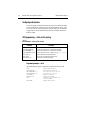
SCPI programming — mX+b, m/X+b, and log
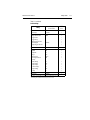
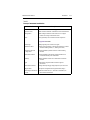
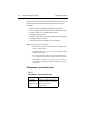
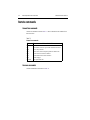
Table 5-2
SCPI commands — mX+b, m/X+b, and log
Commands
Description
CALC:FORM <name>
CALC:KMAT:MMF <n>
CALC:KMAT:MBF <n>
CALC:KMAT:MUN <name>
CALC:STAT <b>
CALC:DATA?
CALC:DATA:LAT?
Select math function: MXB, REC, or LOG10.
Set M for mX+b and m/X+b: -9.99999e20 to 9.99999e20.
Set B for mX+b and m/X+b: -9.99999e20 to 9.99999e20.
Set units for mX+b or m/x+b: 1 character: A–Z, ‘[‘=Ω, ‘\’=˚, ‘]’=%.
Enable or disable the selected math function.
Returns all CALC results triggered by the INIT.
Returns only the latest CALC reading.
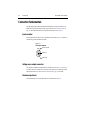
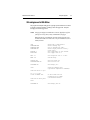
Programming example — mX+b
This command sequence performs a single mX+b calculation and returns the result:
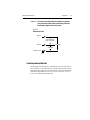
*RST
CALC:FORM MXB
CALC:KMAT:MMF 2e-3
CALC:KMAT:MBF 5e-4
CALC:STAT ON
SYST:ZCH OFF
INIT
CALC:DATA?
'Restore RST defaults.
'Select mX+b calculation.
'Set scale factor (M) to 2e-3.
'Set offset (B) to 5e-4.
'Enable calculation.
'Disable zero check.
'Perform one measurement and
'calculate mX+b.
'Request mX+b result.