1
BraceCalc
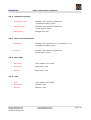
Table of contents
1. Overview..................................................................................................................4
1.1. General..............................................................................................................4
1.2. Support..............................................................................................................4
1.3. Installation, Uninstallation.....................................................................................5
1.4. Manufacturer Information.....................................................................................5
1.4.1. Trademarks..................................................................................................5
1.4.2. Copyright.....................................................................................................5
1.5. Licensing Agreement............................................................................................6
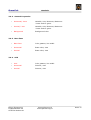
2. Implementation..........................................................................................................8
2.1. General..............................................................................................................8
2.2. BraceCalc Script..................................................................................................9
2.3. Functions..........................................................................................................10
2.4. Methods ...........................................................................................................14
2.5. Filter................................................................................................................19
2.6. Statistics...........................................................................................................22
3. References...............................................................................................................24
3.1. Main window and files.........................................................................................24
3.2. Functions..........................................................................................................25
3.2.1. Parameter..................................................................................................26
3.2.2. General Properties.......................................................................................27
3.2.3. Frequency spectrum Properties.....................................................................27
3.2.4. Base lines...................................................................................................27
3.2.5. Grid...........................................................................................................27
3.2.6. Create, Copy, Delete....................................................................................28
3.2.7. Create and Edit Script..................................................................................28
3.2.8. Parse and Calculate.....................................................................................29
3.2.9. Numerical Values.........................................................................................29
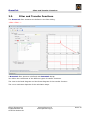
3.3. Filter and Transfer Functions................................................................................30
3.3.1. Parameter..................................................................................................31
3.3.2. General Properties.......................................................................................32
3.3.3. Phase curve Properties.................................................................................32
3.3.4. Base lines...................................................................................................32
3.3.5. Grid...........................................................................................................32
3.3.6. Create, Copy, Delete....................................................................................33
3.3.7. Create and Edit Scripts................................................................................33
3.3.8. Parse and Calculate.....................................................................................34
3.4. Statistics...........................................................................................................35
3.4.1. Parameter..................................................................................................36
3.4.2. General Properties.......................................................................................37
3.4.3. Base lines...................................................................................................37
3.4.4. Grid...........................................................................................................37
3.4.5. Create, Copy, Delete....................................................................................38
3.4.6. Create and Edit Scripts................................................................................38
3.4.7. Parse and Calculate.....................................................................................39
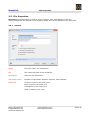
3.5. File Properties....................................................................................................40
3.5.1. General......................................................................................................40
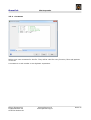
3.5.2. Constants...................................................................................................41
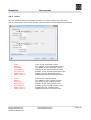
3.5.3. Cursor.......................................................................................................42
3.6. Main View.........................................................................................................43
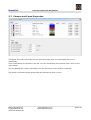
3.7. Cursors und Curve Properties..............................................................................44
Eicher Engineering
Frigadenstrasse 23
CH-8739 Rieden SG
www.eichereng.ch
[email protected]
Seite 2