1
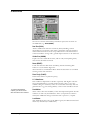
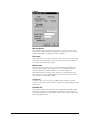
4. Set Black and/or White depending on the scratch type.
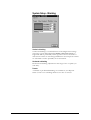
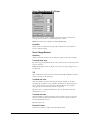
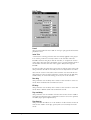
5. Set Coverage, Contrast, Filter Size and Wobble to maximum.
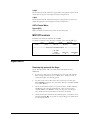
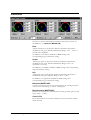
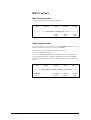
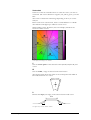
6. Adjust Contrast, while looking at the Scratch Length (middle) field
in the Status Bar. Try to make the Scratch Length field as bright as
possible where the scratches are, while keeping it as dark as
possible elsewhere.
7. Lower Coverage until the scratch disappears. Look at the Filter
(bottom) field in the Status Bar.
8. Lower Filter Size until the scratch reappears. Go back one step on
the Filter Size control.
9. Check if lower settings of Wobble can be used.
10. If too much filtering is applied to the rest of the picture, try fine
tuning Contrast and Filter Size.
11. If the scratch detector has difficulties detecting the scratches, try
Global mode and adjust Level.
12. Try out different Slope settings.
Tip! When applying CSR filtering, try to increase Noise Reduction
slightly so that the effect of the CSR filtering is not so apparent.
User's Manual
CSR, Vertical Scratch Removal • 59