1
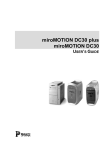
FireWire PCI Board
FireWire/USB PCI Board
FireWire CardBus PC Card
For Macintosh and PC
Operators
Manual
Revision date: February 5, 2000
Introduction
This Operators Manual was designed specifically to
provide you with an easy reference for installing the
Orange Micro OrangeLink FireWire 1394 series
products.
About this manual
The information in this manual is subject to
change without notice. We welcome your
comments on any area of Orange Micro products or
service. Please send your comments to:
Product Manager
Orange Micro, Inc.
1400 N. Lakeview Ave.
Anaheim, California 92807
Orange Micro may use or distribute any of the
information you supply in any way it deems
appropriate without incurring any obligations
whatsoever.
Warning
This manual and the software described herein are
protected by United States Copyright law (Title 17
United States Code). Unauthorized reproduction
and/or sales may result in imprisonment for up to
one year and fines of up to $10,000 (17 USC 506).
Copyright violators may also be subject to civil
liability.
Copyright Information
OrangeLink is a trademark of Orange Micro , Inc.
Premiere is registered trademark of Adobe. i.LINK
is a trademark of Sony Corporation.
Apple,
Macintosh, FireWire and Final Cut Pro are
trademarks and registered trademarks of Apple
Computer, Inc. Ulead, the Ulead logo, and Ulead
VideoStudio are trademarks of Ulead Systems, Inc.
Copyright © Orange Micro, Inc. 2000. All rights
reserved.
No part of this manual may be reproduced in any
form except by written permission from Orange
Micro, Inc.
- 2-
Table of Contents
Introduction....................................................................... 2
Minimum Macintosh System Requirements................. 4
Minimum PC System Requirements .............................. 4
CHAPTER 1: INTRODUCTION ......................................... 5
What is OrangeLink?........................................................ 5
What is FireWire? ............................................................ 5
OrangeLink Features ....................................................... 5
Benefits of the OrangeLink FireWire ............................ 5
CHAPTER 2: SOFTWARE DRIVER AND HARDWARE
INSTALLATION.................................................................... 6
Unpacking the FireWire PCI Board .............................. 6
Unpacking the FireWire/USB PCI Board ..................... 6
Unpacking the FireWire CardBus PC Card ................. 6
Installing the OrangeLink drivers on a Mac ................ 7
Installing the OrangeLink drivers on a PC................... 7
Installing the OrangeLink FireWire PCI Board or
FireWire/USB Board ........................................................ 7
Installing the OrangeLink CardBus PC Card............... 8
Optional Hardware............................................................ 9
CHAPTER 3: MACINTOSH DESKTOP VIDEO
SOFTWARE ........................................................................ 10
Installing Adobe Premiere LE for the Macintosh ...... 10
Adobe Premiere QuickStart- Capturing Video ........... 11
Adobe Premiere LE QuickStart- Exporting Video to
FireWire........................................................................... 12
Adobe Premiere Information......................................... 14
Upgrade Information ...................................................... 15
Using the full version of Adobe Premiere ................... 16
Troubleshooting Premiere LE ..................................... 17
Additional Workflow Recommendations and Known
Issues:............................................................................... 18
What Extensions and Control Panels are needed for
working with DV in Premiere? ..................................... 19
CHAPTER 4: PC DESKTOP VIDEO SOFTWARE ....... 20
Install Ulead VideoStudio DV SE on your PC ........... 20
VideoStudio DV SE QuickStart– Capturing Video .... 20
Additional Workflow Recommendations and Known
Issues:............................................................................... 23
CHAPTER 5: GENERAL FIREWIRE BUS
INFORMATION .................................................................. 24
Guidelines for connecting FireWire devices .............. 25
CHAPTER 6: THE USB BUS (OrangeLink
FireWire/USB PCI Board Only) ....................................... 26
Guidelines for connecting USB devices ...................... 27
APPENDICES: .................................................................... 28
Appendix A: Macintosh Troubleshooting .................... 28
Appendix B: PC Troubleshooting ................................. 29
Appendix C: Specifications............................................ 30
Appendix D: Warranty Information ............................. 31
- 3-
Minimum Macintosh System Requirements
The following hardware and software are required to
access devices attached to the OrangeLink products:
PowerPC processor
•
One available 7" or 12" PCI slot (PCI Board only)
•
PowerBook Users: PowerBook G3 Series Only (M3553 Family not supported)
•
One available CardBus PC Card slot (PC Card
only)
•
Mac OS 8.6 or newer
•
Apple FireWire software (included)
•
OrangeLink OHCI Enabler (included)
Minimum PC System Requirements
The following hardware and software are required to
access devices attached to the OrangeLink products:
•
Intel Pentium MMX compatible processor
•
One available 7" or 12" PCI slot (PCI Board only)
•
One available CardBus compatible PC Card sl ot
(PC Card only)
• Microsoft Windows 98 Second Edition or Windows
2000
- 4-
CHAPTER 1:
INTRODUCTION
What is OrangeLink?
The OrangeLink FireWire® 1394 host adapters add
FireWire support to any PCI or CardBus-based Mac or
PC. It is ideal for older Power Macintosh desktop
computers or PowerBook G3 Series as well as PCs that
need the advanced technology offered by FireWire®
(also known as IEEE-1394 or i.LINK).
What is FireWire?
FireWire supports the IEEE 1394 High Performance
Serial Bus standard. FireWire high-spe ed serial I/O
technology is particularly great for use with multimedia
peripherals such as digital video (DV) camcorders and
tape decks. The OrangeLink supports other FireWire
peripherals such as disk drives, ultra high-resolution
scanners, printers and digital still cameras.
OrangeLink Features
The OrangeLink products function at the maximum
IEEE-1394 rated speed of 400 megabits/second (50
megabytes/sec). The OrangeLink allows up to 63 devices
to be connected in a chain through its two external
standard 6 pin ports. The OrangeLink can be used with
third party video editing software to capture and export
full size, full motion DV video at 720 by 480 pixels at 30
frames per second.
Benefits of the OrangeLink FireWire
The major benefi t for OrangeLink FireWire technology
is its ease of use. Imagine automatic configuration, no
device IDs or terminators, simple to use cables, and of
course, "hot plug" connectivity. Consider a FireWire
disk drive for example. You can disconnect it from one
computer and connect it to another; no need to power
down or restart. You can move whole databases around
your workgroup "live"! Or, when the office day is done,
pop it into your shirt pocket and hot plug it to your
home computer.
The fastest growing use for FireWire consists of digital
video (DV) camcorders. The digital format of these
devices provides precise audio and video capabilities in
an original digital format that is more dire ctly
compatible with a computer than the current analog
video cameras . This means that the OrangeLink is ideal
for computer based home video editing as well as for
more professional applications, e.g. Adobe® Premiere®
and Apple Final Cut Pro™.
- 5-
CHAPTER 2: SOFTWARE DRIVER AND
HARDWARE INSTALLATION
It is important to note that the software on the
“OrangeLink Manual and Software” CD-ROM must be
installed before installing the FireWire adapter.
Unpacking the FireWire PCI Board
The OrangeLink FireWire PCI Board package contains
the following items:
FireWire Cable
•
•
•
FireWire PCI board
Manual and Software CD-ROM
A 1.82 meter (6 feet) FireWire cable, 4-pin to 6-pin,
to connect the OrangeLink to a camcorder or other
IEEE 1394 devices that do not require power.
Unpacking the FireWire/USB PCI Board
The OrangeLink FireWire/USB PCI Board package
contains the following items:
FireWire Cable
USB A to B Cable
•
•
•
•
FireWire/USB PCI board
Manual and Software CD-ROM
A 1.82 meter (6 feet) FireWire cable, 4-pin to 6-pin,
to connect the OrangeLink to a camcorder or other
IEEE 1394 devices that do not require power.
A 1.82 meter (6 feet) USB A to B cable to connect
the OrangeLink to any USB compliant device.
Unpacking the FireWire CardBus PC Card
The OrangeLink FireWire CardBus PC Card package
contains the following items:
FireWire Cable
•
•
•
FireWire CardBus PC Card
Manual and Software CD-ROM
A 1.82 meter (6 feet) FireWire cable, 4-pin to 6-pin,
to connect the OrangeLink to a camcorder or other
IEEE 1394 devices that do not require power.
- 6-
Installing the OrangeLink drivers on a Mac
The OrangeLink Installer will install Apple FireWire
software, the FireWire OrangeLink Enabler and USB
support. The OrangeLink software can be used on any
Power Macintosh computer running Mac OS 8.6 or
newer.
We are working on support for all our products on Mac
OS X, and concurrent with a Mac OS X FireWire
support release by Ap ple, Orange Micro will have the
necessary upgrade support available.
•
•
•
•
Insert the OrangeLink FireWire Manual and
Software CD.
Double-click on the OrangeLink Installer icon.
Follow the onscreen instructions.
Restart your computer.
NOTE:
A file called FireWi re Support may be in a folder
titled FireWire in the Apple Extras folder on your
Macintosh. Do not move this older extension to your
Extensions folder; it may interfere with the operation
of the new Apple FireWire software.
Installing the OrangeLink drivers on a PC
The OrangeLink FireWire product can be used on any
Intel Pentium compatible system running Microsoft
Windows 98 Second Edition or Windows 2000. The
OrangeLink/HotLink products are not compatible with
any previous Windows version.
NOTE:
•
•
•
•
Microsoft refers to FireWire as IEEE-1394; the two
are synonymous.
Insert the OrangeLink FireWire
Software CD.
The installer will Auto Start.
Follow the onscreen instructions.
Restart your computer.
Manual
and
Installing the OrangeLink FireWire PCI Board or
FireWire/USB Board
The OrangeLink software must be installed before
installing the OrangeLink PCI board.
The OrangeLink PCI board must be installed in one of
your computer’s PCI slots.
NOTES:
1. Refer to your computer’s manual for instructions
on how to open your computer and install a PCI
card.
2. The OrangeLink PCI board gets the power it
supplies to the FireWire bus from the PCI slot
Locate the OrangeLink PCI board. With your computer shut
down, open your computer and install the
OrangeLink PCI board.
- 7-
Installing the OrangeLink CardBus PC Card
The OrangeLink CardBus PC Card is compatible with
any PC laptop with at least one CardBus compatible PC
card slot or an Apple PowerBook G3 Series (the
PowerBook G3 Family M-3553 PC Card slot is not
CardBus compatible).
Insert the OrangeLink CardBus
CardBus slot in your computer.
PC Card into the
Mac: Removing the CardBus PC Card
Click on the “OrangeLink FireWire CardBus” icon and
type !+ Y.
PC Laptop: Removing the CardBus PC Card
Click on the Windows “PC Card Status” icon. Then
click on “Stop Orange Micro OrangeLink OHCI I E E E
1394 Host Controller”.
NOTES:
1. The OrangeLink FireWire CardBus PC Card does
not supply power to the FireWire Bus. Devices that
require power must be connected to a powered
FireWire Hub. Refer to the “Optional Hardware”
section below.
2. When a portable is not powered, including sleep
mode, data will not be passed from one FireWire port
to another.
- 8-
Optional Hardware
The
following
optional
OrangeLink
hardware
accessories are available from Orange Micro:
•
FireWire 1394 cable Part# 90CAB1342 – 4.5 meter
(15 feet) 6-pin to 6-pin
•
FireWire 1394 cable Part# 90CAB1343 – 4.5 meter
(15 feet) 6-pin to 4-pin
•
FireWire 1394 Repeater Part# 70HTL00020 – A
FireWire repeater allows an addit ional 4.5 meter
extension for FireWire devices. Includes a 4.5
meter (15 feet) 6-pin to 6-pin cable.
•
FireWire 1394 Hub Part# 70HTL00030 – Each hub
connects up to 8 devices, provides an additional 4.5
meter extension, and provides enhanced 12 volt
power for the FireWire peripherals.
•
FireWire 1394 PCI Board Part# 70HTL13941 – Add
FireWire support to your PCI based Mac or PC.
•
FireWire 1394/USB PCI Board Part# 70HTL00060
– Add FireWire 1394 and USB support to your PCI
based Mac or PC.
•
FireWire 1394 PC Card Part# 70HTL00040 – Add
FireWire support to your PowerBook.
•
FireWire 1394/SCSI Adapter 70HTL00010 –
External adapter allowing users to connect Fast
SCSI device through a FireWire 1394 Port.
Information about the IEEE 1394 Trade Association and
many other F ireWire products can be found at these
addresses:
http://www.1394ta.org
http://www.1394showcase.com
http://www.apple.com/firewire/firewireproducts.html
- 9-
CHAPTER 3: MACINTOSH DESKTOP VIDEO
SOFTWARE
Installing Adobe Premiere LE for the Macintosh
Adobe Premiere 5.1 Limited Edition software brings the
world of digital movie making to the desktop. Premiere
LE lets you record, create, and play video programs
using video, sound, animations, photographs, drawings,
text, and other material on your Macintosh comput er.
You can play movies created in Premiere LE in any
application that supports the Apple QuickTime™ format.
You can also output video programs to videotape or
create video files for publishing on the Web.
IMPORTANT:
INSTALL THE FOLLOWING SOFTWARE IN
THE ORDER LISTED!
* Install QuickTime™ 4.1
To install QuickTime, double-click on the "QuickTime
Installer" icon in the QuickTime folder located on the
“Manual and Software” CD-ROM. Inside the QuickTime
4 installer choose the "Full" option as your installa tion
type. Do not install the QuickDraw 3D components
unless you also install the ATI Video Software Update
1.0 (currently this will result in display problems within
Premiere). Make sure you are not working with a beta
version of QuickTime!
* Install accelerator card or ATI RAGE Pro graphic
accelerator chip.
Please download and install ATI Video Software Update
1.0 from:
<http://asu.info.apple.com/swupdates.nsf/artnum/n1147>
* G3 Firmware Update 1.1
If you have a blue and white G3, Apple Computer
recommends that you confirm your Firmware/ROM is
up to date. Please see the following read-me's at
http://til.info.apple.com/
for
specific
instructions.
(Choose the pop-up under step 1 to "Find Article #" ):
- "5/7/99 60351 Power Macintosh G3 (blue & white),
Determining ROM revision Read-Me."
- "6/7/99 58374 Power Macintosh G3 (blue & white)
Firmware Update 1.1 Read-Me."
* Install Adobe Premiere on your Macintosh
Double-click the "Install Adobe Premiere 5.1 LE" icon
on the “Manual and Software” CD-ROM in the English
folder. You may use the Easy Install or Custom Install
option. You will be prompted to enter your name,
company name (if applicable).
Type in Serial Number: MSM510B7100120-119 Click OK .
- 10 -
* Install the OrangeLink Plug-Ins
Double-click the "Ora ngeLink Plug-In Installer" icon
on the “Manual and Software” CD-ROM. A Select
Folder dialog will appear, choose "Adobe Premiere® 5.1
LE ƒ " .
* The Acrobat® Reader
You can install the Adobe Acrobat Reader software by
double-clicking the "Reader Installer" icon on the
“Manual and Software” CD-ROM in the Acrobat Reader
4.05 folder. Much of the documentation included on
this CD-ROM is provided in the Adobe Acrobat portable
document format (PDF). You may view and print these
PDF files with the Adobe Acrobat Reader.
The "Premiere LE User Guide.pdf" is in Acrobat PDF
format. It is installed in the "Adobe Premiere® 5.1
LEƒ" folder with your Adobe Premiere application.
Adobe Premiere QuickStart - Capturing Video
At this point you should have already installed the
OrangeLink software and Adobe Premiere LE software.
Most camcorders will not be recognized by the FireWire
drivers. If the camcorder, Macintosh, and Premiere
software is not started in the right order. Performing
the following procedures in order will quickly get you
started capturing DV video.
1.
2.
Be sure that the Macintosh is OFF, the camcorder
power is OFF and the FireWire cable is connected
securely to the camcorder DV port and the
OrangeLink or HotLink FireWire port.
Start your Macintosh.
3.
When the Macintosh has completely started,
configure the camcorder to Camera mode (some
camcorder manufacturers
refer to this as
Recording mode) and turn ON the power to the
camcorder.
4.
Listen to your Macintosh hard disk. When the
camcorder is detected, the FireWire software will
load and you will hear a burst of disk access while
the FireWire drivers load.
Double-click the Adobe Premiere icon in the new
Adobe Premiere 5.1 LE folder on your disk drive.
The "Load Project Settings" window will appear.
Select the desired Project Setting and click OK.
Select your Project Setting based on the standard
format (i.e., NTSC or PAL) and the audio rate (i.e.,
5.
- 11 -
6.
7.
32kHz, 44.1kHz, or 48kHz) used when you shot
your video footage. If you’re not sure, check your
DV camera or documentation. DV resolution is
720 x 480 pixels and audio is usually 16-bit Stereo.
Camcorders purchased for use in the United States
are NTSC.
Pull
down
the
File
menu.
Select
Preferences>Scratch Disk/ Device Control... to set
which hard drive is your capture drive. Drives that
are too slow, fragmented or full will not work well.
Pull down the File menu. Select Capture>Movie
Capture menu items. An "AppleTalk is Active"
dialog may appear, click on the Deactivate button.
The Movie Capture window will appear streaming video
from the camcorder.
If the “Movie Capture” window does not appear with
streaming video, repeat the above QuickStart steps
faithfully.
Adobe Premiere LE QuickStart - Exporting Video to
FireWire
To output your edited movie from Adobe Premiere LE
back to your DV Camera or Deck you will need to do the
following steps.
1.
2.
3.
From Premiere's timeline window set your work
area bar over the area you wish to export (for help
on doing this search on "Work Area" in the
Premiere LE User Guide.pdf or in the online help).
Make sure the timeline window is the active
window and choose File>Export to FireWire.
Make sure your DV device is in VTR/VCR mode
and hit the VTR/VCR record button to capture the
video Premiere is sending it.
- 12 -
Note:
4.
DV cameras have two kinds of record buttons (one
for VTR/VCR and one for live camera mode).
Press the VTR/VCR stop button once Premiere is
done exporting your movie.
If you get an Alert dialog that displays "No DV device is
available to export video to. Please check your FireWire
connection to your camera or deck” perform the
following procedure:
1. Quit Adobe Premiere.
2. Turn OFF the camcorder and disconnect the
FireWire cable from the camcorder for 10 seconds.
3. When the Macintosh has completely started,
configure the camcorder to VTR mode (some
camcorder manufacturers refer to this as VCR mode)
and turn ON the power to the camcorder. Turn the
camcorder ON and reconnect the FireWire cable to
the camcorder.
4. Listen to your Macintosh hard disk. When the
camcorder is detected, the FireWire software will load
and you will hear a burst of disk access while the
FireWire drivers load.
5. Launch Adobe Premiere, open your project then, pull
down the Adobe Premiere File menu. Then select
Export> “Export to FireWire….”
If after choosing File> “Export to FireWire…” you get
the error message "There are no clips to build or view".
You have the wrong Premiere LE window active.
Please click on the timeline window to make it is the
active window, set your work area bar, and try again.
If your audio plays clipped during a File> “Export to
FireWire…” you may not have a fast enough hard drive
for DV output.
Set
Premiere's
preferences
(File>Preferences>Scratch Disks) to an AV/DV rated
drive (DV is a sustained 3.6 Mbs second). You will get
better performance if your movies are on a separate
drive from your Mac System drive. G3's with SCSI
- 13 -
drives should be capable of handling DV. Macs with
IDE drives may require a faster drive to output to DV.
You can check what kind of hard drive you have by
using the Apple System Profiler under the Apple Menu.
You should use disk defragment utilities like Norton
Utilities' Speed Disk to optimize AV/DV rated drives for
best performance.
Adobe Premiere Information
After you have successfully completed the above Adobe
Premiere LE QuickStart, you should open the Read Me
file contained in the new Adobe Premiere 5.1 LE folder
on your disk drive. This file contains last-minute
information. You may want to print it and keep it for
reference.
There are Technical Notes in the Adobe Technical Info
folder on the “Manual and Software” CD-ROM in the
“English” folder. Many common problems and issues
are covered in the Technical Notes or at Adobe's
Support web site (http://www.adobe.com/supportservice/custsu
pport/main.html), and consulting them first can frequently
save you a call to Technical Support. Orange Micro is
your frontline for technical support ((714) 779-2772
[email protected]).
For additional information on the operation of Adobe
Premiere, refer to the Adobe Premiere LE User Guide in
pdf format located on the “Manual and Software” CDROM. Check with Adobe's Support web site for
additional pay support options.
- 14 -
Upgrade Information
Adobe Premiere 5.1 LE users can upgrade to the full
version of Premiere at substantial savings.
For
more
information
on
upgrading,
visit
http://www.orangemicro.com/ or call Orange Micro, Inc.
(714) 779-2772
The full version of Premiere 5.1c includes the following
powerful features not found in the LE version:
* 77 transition effects, including wipes, zooms, and
spins, each with a variety of different settings for
unlimited possibilities.
* 67 video filters, including color correction, sharpen,
lens flares, and more; many with keyframes you can use
to control and vary the filter's settings over the clip's
duration.
* 21 audio filters, including reverb, noise gate,
parametric EQ, and more; many with keyframes you can
use to control and vary the filter's settings over the
clip's duration.
* 14 transparency settings, including Blue Screen,
Alpha Channel, and Track Matte, for use when
superimposing clips on top of one another.
* Automatic saves and up to 32 levels of undo on the
Timeline.
* Commands palette for automating frequently accessed
menu items.
* Navigator palette for moving quickly through the
Timeline.
* Motion control, including spinning, zooming, rotating,
and more.
* Plug-ins for producing Web video, including Animated
GIF, RealPlayer, Microsoft NetShow ASF, and MPEG
formats.
* Comprehensive online help and a printed user guide
manual.
* Support for high-end offline editing through EDLs
(Edit Decision Lists), batch capture, and batch
processing.
* Device control of your DV camera and DV playback
from the timeline
* RAM-based preview option for quick viewing of visual
effects.
* Timeline, Monitor, and Project Window Options,
which let you customize your windows to fit your
working style.
NOTE: The "Export To FireWire™" Plug-In installed
into your Adobe Premi ere Plug-Ins folder is not
necessary if you are using the full version of Adobe
Premiere 5.1c.
- 15 -
Using the full version of Adobe Premiere
If you are using the full version of Adobe Premiere 5.1c
or later, you can take advantage of the full DV features
that the Orange Micro OrangeLink/HotLink board
offers. Some of these features include:
1.
You can directly playback to your DV device from
the timeline without having to use "Export to
FireWire." You should use one of the default DV
NTSC or DV PAL presets. You can also use the
OrangeLink presets and change the editing mode
from "QuickTime" to "QuickTime DV Output" and
change the "Playback Settings" to output to either
the desktop or the DV Device.
2.
You can control your DV device directly in
Premiere.
Choose File>Preferences>Scratch
Disk/Device Control and change the Device
Control from None to "FireWire DV Device." This
will enhance your movie capture window and allow
you to directly control your DV device and build
batch capture lists of your DV tapes.
To be sure you have the latest version of Adobe
Premiere check http://www.adobe.com/premiere. There
are free downloadable updates from 5.0 to 5.1c that will
update your full version of Adobe Premiere.
The full version of Premiere 5.1c requires FireWire DV
Device Control 1.2 Beta Plug-in for OS 9 and G4
(http://www.adobe.com/support/downloads/prmac.htm) .
- 16 -
Troubleshooting Premiere LE
Captured DV movies look blocky or grainy.
Solution: Attach an NTSC/PAL video monitor and view
them on this monitor.
Additional Information: When
grabbing
movies,
Premiere displays DV movies at lower quality on the
computer monitor, in order to increase
the
decompression speed. These movies are actually stored
at their full quality and always play that way on a video
monitor.
Only “Desktop” is available in Playback Settings
window.
Solution: No output device is available. Connect and/or
turn on your DV device.
No video image appears in the Movie Capture window.
Solution 1: If a device is available, click Play and click
within the Capture area and it should update. Always
verify Device Control and Capture settings!
Solution 2: Quit out of Premiere, and with the video
source already turned on restart Premiere.
Some filters and transitions render blocky.
Solution 1: Transcode the clip with a codec other than
your DV codec, such as Component Video, apply the
effect to the rendered clip, and Recompress with DV.
Additional Information: Occasionally, DV frames are not
decompressed at the highest quality when applying a
filter or effect, so that the clip needs to be transcoded
before applying the effect and then transcoded again
back to DV.
Audio and video are not in sync in captured movies.
Solution: Do not record any portion of the videotape that
contains blank portions of tape. Do not record through
scene changes, which may contain blank footage.
Additional Information: Blank areas in a tape causes
interruptions of the camera time mode so the camera
doesn’t transmit valid frames during the blank
transition, but QuickTime is still marking time. To help
avoid these and other issues, it is recommended that you
black/stripe your entire tape before use. This can be
done be simply placing the lens cap on and clicking the
camcorder’s record button.
DV device has gone into sleep mode.
Solution 1: Close and open the Movie Capture window.
Solution 2: Close the Movie Capture window, turn off
the camera, power it back on, and then reopen the
Movie Capture window.
Black frames or small duplicate video image in upper
left corner of monitor
Solution 1: Install ATI Video Software Update 1.0.
Solution 2: Create a custom extension set for working
with Premiere and turn off QuickDraw 3D extensions.
- 17 -
Disabling QuickDraw 3D may hamper games or some 3D
applications; consult the
game
or
application
documentation for QuickDraw 3D requirements.
Additional Workflow Recommendations and Known
Issues :
* Editing DV is a CPU and hard drive intensive task.
You may need to minimize your extension sets (via the
Extensions Manager and optimize your hard drives
(using a Mac disk defragmentation utility like Norton
Speed Disk) to get the best possible performance out of
your computer.
* For best performance, scale the Premiere's monitor
window to 240x180. Do not expect full screen overlay of
video to play well on the computer monitor since the
CPU is handling it. Use Adobe Premiere LE to edit the
video, then export back to your DV camcorder which is
capable of playing the movie back to the TV monitor full
screen.
* There is a QuickDraw 3D compatibility problem which
causes ATI overlay problems. You may experience your
markers being overdrawn by the clip overlay. To avoid
this, you may disable QuickDraw 3D by creating a
custom extension set.
* It is recommended that no other operations are
attempted while the Capture window is open. Certain
other windows may not play or display frames properly
while the Capture window is open, as it has primary
focus.
* The current Apple FireWire 2.1 extensions allow for
multiple devices, but they share the same FireWire
channel for sending/receiving DV data. This might lead
to difficulties selecting between multiple devices during
output (such as Print to Video and Export to FireWire).
It is recommended that you only work with one device
at a time and turn off the other devices when not in use.
* It is not recommended to use the Loop or Play to Out
buttons in the Capture window.
* Since DV transfers video and audio across a single
stream, it is not recommended to attempt audio- or
video-only captures.
* With the current ATI Video Software Update 1.0, you
will experience a frame redraw artifact during Play Edit
in Trim Mode.
* Stop Motion capture is not currently supported. It will
only capture in low-res mode.
* Always save your newly captured clips to your
designated scratch disk drive. If you do not, you may
receive an error, stating “no such volume”. Once saved,
the clips may be moved to any other drive.
* If for any reason Premiere gets into a state where
functionality is n ot correct, it is recommended you Quit
Premiere, trash your Premiere preference file (“Adobe
Premiere®
5.1 Prefs located in
the
System
folder/Preferences folder) and restart your computer. It
is always a good idea to back up a clean copy of your
preference file.
- 18 -
What Extensions and Control Panels are needed for
working with DV in Premiere?
When working with DV and Premiere, it is
recommended that you set up a custom extension set.
The following extension set includes the required
Premiere and System file
ATI 3D Accelerator 4.6.2 (Note 1)
ATI Driver Update 1.4.8 (Note 1)
ATI Graphics Accelerator 3.9.7 (Note 1)
ATI MPP Manager 1.1.2f1 (Note 1)
ATI Rage 128 3D Accelerator 5.3.3 (Note 1)
ATI Resource Manager 1.2.4 (Note 1)
ATI Video Accelerator 4.2.2 (Note 1)
ATI Video Accelerator Update 1.0.2 (Note 1)
FireWire Enabler 2.2.2
FireWire Lynx Enabler 1.0
FireWire OrangeLink Enabler 1.1.2
FireWire OrangeLink PCCard 1.1.2
FireWire Support 2.2.2
Open TransportLib 2.0.3
OpenTptInternetLib 2.0.3
OpenTptAppleTalkLib 2.0.3
Open Transport Library 2.0.3
Open Tpt Internet Library 2.0.3
Open Tpt AppleTalk Library 2.0.3
QuickTime Extensions folder
- QuickTime Authoring 4.1
- QuickTime Capture 4.1
- QuickTime Effects 4.1
- QuickTime Image 4.1
- QuickTime Internal Extras 4.1
- QuickTime Music 4.1
- QuickTime Player Extras 4.1
- QuickTime Streaming 4.1
- QuickTime Streaming Authoring 4.1
- QuickTime Streaming Extras 4.1
- QuickTime Web Helper 4.1
QuickTime FireWire DV Enabler 2.1.2
QuickTime FireWire DV Support 2.1.2
QuickTime™ 4.1
QuickTime™ MPEG Extension 1.1.2
QuickTime™ Musical Instruments 4.1
QuickTime™ PowerPlug 4.1
QuickTime™ VR 2.3
Shared Library Manager PPC 2.0.1
Shared Library Manager 2.0.1
Sound Manager 3.4
Note 1- G3 models with an ATI RAGE 128 graphic accelerator
card or ATI RAGE Pro graphic accelerator chip.
Note 2- Remove any other DV or FireWire files except those
underlined above.
- 19 -
CHAPTER 4: PC DESKTOP VIDEO SOFTWARE
Install Ulead VideoStudio DV SE on your PC
VideoStudio DV Second Edition software places the
power of digital movie making at the tip of your fingers.
VideoStudio DV SE features a simple to follow Wizard
that can get you up and sharing videos in no time at all.
Tutorials are provided on the “Manual and Software”
CD-ROM. Simply insert the CD-ROM, the Auto Start
application will run, click on the box next to Install
Ulead VideoStudio then select Tutorial from the
VideoStudio menu.
The software boasts an impressive 109
transition effects as well as 99 steps of undo.
different
If you are interested in making home videos, business
presentation videos, streaming videos, or even hobbyist
videos, then VideoStudio DV SE is definitely the right
tool for you!
The Ulead VideoStudio software installation instructions
are on the “Manual and Software” CD in the Adobe
Acrobat portable document format (PDF). Click on the
box next to ”Browse This CD”
double click on
vstudio.pdf. If Acrobat Reader is installed on your
system, Acrobat Reader should automatically open
vstudio.pdf.
If you are unable to view this fi le this file, try
reinstalling Adobe Acrobat Reader using the following
instructions:
You can install Acrobat Reader from the OrangeLink
“Manual
and
Software”
CD-ROM.
From
the
OrangeLink Setup screen, click on the box next to
“Install Adobe Acrobat”.
Once the file is open, scroll down to the contents page
(3). There you will see 7: Installation. Click on 7 and
you will see the installation instructions for VideoStudio
DV SE. Follow these instructions and install the Ulead
software.
VideoStudio DV SE QuickStart – Capturing Video
At this point you should have already installed the
OrangeLink/HotLink software and VideoStudio DV SE
software. Most camcorders will not be recognized by the
FireWire drivers if the camcorder, the PC, and the
VideoStudio software are not started in the right order.
Performing the following procedures in order will
quickly get you started capturing DV video.
1.
2.
Be sure that the PC is OFF, the camcorder power
is OFF and the FireWire cable is connected
securely to the camcorder DV port an d the
OrangeLink or HotLink FireWire port.
Start your PC.
- 20 -
3.
When the PC has completely booted, configure the
camcorder to Camera mode (Some camcorder
manufacturers refer to this as Recording mode.)
and turn ON the power to the camcorder.
Listen to your PC ha rd disk. When the camcorder
is detected the FireWire Software will load and you
will hear a burst of disk access while the FireWire
drivers load. If you are presented with the
following dialog, click Yes.
4.
Check the Windows System/Device Manager for
the following devices:
1394 Bus Controller
Orange Micro OrangeLink OHCI IEEE 1394 Host Controller
Imaging Device
Microsoft DV Camera and VCR
Note:
5.
The Imaging Device will only appear if Windows
detects the camera. If the above devices do not
appear as shown, highlight the device that appears
under 1394 Bus Controller and click on the Remove
button at the bottom of the Device Manager Window.
Then insert the “OrangeLink Manual and Software
CD” and select the “Install OrangeLink Drivers”
option. Restar t Windows then compare the above
devices to ensure they appear as shown.
Double-click the Ulead VideoStudio icon on your
desktop. Follow the onscreen instructions to begin
capturing video. For any help on capturing video
with VideoStudio, insert the “OrangeLink Manual
and Software CD”. It should Auto Start. Click on
the box next to ”Browse This CD” double click on
- 21 -
vstudio.pdf. You are now ready to start capturing
video!
6
Verify VideoStudio settings. Point and click on
the G (Global Menu). The follow ing menu will
appear:
Verify the following Settings:
Select Device Control…
= MS 1394 Device Control
Change Capture Plug-in… = Ulead DirectShow Capture plug-in
- 22 -
Additional Workflow Recommendations and Known
Issues:
Optimize your System
If you do not optimize your system you may get dropped
audio or video frames. This can cause choppy sound or
video that does not appear smooth.
•
•
Run Disk Defragmenter on your hard disk. With
all applications closed, click on the Windows Start
menu
and
select
Program/Accessories/Systems Tools/Disk
Defragmenter.
Enable DMA for IDE hard disks. In the
Windows System/Device Manager double click on
Disk Drives. Then double click on the icon labeled
Generic IDE Disk. Select the Settings tab and
click on the DMA box. Close all windows and
restart the Windows operating system. Not all hard
drives support DMA. If any problems result due to
this procedure, restart Windows in safe mode and
remove the check on the DMA box.
- 23 -
CHAPTER 5: GENERAL FIREWIRE BUS
INFORMATION
FireWire devices can be connected in any combination
of branching and chaining, as long as no loops are
formed.
A FireWire bus can support up to 16
consecutive cable hops of 4.5 meters (14.76 feet) each.
There are no SCSI-style ID numbers to set and no
termination requirements.
The OrangeLink FireWire PCI products are designed to
keep the FireWire network operating even if the
computer is shut down. Loss of power to the computer
will not affect the operation of a FireWire board as long
as it can draw powe r from other devices on the FireWire
bus. The OrangeLink FireWire PCI board draws its
power from the PCI bus.
The OrangeLink FireWire CardBus PC Card is not
designed to keep the FireWire network operating when
the computer is shut down. The OrangeLink FireWire
CardBus PC Card does not supply power to the FireWire
bus. FireWire devices that require power must get it
from a FireWire hub. Contact Orange Micro sales to
acquire a FireWire Hub.
To connect a DV camera, plug the 6-pin connector on
the supplie d FireWire cable to the OrangeLink PCI
FireWire Board and the 4-pin connector to the camera’s
IEEE 1394 (DV IN/OUT, i.LINK) port. Both connectors
snap into place when properly engaged. If you wish to
connect two computers together (or if your device has a
6-pin FireWire port), you can obtain 6-pin to 6-pin
cables through an AV equipment retailer, electronics
store or directly from Orange Micro.
The OrangeLink FireWire PCI Board has two FireWire
ports, as shown in the following illustration. OrangeLink
FireWire CardBus PC Card also has two FireWire ports.
OrangeLink FireWire PCI Board
FireWire
Ports
OrangeLink FireWire CardBus PC Card
FireWire
Ports
- 24 -
OrangeLink FireWire/USB PCI Board
FireWire
Ports
Guidelines for connecting FireWire devices
1.
Do not connect more than 63 (including the
computers) devices at one time
2.
Do not connect devices in such a way that any two
devices have more than 16 cables directly
connected between them.
3.
Unused FireWire connections should be left empty.
There
are
no
terminators
for
FireWire
connections.
4.
Connect devices that require power from FireWire
directly to the computer.
5.
Do not unplug a FireWire device while it is being
used. For example, do not unplug a FireWire disk
while copying files onto it.
6.
If you have problems with digital video transfers
make certain that no other FireWire devices are
being used at the same time.
- 25 -
CHAPTER 6: THE USB BUS (OrangeLink
FireWire/USB PCI Board Only)
The OrangeLink FireWire/USB PCI board also provides
two easy-to-use USB ports. Hundreds of new USB
devices are available including printers, digital cameras,
game pads, joysticks, keyboards, mice, storage devices,
modems and scanners. Just plug them in when you
need them. It’s that simple.
No configuration
necessary.
The OrangeLink USB supports up to 127 devices
simultaneously. Peripheral connections may be up to
five meters in length.
Built-in +5-volt power distribution eliminates the need
for AC power supplys for low/bus-powered devices.
Much like FireWire, there are no SCSI-style ID
numbers to set , and no termination requirements make
installation quick and easy.
The OrangeLink USB performance operates at up to 12
Megabits per second – over 1,200 times faster than the
Apple Desktop Bus (ADB), over 50 times faster than
Macintosh serial ports, and over 100 times faster than a
standard PC serial or parallel port.
Simply “hot-plug” or “hot-unplug” any USB printer,
scanner, modem, camera or any other USB compliant
device and it is ready to use.
The OrangeLink FireWire/USB PCI Board has two USB
ports, as shown in the following illustration.
USB
Type A
Ports
- 26 -
Guidelines for connecting USB devices
The maximum length for USB is five meters. Cables
with shielding and two twisted-pair connectors are
considered “fully rated” to transfer data at the maximum
12 megabi ts per second. Non-shielded cables with nontwisted conductors are allowed, but are used when they
are soldered to a device that will transmit only at the
lower 1.5-megabit-per-second transfer rate. Low-speed
cables can be a maximum of 3 meters in length.
USB cables are called “A to B” cables, because they
have two standard USB connectors, known as Type A
and Type B. The Type A connectors are small and
rectangular, and are used to plug into the back of your
computer. Type B connectors are square, and are used
to attach a USB cable to a USB device (printer, modem,
hub, etc.).
Having two dissimilar connector types
prevents wrong connections.
The OrangeLink FireWire/USB PCI board has two USB
Type A ports. USB hubs are used to extend these ports
without adding additional OrangeLink FireWire/PCI
USB boards to your computer in order to add USB Type
A ports. A typical USB hub will have four Type A
downstream USB ports and one Type B upstream port.
The USB specification requires that power be provided
on the bus for use by low-power devices. Hubs can use
this power for operation, and are thus referred to as
“bus-powered” hubs.
Hubs may also include an AC adapter that provides
external power to the hub. Such hubs are referred to as
“self-powered” hubs . No two bus-powered hubs can be
connected directly together. The down stream hub must
be farthest from the OrangeLink USB port.
OrangeLink USB support gives you access to many easyto-use plug and play devices designed to make your
computing experience as simple as possible.
- 27 -
APPENDICES:
Appendix A: Macintosh Troubleshooting
Problem – My OrangeLink appears to be dead
Suggestion:
1.
2.
3.
Go to the Mac System/Extensions Folder and trash
all FireWire extensions.
Reinstall OrangeLink Software. Refer to Chapte r 3
Ensure the OrangeLink is secure in its socket.
Problem – I have a Macintosh and I can’t get
Adobe Premiere to capture video from
my DV camcorder.
Suggestion:
1.
2.
3.
4.
5.
6.
Make sure you are using Adobe Premiere 5.1C
Launch Adobe Premiere
Make sure the Monitor window is in the
foreground. Pull down the File menu. Then select
Capture/Movie Capture.
Pull down the first pop-up menu and select
“Source”.
Set the Digitizer field to: DV Video Click on the OK
button to continue.
At this point the Movie Capture window should be
capturing video.
Problem – I have tried the above suggestions and
I still can’t capture video.
Suggestion:
1.
2.
3.
4.
5.
Quit Adobe Premiere
Turn off the camcorder. Unplug FireWire cable
from camcorder. Wait 10 seconds. Then, reconnect
the FireWire cable and turn the camcorder back
on.
Launch Adobe Premiere
Make sure the Monitor window is in the
foreground. Pull down the File menu. Then select
Capture/Movie Capture.
At this point the Movie Capture window should be
capturing video.
- 28 -
Appendix B: PC Troubleshooting
Problem – I get choppy sound or video that does
not appear smooth.
Suggestion:
Optimize your system. Refer to Chapter 4: Desktop Video
Software for the PC; In the “Additional Workflow
Recommendations and Known Issues” section.
Problem – Windows 98 SE does not detect my
camcorder
Suggestion:
Many camcorders cannot be detected unless it attached
to its power supply.
- 29 -
Appendix C: Specifications
Hardware Features:
•
PCI 2.1 Compliant (PCI Board only)
FireWire Ports
•
OHCI-Link and PHY: NEC single chip; 100 (12.5
MB/sec) Mbit/s; 200 Mbit/s (25 MB/sec); 400 Mbit/s
(50 MB/sec)
•
Connect up to 63 devices, internal or external
•
All FireWire ports provide up to 12 V of power (PCI
board only)
•
Supports Plug-and-Play Specification
•
Hot Plug
•
Complies with Standard for a IEEE-1394 High
Performance Serial Bus/ i.LINK
•
Up to 16 consecutive cable hops of 4.5 meters
•
Support for digital video in full size, full motion
video of 720 by 480 pixels at 30 frames per second
•
Isochronous and Asynchronous data transfer
•
Function Control Protocol (FCP)
•
Connection Management Protocol (CMP)
USB Ports (FireWire/USB PCI board only)
•
Opti FireLink
•
Fully compatibile with USB OHCI specification
•
USB 1.1 compliant
•
Data transfer rate 12 Mbits/second
•
1.5 Mbits/second option supports low-end devices
such as keyboard and mouse
•
Provides +5 volts for devices Supports Plug-andPlay Specification
•
Hot Plug and Hot Un-Plug
Connectors
•
Two external 6-pin FireWire ports
•
Two external Type A USB ports (FireWire/USB
PCI board only)
Hardware Requirements
•
Intel Pentium based PC or PowerPC based
Macintosh
•
Any computer with at least one available 7" or 12"
PCI slot
•
Any computer with one available CardBus slot (PC
Card only)
Operating System Support
•
Mac OS 8.6 or newer
•
Microsoft Windows 98 Second Edition or Windows
2000
Power Consumption
•
Depending upon the number of devices connected,
the PCI Board can consume up to 15 watts of
power from the internal power supply
•
The OrangeLink FireWire CardBus PC Card does
not supply power to the FireWire devices.
- 30 -
Appendix D: Warranty Information
LIMITED WARRANTY
Every Orange Micro product is fully tested and checked
for quality prior to shipment. It is warranted to be free
from defects in materials and workmanship for a period
of one (1) year from date of purchase. During that time
period, Orange Micro Inc. will, at no charge to the
purchaser of record, repair or replace the defective unit
returned to the Customer Service Department in
accordance with the following instructions:
NOTE:
1.
2.
3.
DO NOT return the Orange Micro card to Orange
Micro Inc. until you have received a Return
Material Authorization (RMA) Number. Customers
outside the United States should contact the Orange
Micro distributor in that country and request
service.
Phone the Orange Micro Customer Service
Department between 8AM and 4PM PST to obtain a
Return Material Authorization (RMA) number.
Customer Service lines are closed from 12PM to
1PM PST for lunch.
Provide Orange Micro, Inc. with: Model, Serial
Number, Proof of Purchase, Return Address, and
preferred return shipping method. Enclose a clear
description of the problem experienced and any
sample printouts showing the problem, if possible.
Ship in the original carton or securely packed in a
cardboard carton with at least two inches of
cushioned packing material on all sides. Mark the
package “FRAGILE” and ship via UPS, Parcel
Post, or Air Freight, insured and prepaid.
NOTE:
DO NOT SEND COLLECT - collect shipments will be
refused and returned to sender.
Orange Micro, Inc. disclaims any liability to users of the
Orange Micro product for consequential damages of any
kind arising from or connected with the use of the
Orange Micro product.
This warranty is void in cases of misuse, abuse,
abnormal conditions of operations or attempts to alter or
modify the function of a part or assembly.
This limited warranty is in lieu of all other warranties
expressed or implied, and no representative or other
person is authorized to represent or assume for Orange
Micro, Inc. any warranty liability beyond that set forth
herein.
This warranty gives you specific legal rights, and you
may also have additional rights, which vary, from state
to state. The warranty expressed herein applies to the
Orange Micro product sold and used in the United
States of America.
- 31 -
FCC Class B Information
This equipment has been tested and found to comply with the limits of a Class B
digital device, pursuant to Part 15 of the FCC Rules. These limits are designed to
provide reasonable protection against harm ful interference in a residential
installation. This equipment generates, uses and can radiate radio frequency energy
and, if not installed and used in accordance with the instructions, may cause harmful
interference to radio or television reception, which can be determined by turning the
equipment off and on, the user is encouraged to try to correct the interference by one
or more of the following measures:
•
•
•
•
Reorient or relocate the receiving antenna.
Increase the separation between the equipment and receiver.
Connect the equipment into an outlet on a circuit different from that to
which the receiver is connected
Consult the dealer or an experienced radio/TV technician for help.
Any changes or modifications not expressly approved by the manufacturer could
void the user’s authority to operate the equipment.
The user may find the following booklet prepared by the Federal Communications
Commission helpful: “How to Identify and Resolve Radio/TV Interference
Problems”. This booklet is available from the US Government Printing Office,
Washington, DC 20402. Stock No. 004-000-00345-4.
- 32 -
1400 N. Lakeview Ave., Anaheim, CA. 92807
(714) 779-2772 FAX: (714) 779-9332
e-mail: [email protected]
Internet: http://www.orangemicro.com
75MAN00060