1
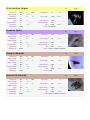
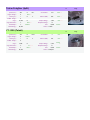
- This command causes the ship to fly in circles round the sector, revealing stations, gates and asteroids as
they pass within scanner range.
- To use the command you select a central point around which to explore, set a maximum range from that
point to explore and set a "ecliptic variance".
- This can be used to reveal a new sector or to locate a hard to find gate.
Special -> scan asteroid(s)
- This command will scan asteroids in the sector.
- Select the first asteroid to scan, then set the maximum number of asteroids to scan.
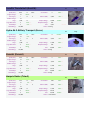
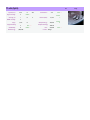
Specifications
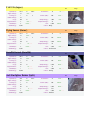
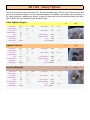
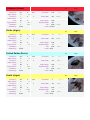
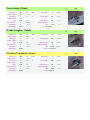
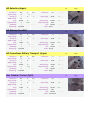
Fleet Support Ship Software (FSUP): Xai Corporation
Description Set of commands to re-supply fleets, deploy and retrieve assets
Availability Available to M5, M4, TP and TS class vessels.
BBS Items None
Instructions Adds commands to Re Supply Group, Ship, Drop and Retrieve Freight
Specifications The satellite deployment feature of this script allows you to place more than one satellite in a sector. To
do this the second satellite must be positioned at least 20km away from the first.
Commands:
1:Re-supply ship.
This command will cause the scout to fetch goods and transfer them to the target ship. Specifying a
greater quantity than the scout can hold in it's cargo bay will cause it to repeat the journey until the
required amount has been delivered. Software upgrades can also be delivered.
2: Re-supply group.
Same as Re-supply ship, but will supply every ship in the fleet, if possible.
3: Drop Freight.
This command will drop freight at a specified point. If a navigation satellite is selected then it will start
dropping satellites in other sectors in the same position, buying more satellites as needed. If a Squash mine
is selected then it will start laying a 2x2x2 grid of Squash mines 2km apart, buying more as needed, and
then calling you to have them activated. If a fighter drone is selected a random number of fighters will be
launched.
4: Retrieve Deployed Items
This command will retrieve deployed items such as laser towers, squash mines, satellites and drones. It will
command any fighter drones in scanner range to STAY, then pick them up if the ship has enough cargo bay
space. It will pick up multiple items within 10km range of the initial target.
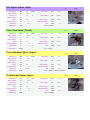
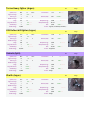
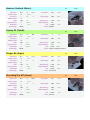
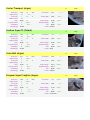
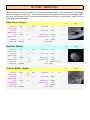
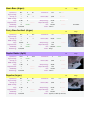
Freight Transporter Upgrade: LV
Description Allows a ship to beam aboard flying ware within 3km.
Availability Boron Trading Stations, available from the Custom menu when installed. Requires Transporter Device.
BBS Items None
Instructions Ships that have the upgrade installed in addition to a transporter device can beam any flying ware which is
within 3k of their ship as long as they have space in the cargo hold.
Specifications
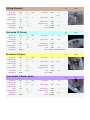
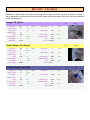
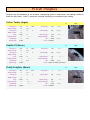
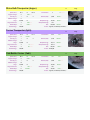
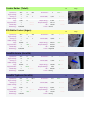
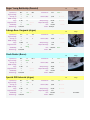
Jumpdrive kits ALP : LV
Description Adds Jumpdrive kits (JDK) that will install as a Jumpdrive on your ships.
Availability Both the Goner Temple and the Equipment Dock in Black Hole Sun will purchase JDKs from you.
BBS Items None
Instructions Each kit costs 10k and the charge for installing is $94k making it just a touch higher priced than the normal
Jumpdrive as it also installs 1 unit of Navigation Software. When a ship is carrying JDK's, the command
"Install Jumpdrive" will be available on that ship and when chosen it will install a Jumpdrive.
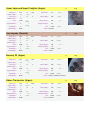
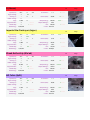
Specifications On loading the plug-in, two stations will be built by the Goners in Cloudbase Southwest and Black Hole Sun.
These stations will build Jumpdrive Kits, which can be converted into Jumpdrives. If the station is
destroyed or magically disappears it will re-build itself.