1
to trade something.
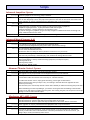
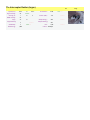
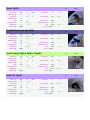
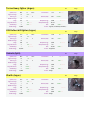
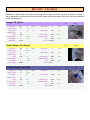
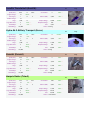
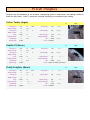
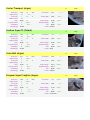
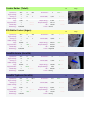
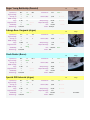
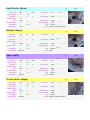
Station Trader: Naffarin
Description Adds commands to the trade software MK1 to allow for station/complex automated supply/sell.
Availability Requires Trade Software Mk1 installed.
BBS Items None
Instructions
Specifications
•
•
•
•
•
•
•
•
•
•
•
•
Automated buy or sell of a transporter in a station/complex.
Import command, transporter only buys needed resources.
Export command, transporter only sell available products.
Ships of the same station don't fly to the same target, but ships of different stations do if they
don't have enough experience (lack of communication).
Target stations that are nearer are preferred.
Automated upgrade of the ship (borrowed that script from trade software MK3).
Use of jump drive if available (flight script originally from trade software MK3), a jump drive will
be ordered/bought if the station has more than 125000 credits.
Ships try to sell available products if the station has less than 5000 credits even if there are no
resources in the station.
Resources are only bought if station is less than 80% full.
Products are only sold if the station is more than 20% full.
Resources are never bought if they are also an intermediate product.
Products that are listed as products are always sold regardless of if they are an intermediate
product.
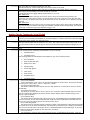
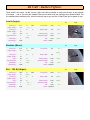
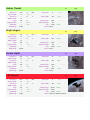
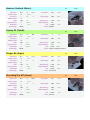
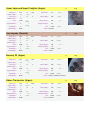
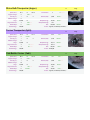
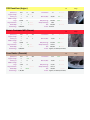
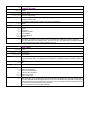
Turret Defence: Redspot
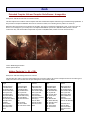
Description This script combines energy management, target tracking and weapon switching.
Also makes a turret have a bit more of a bite than it now does.
Availability This script replaces the "Turret attack enemies" command. When you use the "Turret attack enemies"
command you will use this script.
This will not improve the turrets ability to hit something.
BBS Items None
Instructions This script tries to keep the ships energy level up, but as shields and/or hull might go down, energy
becomes less of a priority.
When the ships energy is low it will start firing in 'pulses'.
There are 2 ways of using this command on your turrets.
Set the missile fire probability over 80% and the turret doesn’t care about 'friendly fire', set it at 80% or
lower and it will keep an eye on what weapon to use.
Do note; the turret finds itself more important than any 'friendly’, if it has the choice of no weapon or an
area-effect weapon, then it will pick the area-effect weapon.
The turret will first of all give priority to an incoming missile, than to a possible enemy the player has
targeted, after that it will look for a 'targeted enemy'.
This means it will see if any other turret is tracking a target and will check if it can 'combine fire'.
After that it will see if the ship has an attacker, attack target or if there is any other enemy near the ship.
If an enemy has been found the turret will always start tracking it,but when the target gets in firing range
the turret will have a very small 'delay'.
This delay will make sure less energy is wasted on 'long range fire' where it could be more effective in
closer range.
The overall result of this command is that a turret will fire sooner (yes even with a delay its firing before
others), it will fire with the *best* weapon it has to use (it will switch weapons between shots if needed),
it will drain energy at a pretty good pass, but will never let it go 'critical' while shields and hull are up.
Specifications Mass Drivers are a 'special' among 'the specials'.
If the ships energy is low, or the target is a missile, M4, M5 or Drone, the turret will *always* try switching
to Mass Drivers.
If it has energy or the target is a missile it will fire with or without Mass Drivers.
If energy is low and the target is in Mass Driver fire-range, you can watch the ship's hull go down.
It will NOT try switching to Mass Drivers when fighting larger ships if it still has energy, it would simply
waste ammo that could be needed at other time.
When equipping a ship, equip it like the following to get the maximum result; when you equip a ship that
has lets say 8 guns in each turret than don’t give it 12 of a weapon, give it 8, 16, 24 or 32, anything with