1
E
Appendix E Safety
Safety and electromagnetic compatibility (EMC) standards
Electrical
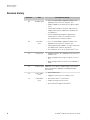
WARNING! Ensure appropriate electrical supply. For safe operation of the
instrument:
· Plug the system into a properly grounded receptacle with adequate current
·
·
capacity.
Ensure the electrical supply is of suitable voltage.
Never operate the instrument with the ground disconnected. Grounding
continuity is required for safe operation of the instrument.
WARNING! Power Supply Line Cords. Use properly configured and approved
line cords for the power supply in your facility.
WARNING! Disconnecting Power. To fully disconnect power either detach or
unplug the power cord, positioning the instrument such that the power cord is
accessible.
Cleaning and
decontamination
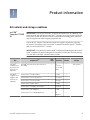
CAUTION! Cleaning and Decontamination. Use only the cleaning and
decontamination methods specified in the manufacturer's user documentation.
It is the responsibility of the operator (or other responsible person) to ensure
the following requirements are met:
· No decontamination or cleaning agents are used that could cause a
·
·
HAZARD as a result of a reaction with parts of the equipment or with
material contained in the equipment.
The instrument is properly decontaminated a) if hazardous material is
spilled onto or into the equipment, and/or b) prior to having the instrument
serviced at your facility or sending the instrument for repair, maintenance,
trade-in, disposal, or termination of a loan (decontamination forms may be
requested from customer service).
Before using any cleaning or decontamination methods (except those
recommended by the manufacturer), users should confirm with the
manufacturer that the proposed method will not damage the equipment
Safety and electromagnetic compatibility (EMC) standards
The instrument design and manufacture complies with the standards and
requirements for safety and electromagnetic compatibility as noted in the following
table:
116
Ion PGM™ Template OT2 200 Kit User Guide